
AI Tools That Help Nonprofits Automate Donor Thank-You Workflows
Timely, personalized thank-you messages are essential for donor retention, but creating them manually at scale is nearly impossible. Discover the AI tools that can help you automate donor acknowledgments while maintaining the personal touch that builds lasting relationships.
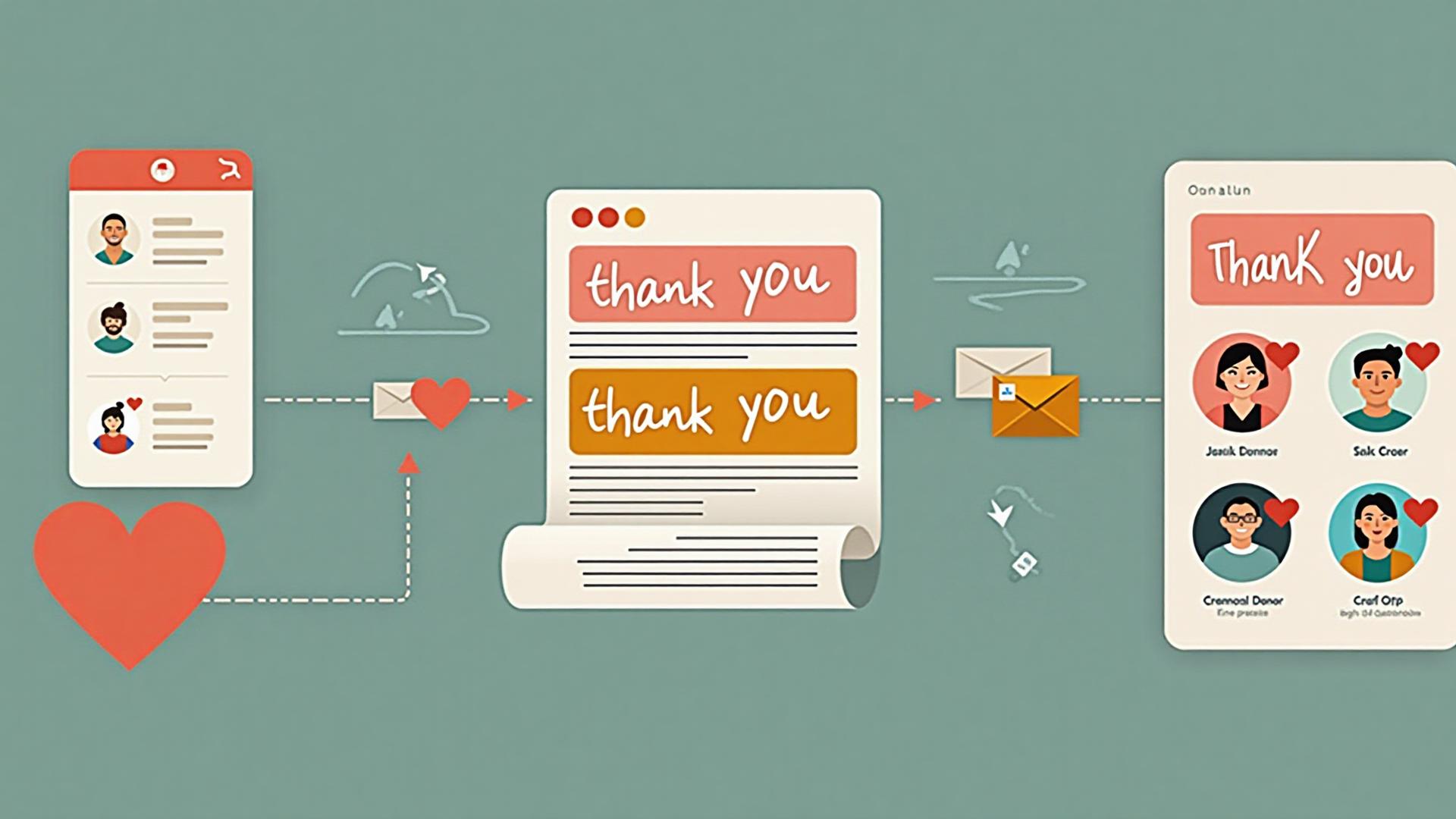
Donor thank-you messages are one of the most critical touchpoints in nonprofit fundraising. Research consistently shows that timely, personalized acknowledgments significantly impact donor retention and future giving. Yet, as donor bases grow, manually crafting and sending personalized thank-you messages becomes increasingly challenging—often leading to delayed responses, generic messaging, or missed opportunities.
AI-powered tools can transform how nonprofits handle donor acknowledgments, enabling organizations to send timely, personalized thank-you messages at scale without sacrificing the warmth and authenticity that donors expect. This guide explores the best AI tools specifically designed for automating donor thank-you workflows, helping you choose the right solution for your organization's needs and budget.
Why Automate Donor Thank-You Workflows?
Before diving into specific tools, it's important to understand why automating thank-you workflows matters and what makes automation successful in this context.
The Problem: Most nonprofits struggle with thank-you message volume. During peak fundraising periods, development teams can receive hundreds of donations in a single day. Manually acknowledging each one with a personalized message is time-consuming and often results in delays that can damage donor relationships. Studies show that donors who receive thank-you messages within 48 hours are significantly more likely to give again.
The Opportunity: AI automation doesn't mean generic, robotic messages. Modern AI tools can create highly personalized acknowledgments that reference specific donation amounts, giving history, preferred programs, and communication preferences. This level of personalization, delivered at scale, can actually strengthen donor relationships while freeing staff to focus on high-value interactions.
The Goal: The best automated thank-you workflows feel personal and genuine, arrive promptly, and reflect your organization's unique voice and values. They should integrate seamlessly with your existing donor database and communication platforms, making the process smooth for both staff and donors.
Top AI Tools for Donor Thank-You Automation
The following tools represent the best options for nonprofits looking to automate donor thank-you workflows. Each has been evaluated based on ease of use, integration capabilities, personalization features, affordability, and nonprofit-specific functionality.
1. ChatGPT (OpenAI) with Custom Instructions
What it does: ChatGPT can generate personalized thank-you messages based on donor information, donation details, and your organization's voice guidelines. With custom instructions, you can train it to consistently reflect your mission, tone, and communication style.
Why it works for thank-you workflows: ChatGPT excels at creating warm, personalized messages that feel human-written. You can provide donor data (name, amount, giving history, preferred programs) and generate unique acknowledgments for each donor. It's particularly effective when combined with automation platforms like Zapier or Make to pull donor data and send messages automatically.
Best for: Organizations that want maximum flexibility and control over message content. Ideal for creating templates that can be customized per donor segment.
Integration options: Works with Zapier, Make, and custom API integrations to connect with donor databases and email platforms.
Pricing: Free tier available; Plus plan at $20/month for better performance and API access
2. Thankful (Thankful.ai)
What it does: Thankful is specifically designed for donor acknowledgment automation. It integrates with popular nonprofit CRM systems and automatically generates personalized thank-you messages based on donor data, giving history, and impact information.
Why it works for thank-you workflows: Built specifically for nonprofits, Thankful understands the nuances of donor stewardship. It can reference specific programs donors support, acknowledge giving milestones, and maintain consistent brand voice across all communications. The platform includes templates optimized for different donor segments and giving levels.
Best for: Nonprofits using major CRM platforms (Salesforce, Blackbaud, DonorPerfect) who want a purpose-built solution for donor acknowledgments.
Integration options: Native integrations with Salesforce Nonprofit Cloud, Blackbaud Raiser's Edge, DonorPerfect, and other major nonprofit CRMs.
Pricing: Contact for nonprofit pricing; typically starts around $99/month for small organizations
3. Zapier + AI (OpenAI Integration)
What it does: Zapier's AI features allow you to create automated workflows that trigger when donations are received, use AI to generate personalized thank-you messages, and send them via email, SMS, or other channels.
Why it works for thank-you workflows: Zapier connects your donation platform, donor database, and communication tools, creating seamless automation. When a donation is received, it can pull donor information, generate a personalized message using AI, and send it automatically. This approach gives you flexibility to customize workflows for different scenarios (first-time donors, recurring donors, major gifts, etc.).
Best for: Organizations that want to build custom automation workflows and have multiple tools that need to work together.
Integration options: Connects with 6,000+ apps including major donation platforms, CRMs, email marketing tools, and AI services.
Pricing: Free tier with limited tasks; Starter at $19.99/month; Professional plans for higher volume
4. Mailchimp + AI Content Generator
What it does: Mailchimp's AI Content Generator can create personalized email content, including thank-you messages, based on donor segments and campaign data. It integrates with donation platforms to trigger automated thank-you sequences.
Why it works for thank-you workflows: If your organization already uses Mailchimp for email marketing, the AI Content Generator can help create personalized thank-you messages that match your existing email templates and brand voice. The platform's automation features allow you to set up triggered thank-you sequences based on donation events.
Best for: Organizations already using Mailchimp who want to add AI-powered personalization to their existing email workflows.
Integration options: Integrates with major donation platforms, CRMs, and e-commerce tools. Native AI features built into the platform.
Pricing: Free tier available; Essentials plan starts at $13/month; includes AI Content Generator on paid plans
5. Constant Contact + AI Writing Assistant
What it does: Constant Contact offers AI-powered email writing assistance that can help create personalized thank-you messages. Combined with the platform's automation features, it enables triggered thank-you sequences based on donation events.
Why it works for thank-you workflows: Constant Contact is popular among nonprofits for its ease of use and nonprofit discounts. The AI writing assistant helps create personalized content quickly, while automation features ensure timely delivery. The platform includes templates specifically designed for donor acknowledgments.
Best for: Small to mid-size nonprofits looking for an all-in-one email marketing and automation solution with AI capabilities.
Integration options: Connects with donation platforms, CRMs, and social media tools. Offers nonprofit discounts.
Pricing: Core plan starts at $12/month; nonprofit discounts available; AI features included on paid plans
6. Donorbox + AI Thank-You Messages
What it does: Donorbox is a donation platform that includes built-in AI features for generating personalized thank-you messages. When donations are received, the platform can automatically generate and send customized acknowledgments.
Why it works for thank-you workflows: If you're using Donorbox for online donations, the platform's AI features can create personalized thank-you messages automatically. This eliminates the need for separate tools and ensures immediate acknowledgment. Messages can reference donation amounts, campaign information, and donor details.
Best for: Organizations using Donorbox for online fundraising who want integrated thank-you automation.
Integration options: Native integration with email platforms and CRMs. AI features built into the donation platform.
Pricing: Free tier available; Standard plan at $0/month with 1.5% platform fee; AI features on paid plans
7. Claude (Anthropic) for Custom Workflows
What it does: Claude is an AI assistant known for its strong reasoning abilities and long context window. It can be integrated into custom workflows to generate personalized thank-you messages based on comprehensive donor profiles and giving history.
Why it works for thank-you workflows: Claude excels at analyzing donor data and creating nuanced, personalized messages. Its long context window means you can provide extensive donor information, program details, and impact stories, allowing for highly personalized acknowledgments. It's particularly effective for major donors or complex stewardship scenarios.
Best for: Organizations that want to build custom automation workflows with sophisticated personalization, especially for high-value donor communications.
Integration options: API access available for custom integrations. Works with automation platforms like Zapier and Make.
Pricing: Free tier available; Pro at $20/month for API access and higher usage limits
Key Features to Look For
When evaluating AI tools for donor thank-you automation, consider these essential features that ensure your automated messages maintain quality and authenticity:
Personalization Capabilities
- Dynamic donor data integration (name, amount, giving history)
- Program-specific messaging based on donor interests
- Giving milestone recognition
- Communication preference respect
Automation Features
- Triggered sends based on donation events
- Multi-channel delivery (email, SMS, direct mail)
- Follow-up sequence capabilities
- Timing optimization based on donor preferences
Integration Options
- CRM system connectivity
- Donation platform integration
- Email marketing platform compatibility
- API access for custom workflows
Quality Control
- Human review options for sensitive communications
- Template library and customization options
- Brand voice consistency tools
- Testing and preview capabilities
Implementation Best Practices
Successfully implementing AI-powered thank-you automation requires careful planning and attention to detail. Follow these best practices to ensure your automated acknowledgments strengthen rather than weaken donor relationships:
Start with High-Volume, Low-Risk Scenarios
Begin by automating thank-you messages for online donations, recurring gifts, and standard acknowledgment scenarios. These high-volume communications benefit most from automation and have lower risk if something goes wrong. Save manual processes for major gifts, first-time donors, and sensitive situations.
Develop Clear Voice and Tone Guidelines
Before automating, document your organization's communication voice, tone, and style preferences. Provide these guidelines to AI tools through custom instructions or templates. Include examples of good thank-you messages, language to avoid, and specific phrases that reflect your mission and values.
Segment Donors for Appropriate Messaging
Not all thank-you messages should be the same. Create different templates and automation rules for different donor segments: first-time donors, recurring donors, major donors, program-specific supporters, etc. Each segment deserves messaging that acknowledges their specific relationship with your organization.
Ensure Timely Delivery
The value of thank-you messages decreases significantly with delay. Set up automation to send acknowledgments within 24-48 hours of donation receipt. For online donations, immediate automated confirmations are expected and appreciated. Follow up with more detailed impact messages within a week.
Include Impact Information
Effective thank-you messages go beyond acknowledging the gift—they show donors the impact of their contribution. Use AI to pull relevant impact stories, program updates, or outcomes that relate to the donor's giving history or interests. This personalization makes automated messages feel genuine and meaningful.
Maintain Human Oversight
Even with automation, designate staff members to review automated messages regularly, especially during the initial implementation period. Monitor for quality, accuracy, and appropriateness. Establish protocols for when human staff should step in—for example, for major gifts, unusual situations, or donor responses that require personal attention.
Test and Iterate
Before going live, test your automation with sample donor data. Send test messages to team members and gather feedback. Monitor engagement metrics (open rates, response rates) and donor feedback after implementation. Continuously refine your templates, personalization rules, and timing based on what you learn.
Common Pitfalls to Avoid
While AI automation can dramatically improve thank-you workflows, certain mistakes can undermine its effectiveness. Avoid these common pitfalls:
- Over-automation: Don't automate everything. Major gifts, first-time donors, and sensitive situations often benefit from personal, human-written messages. Use automation to handle routine acknowledgments so staff can focus on high-value interactions.
- Generic messaging: If your automated messages feel templated and generic, they'll damage rather than strengthen relationships. Invest time in creating good templates and personalization rules that make each message feel unique.
- Ignoring donor preferences: Some donors prefer email, others prefer mail, and some don't want thank-you messages at all. Ensure your automation respects communication preferences and opt-out requests.
- Missing context: Thank-you messages should reference specific donation amounts, dates, and programs. Generic messages that could apply to any donation feel impersonal and reduce donor trust.
- Set-and-forget mentality: Automation requires ongoing monitoring and refinement. Don't implement it and walk away—regularly review messages, gather feedback, and make improvements based on what you learn.
Measuring Success
To ensure your automated thank-you workflows are effective, track these key metrics:
- Response time: Average time between donation receipt and thank-you message delivery. Aim for under 48 hours for most donations, immediate for online gifts.
- Open and engagement rates: Monitor email open rates, click-through rates, and response rates for automated thank-you messages compared to manual ones.
- Donor retention: Track whether donors who receive automated thank-you messages are more or less likely to give again compared to those who receive manual messages.
- Staff time savings: Measure the time saved by automation and how that time is being redirected to other donor stewardship activities.
- Donor feedback: Regularly survey donors about their experience with thank-you messages. Ask if messages feel personal, timely, and meaningful.
Getting Started: A Practical Roadmap
Ready to implement AI-powered thank-you automation? Follow this practical roadmap:
- Week 1: Choose your tool - Evaluate the tools listed above based on your budget, existing tech stack, and needs. Start with a tool that integrates well with your current systems.
- Week 2: Develop templates and guidelines - Create voice and tone guidelines, develop thank-you message templates for different donor segments, and document personalization rules.
- Week 3: Set up integration and test - Connect your chosen tool to your donor database and donation platform. Test with sample data and refine your automation rules.
- Week 4: Pilot with a small segment - Launch automation for a small, low-risk donor segment (e.g., online donations under $100). Monitor closely and gather feedback.
- Month 2: Expand and optimize - Based on pilot results, expand automation to additional donor segments. Refine templates and personalization based on what you've learned.
- Ongoing: Monitor and improve - Regularly review metrics, gather donor feedback, and continuously improve your automated thank-you workflows.
The Bottom Line
AI-powered automation can transform donor thank-you workflows, enabling nonprofits to send timely, personalized acknowledgments at scale while maintaining the warmth and authenticity that builds lasting donor relationships. The key to success lies in choosing the right tools, implementing thoughtful personalization, and maintaining human oversight where it matters most.
Remember: automation should enhance, not replace, the personal touch that donors value. The best automated thank-you messages feel genuine and personal, arriving promptly with relevant information that shows donors their impact. When implemented thoughtfully, AI automation can actually strengthen donor relationships by ensuring every donor receives the acknowledgment they deserve, while freeing staff to focus on high-value stewardship activities.
Ready to Automate Your Donor Thank-You Workflows?
Implementing AI-powered thank-you automation requires careful planning and the right tools. We help nonprofits choose, implement, and optimize AI solutions that strengthen donor relationships while improving efficiency. Let's find the right approach for your organization.