
How AI Workflow Integration Changes Everything for Nonprofits
The shift from fragmented AI tools to integrated workflow systems represents a fundamental transformation in how nonprofits operate. Discover how workflow integration eliminates data silos, reduces tool sprawl, and delivers measurable time savings while creating a seamless technology ecosystem that actually works together.
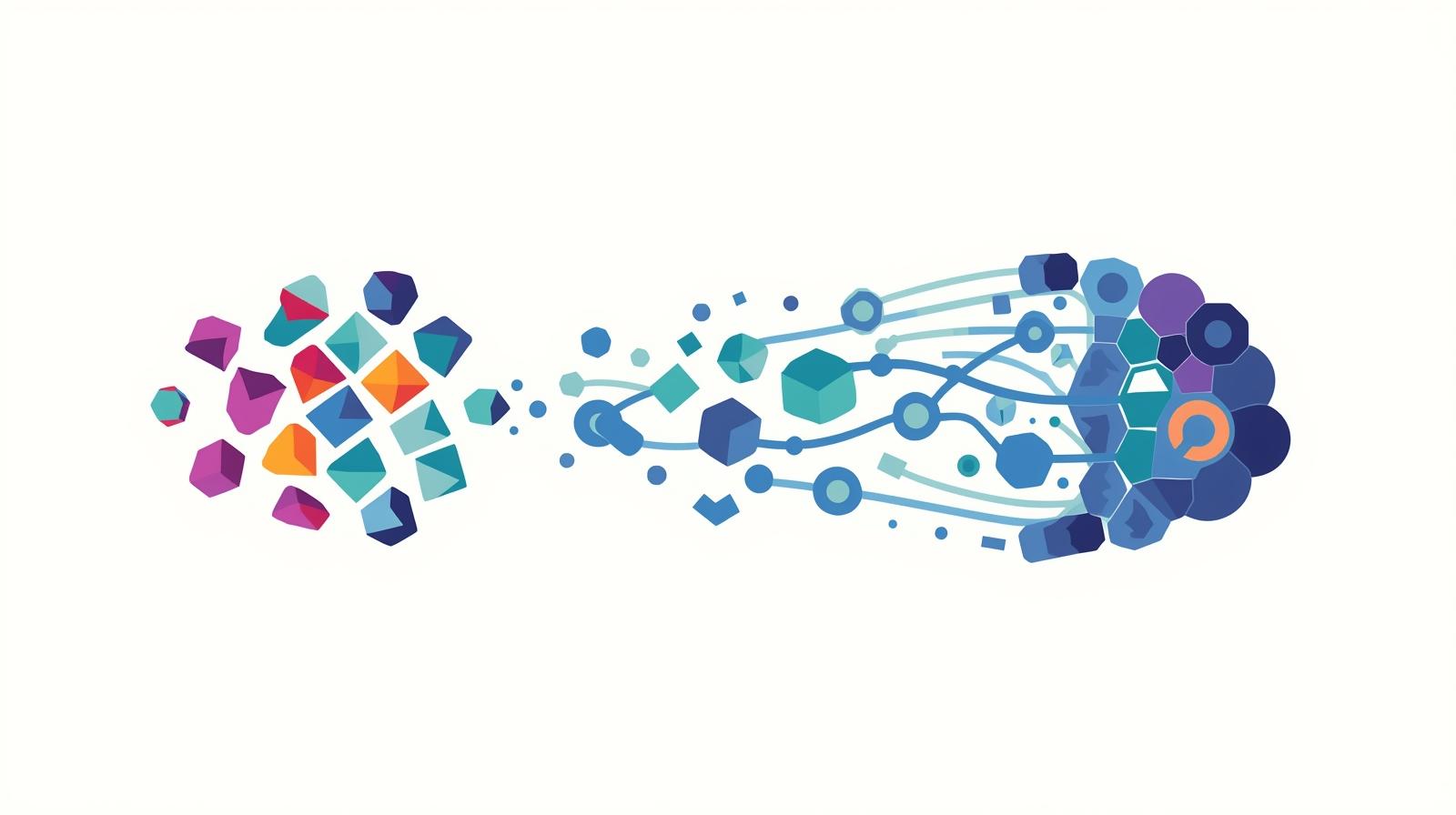
Your nonprofit likely has a CRM for donor management, an email marketing platform for communications, a volunteer management system for coordination, a fundraising platform for campaigns, and perhaps ChatGPT or another AI tool for content creation. Each works well on its own. But together? They're a disconnected mess that creates more work than it eliminates.
This is the reality for most nonprofits in 2026. Research shows that 72% of nonprofits use three or more systems that don't communicate with each other, and the average organization juggles 10 to 20 different software solutions. The result is what technology professionals call "tool sprawl"—an uncontrolled growth of disconnected applications that fragment your data, waste staff time, and create frustration across your organization.
But a fundamental shift is underway. Leading nonprofits are moving from collections of single-purpose AI tools to integrated AI workflow systems—platforms that connect your entire technology ecosystem, enable seamless data flow, and automate entire processes from start to finish. This isn't just an incremental improvement. It's a transformation that changes how your organization operates at every level.
The benefits are measurable and significant. Organizations implementing integrated workflow automation report time savings ranging from 10 hours monthly for small operations to over 200 hours for larger implementations. They eliminate redundant data entry, reduce errors, improve donor communications, and free staff to focus on mission-critical work instead of administrative tasks.
In this article, we'll explore how integrated AI workflow systems differ from single-purpose tools, why this distinction matters for your nonprofit, and how to build a technology ecosystem that actually works together. Whether you're struggling with disconnected systems or planning your first automation project, understanding workflow integration is essential for maximizing your technology investment and organizational impact.
The Hidden Cost of Disconnected Systems
Before exploring solutions, it's crucial to understand the full scope of the problem. Tool sprawl isn't just an annoyance—it's a strategic liability that undermines your nonprofit's effectiveness in ways both visible and hidden.
The pattern is familiar to anyone working in nonprofits. A need arises—perhaps better email marketing, improved volunteer tracking, or enhanced donor analytics. Your team researches options, finds a tool that solves that specific problem, and implements it. The tool works well for its intended purpose. Then another need emerges, and the cycle repeats. Over time, you accumulate a collection of disconnected solutions, each purchased in isolation without considering how they'll work together as a system.
As one technology consultant observes, smaller organizations "don't think in terms of systems or workflows, but see a need and buy a product to fill that gap." This tool-by-tool approach creates problems that compound over time, ultimately costing far more than the subscription fees suggest.
Data Fragmentation
When data lives in separate systems, you lose the ability to see the complete picture. A donor's giving history sits in your CRM, their email engagement lives in Mailchimp, their event attendance exists in Eventbrite, and their volunteer hours are tracked in a separate system entirely.
This fragmentation doesn't just make reporting difficult—it makes informed decision-making nearly impossible. Staff waste time manually compiling information from multiple sources, and the resulting analysis is often outdated before it's complete.
Manual Data Entry Burden
Disconnected systems require constant manual data transfer. Staff copy donor information between platforms, manually update spreadsheets with data from multiple sources, and spend hours ensuring consistency across systems.
Research shows the average U.S. employee spends almost five hours per week on repetitive tasks. For nonprofits with fragmented systems, this number is often higher, representing hundreds of hours annually that could be invested in mission-critical work.
Hidden Financial Drain
Tool sprawl creates both direct and indirect costs. Beyond subscription fees, organizations pay for redundant functionality across multiple platforms, spend on middleware or integration services to connect systems, and invest staff time in learning and maintaining numerous tools.
A 2025 enterprise technology report found organizations lost an average of $104 million due to underutilized technology and stack complexity. While nonprofit budgets are smaller, the proportional impact of wasted technology spending can be equally devastating.
Decreased Productivity and Morale
An overabundance of disconnected tools overwhelms employees, creating confusion, decision paralysis, and the frustration of switching between platforms that don't communicate. Each new tool adds a learning curve that detracts from productive work.
More concerning, this technology burden contributes to burnout. When staff spend more time managing technology than serving your mission, morale suffers and talented people leave for organizations with more functional systems.
The cumulative effect of these challenges is significant. Your nonprofit operates at a fraction of its potential efficiency, staff experience unnecessary frustration, and leadership lacks the integrated data needed for strategic decision-making. Tool sprawl isn't just a technical problem—it's an organizational problem that affects every aspect of your mission delivery.
What Makes Workflow Integration Different
Integrated AI workflow systems represent a fundamentally different approach to nonprofit technology. Instead of adding individual tools that solve isolated problems, these systems focus on connecting your entire technology ecosystem and automating complete processes from trigger to completion.
The distinction between single-purpose AI tools and integrated workflow systems is crucial to understand. A single-purpose tool performs one function well—ChatGPT drafts content, a donor database stores information, an email platform sends messages. An integrated workflow system connects these tools and automates the complete process: when a donor makes a gift, the system automatically updates their CRM record, triggers a personalized thank-you email, logs the interaction, creates tasks for follow-up, and updates reporting dashboards—all without manual intervention.
Key Characteristics of Integrated Workflow Systems
What distinguishes truly integrated systems from collections of connected tools
Multi-Platform Connectivity
Rather than operating in isolation, integrated systems connect with hundreds or thousands of other platforms through APIs and pre-built integrations. Leading workflow automation platforms like Zapier offer over 8,000 integrations, Make supports 1,500+, and even specialized nonprofit CRMs integrate with dozens of commonly used tools.
This connectivity isn't just about technical capability—it's about creating a seamless data flow where information entered once automatically propagates to every system that needs it, eliminating redundant data entry and ensuring consistency across your technology stack.
Process Automation, Not Just Task Automation
Many organizations automate individual tasks—using AI to draft emails, for instance. Integrated workflow systems automate entire processes. When a volunteer completes their shift, the system logs their hours, updates their profile, checks if they've met milestones, triggers appropriate recognition emails, updates grant reporting metrics, and creates next-step tasks—all automatically.
This process-level automation delivers exponentially greater value than task automation. Instead of saving minutes on individual activities, you eliminate hours of work across complete workflows.
Conditional Logic and Intelligent Routing
Modern workflow systems don't just move data—they make decisions based on that data. They can route different donors to different stewardship sequences based on giving history, prioritize support requests based on urgency indicators, or escalate issues to appropriate team members based on complexity.
This intelligence transforms workflows from simple if-then automation to sophisticated decision trees that handle exceptions, edge cases, and nuanced scenarios without human intervention.
Real-Time Data Synchronization
Instead of periodic batch updates or manual data transfers, integrated systems maintain continuous synchronization across platforms. Changes made in one system immediately reflect everywhere else, ensuring staff always work with current information regardless of which platform they're using.
This real-time capability is essential for donor communications, program coordination, and accurate reporting. It eliminates the confusion and errors that arise when different systems contain conflicting information about the same record.
Unified Reporting and Analytics
Perhaps most valuable, integrated systems enable comprehensive analytics that span your entire operation. Rather than generating separate reports from each tool and manually combining insights, you can analyze data across platforms to understand donor behavior, program effectiveness, and organizational performance holistically.
This unified view reveals patterns and connections invisible when data lives in silos, enabling more informed strategic decisions and better resource allocation.
The shift from single-purpose tools to integrated workflow systems mirrors the broader evolution happening across the nonprofit sector. As one technology analyst notes, nonprofits are moving "from separate systems for donor management, casework and volunteer scheduling" to "building a single system of record with workflow automation and embedded AI." This consolidation represents not just technological advancement, but a fundamental rethinking of how nonprofits approach their technology infrastructure.
For organizations building AI champions within their teams, integrated workflow systems provide a powerful foundation. Champions can design and deploy sophisticated automations without extensive technical expertise, democratizing the ability to improve organizational efficiency.
Choosing Your Workflow Automation Platform
The landscape of workflow automation platforms has matured significantly, offering nonprofits robust options at various price points and complexity levels. Understanding the differences between leading platforms helps you select the right foundation for your integrated workflow system.
While dozens of workflow automation tools exist, three platforms dominate nonprofit conversations in 2026: Zapier, Make (formerly Integromat), and n8n. Each offers distinct advantages depending on your organization's technical capacity, budget, and integration needs.
Zapier: The User-Friendly Standard
Best for nonprofits with limited technical resources seeking quick implementation
Zapier pioneered no-code workflow automation and remains the most accessible option for non-technical teams. Its linear, guided approach—trigger, then actions—allows staff with no programming experience to create functional automations within minutes. The platform's sequential structure makes it easy to understand and troubleshoot workflows.
With over 8,000 pre-built integrations, Zapier offers guaranteed connectivity to virtually any tool your nonprofit uses, including niche platforms that other automation services might not support. This breadth makes it particularly valuable for organizations with diverse technology stacks.
Best Use Cases:
- Small to mid-sized nonprofits without dedicated IT staff
- Organizations needing to connect uncommon or niche platforms
- Teams prioritizing ease of use and quick implementation over cost optimization
- Simple to moderately complex automations that don't require extensive conditional logic
Limitations to Consider:
Zapier's pricing becomes expensive at scale, with costs increasing rapidly as automation complexity grows. Organizations running many workflows or processing high volumes may find the per-task pricing model prohibitively costly. Additionally, complex logic requiring extensive branching and conditional paths can become difficult to manage within Zapier's linear structure.
Make: The Power User's Choice
Ideal for organizations needing complex logic-driven workflows at reasonable cost
Make (formerly Integromat) offers a visual workflow builder with modular logic blocks that supports significantly more complex automations than Zapier while maintaining a no-code interface. Its visual canvas allows you to see your entire workflow at a glance, making complex branching logic easier to understand and maintain.
With 1,500+ integrations and powerful features including data transformation, error handling, and sophisticated conditional routing, Make enables automation scenarios that would be difficult or impossible in simpler platforms. The platform's real-time workflow execution provides immediate feedback and easier debugging.
Best Use Cases:
- Mid-sized nonprofits with some technical capacity willing to invest in learning a more powerful tool
- Complex workflows requiring extensive conditional logic, error handling, and data transformation
- Organizations processing moderate to high automation volumes where cost efficiency matters
- Teams comfortable with visual programming and willing to climb a moderate learning curve
Limitations to Consider:
Make's visual interface and advanced features require more time to master than Zapier's linear approach. While not requiring programming knowledge, effectively using Make demands investment in learning platform-specific concepts. The smaller integration library compared to Zapier may also limit connectivity to some niche tools.
n8n: The Privacy-Focused Option
Perfect for organizations with technical staff requiring maximum data control and cost efficiency
n8n (short for "nodemation") is a fair-code automation platform designed for technical teams that combines AI capabilities with business process automation. Its unique value proposition is the ability to self-host, giving organizations complete control over where their data lives and processes—critical for nonprofits handling sensitive beneficiary information, healthcare data, or personally identifiable donor details.
The platform's execution-based pricing model can deliver remarkable cost savings for organizations with technical capacity to self-host. Workflows costing thousands of dollars monthly on other platforms might run for a fraction of that cost on n8n, with one analysis showing a task costing $7,600 on competing platforms running for approximately $320 on n8n.
Best Use Cases:
- Nonprofits with in-house technical staff or access to development resources
- Organizations handling highly sensitive data requiring on-premise hosting
- High-volume automation needs where cost optimization is critical
- Teams needing custom integrations beyond what pre-built connectors offer
Limitations to Consider:
n8n requires technical expertise to deploy and maintain, particularly if self-hosting. Organizations without dedicated IT staff will struggle with server management, security updates, and troubleshooting. While the platform offers a cloud-hosted option, self-hosting is where the most significant cost advantages emerge—but also where technical requirements are highest.
Beyond these three leading platforms, nonprofits should also consider all-in-one systems with built-in workflow automation. Modern nonprofit CRMs like Bloomerang, Virtuous, and Giveffect increasingly include sophisticated workflow capabilities, eliminating the need for separate automation platforms for many use cases. These integrated systems offer the advantage of deep platform-specific automation without requiring external connections.
The right choice depends on your organization's specific context. A small nonprofit with limited technical resources might start with Zapier to automate simple processes, while a larger organization with technical staff and significant automation needs might implement n8n for maximum control and cost efficiency. Many organizations use multiple platforms strategically—perhaps a nonprofit CRM for donor workflow automation combined with Make for connecting that CRM to other organizational systems.
The ROI of Integrated Workflows: Real Numbers
Workflow integration delivers measurable returns that justify the investment of time and resources required for implementation. While every organization's results vary based on their starting point and scope of automation, patterns emerge across successful implementations that demonstrate clear value.
The most immediate and tangible benefit is time savings. Research and case studies provide specific benchmarks that help organizations understand what's achievable through workflow automation.
Documented Time Savings Across Nonprofit Implementations
Real-world results from organizations that implemented workflow automation
San Diego Humane Society: 200+ Hours Annually
By automating their sustained giving program, the organization eliminated manual work of charging each recurring donor monthly, saving more than 200 hours of staff time annually. This automation also reduced errors and improved donor retention by ensuring consistent, reliable processing.
Power Automate Implementation: 100+ Hours Annually
One nonprofit technology leader spent 35 hours learning to connect Power Automate with their donor fundraising platform. This upfront investment saved their organization more than 100 hours per year in ongoing operations—a return on investment achieved within the first few months.
Small Nonprofit Email Automation: 120 Hours Annually
A small community organization saved 10 hours monthly by automating donor thank-you emails through Mailchimp integration with their donor database. Over a year, this single workflow delivered 120 hours of time savings—equivalent to three weeks of full-time work.
CRM Implementation: 10-15 Hours Weekly
Studies show that effective CRM implementation with integrated workflows increases productivity by saving teams 10-15 hours weekly. These savings come from eliminated redundant data entry, automated follow-up sequences, and streamlined reporting processes.
General Automation Benefits: 40 Hours Monthly
Technology consultants estimate organizations can save approximately 40 hours monthly by implementing workflow automation that eliminates manual data transfer and repetitive tasks. This translates to 480 hours annually—nearly three months of full-time equivalent work.
Beyond direct time savings, integrated workflows deliver value through improved accuracy, enhanced donor experience, and better strategic capacity. When data flows automatically between systems, human error decreases dramatically. When donor communications trigger based on actual behavior rather than manual lists, personalization improves and engagement increases. When staff stop spending time on repetitive administrative tasks, they can invest that capacity in relationship-building and strategic work that directly advances your mission.
Research shows that nonprofits implementing effective donor management systems with integrated workflows raise 25% more funds in their first year, with CRM implementation boosting fundraising revenue by 21%. These increases stem not just from technology itself, but from the improved donor relationships and strategic capacity that automation enables.
Perhaps most valuable but hardest to quantify is the impact on staff morale and retention. When your team spends less time fighting disconnected systems and more time doing meaningful work, job satisfaction increases. In an era where nonprofit burnout and turnover create significant challenges, technology that reduces frustration and enables focus on mission-driven work provides substantial organizational value.
Calculating Your Potential ROI
A framework for estimating time savings from workflow automation
To estimate potential time savings for your organization, start by identifying repetitive processes where staff currently transfer data between systems, perform manual updates across multiple platforms, or spend time on routine communications and follow-up tasks.
For each process, estimate the time currently invested weekly or monthly. Then consider what percentage could be automated through workflow integration. Conservative estimates suggest 60-80% of repetitive administrative work can be automated with properly configured workflows.
Multiply your current time investment by this automation percentage to estimate potential savings. For example, if staff currently spend 20 hours monthly on donor acknowledgment tasks, and 70% could be automated, you're looking at 14 hours saved monthly or 168 hours annually—over four weeks of full-time work.
Compare this time savings value (calculated at your staff's actual hourly cost) against the investment required for workflow automation. Even accounting for setup time, ongoing platform fees, and maintenance, most nonprofits achieve positive ROI within 3-6 months of implementation.
Building Your Integrated Workflow System
Moving from fragmented tools to integrated workflows requires thoughtful planning and strategic implementation. Organizations that succeed take a systematic approach, starting small, proving value, and scaling what works rather than attempting comprehensive automation all at once.
The following framework guides nonprofits through practical steps for workflow integration, from initial assessment through ongoing optimization.
Step 1: Assess Your Current Technology Ecosystem
Before implementing new automation, understand what you're working with. Create a comprehensive inventory of all platforms your organization currently uses—CRM, email marketing, fundraising, volunteer management, accounting, project management, and any other systems where organizational data lives.
For each platform, document what data it contains, who uses it, how information currently flows in and out, and what integration capabilities it offers. This assessment often reveals surprising complexity—organizations typically discover they're using more disconnected systems than they realized.
Evaluate your organization's AI maturity level as well. Are you in an ad-hoc phase where individuals use tools independently? An operational phase where some standardization exists? Or a strategic phase where technology aligns with organizational goals? Understanding your baseline helps you set appropriate expectations and choose the right starting point for workflow integration.
This assessment also identifies your most painful disconnects—the places where staff waste the most time on manual data transfer, where errors occur most frequently, or where strategic decisions are delayed by lack of integrated information. These pain points become your highest-priority automation opportunities.
Step 2: Identify High-Value Automation Opportunities
Not all workflows deliver equal value when automated. Prioritize opportunities that combine high time investment, frequent occurrence, low complexity, and clear business value. The ideal first automation project saves significant time, happens regularly enough to demonstrate ongoing value, doesn't require extensive conditional logic or exception handling, and directly supports your mission.
Common high-value opportunities for nonprofits include donor acknowledgment workflows (automated thank-you emails, tax receipts, and follow-up sequences based on gift level), volunteer coordination (automated scheduling confirmations, reminder emails, and hour logging), event management (registration confirmations, reminder sequences, and post-event follow-up), and grant reporting (automated data aggregation from multiple systems into reporting templates).
Involve staff in identifying opportunities. The people doing the work daily often have the clearest view of repetitive tasks that could be automated. Their input also builds buy-in for the automation initiative and helps surface edge cases and requirements that might not be obvious to leadership.
Based on this analysis, select 2-3 pilot workflows to automate first. Resist the temptation to tackle everything at once—start with manageable projects that can demonstrate value quickly and build momentum for broader adoption.
Step 3: Select Your Integration Platform
Choose an automation platform that matches your organization's technical capacity, budget, and integration needs. For organizations with limited technical resources and moderate automation needs, Zapier offers the fastest path to value with its intuitive interface and extensive integration library. Teams comfortable with visual programming who need more complex logic-driven workflows will find Make's advanced capabilities worth the steeper learning curve.
Organizations with technical staff, high-volume automation needs, or strict data privacy requirements should evaluate n8n's self-hosted option for maximum control and cost efficiency. Many nonprofits also find value in starting with their CRM's built-in automation capabilities before adding external workflow platforms for connections beyond what the CRM natively supports.
Consider starting with a free tier or trial period to test the platform with your specific use cases before committing to paid plans. Most workflow automation platforms offer generous free tiers that accommodate initial pilot projects, allowing you to prove value before budget allocation becomes necessary.
Remember that you're not locked into a single platform forever. Many organizations use different tools for different purposes—perhaps their CRM's native automation for donor workflows, Zapier for connecting systems their CRM doesn't integrate with natively, and Make for complex multi-step processes requiring sophisticated logic.
Step 4: Design and Test Your First Workflows
Map out your workflow logic before building it in the automation platform. Document the trigger (what event starts the workflow), the data that needs to flow, the actions that should occur, and any conditional logic or decision points. This planning prevents scope creep and ensures you've thought through edge cases before implementation.
Build your workflow in stages, testing each component before adding the next. Start with the trigger and first action, verify it works correctly, then add subsequent steps one at a time. This incremental approach makes troubleshooting easier—if something breaks, you know exactly what changed.
Test extensively with realistic data before activating workflows for production use. Create test records that mirror real scenarios, including edge cases and exceptions. Verify that data flows correctly between systems, that conditional logic routes appropriately, and that error handling works as expected when something goes wrong.
Document your workflows thoroughly—what they do, what triggers them, what systems they connect, and how to troubleshoot common issues. This documentation becomes essential when staff turnover occurs or when you need to modify workflows months after creation.
Consider implementing workflows in "shadow mode" initially, where they run alongside existing manual processes without replacing them. This parallel operation lets you verify accuracy and reliability before committing fully to automation, reducing risk and building confidence.
Step 5: Train Staff and Build Institutional Knowledge
Successful workflow integration requires organizational change, not just technical implementation. Staff need to understand what's being automated, how it affects their work, what they still need to do manually, and how to recognize when automation isn't working correctly.
Provide training that focuses on process understanding rather than just platform mechanics. Help staff see the complete workflow from trigger to completion, understand their role in the automated system, and know how to verify that automation is functioning properly. This process-level understanding prevents confusion and builds confidence.
Identify and develop internal workflow champions—staff members who understand both the platform technology and organizational processes well enough to design, implement, and maintain automations. These champions become force multipliers who can train others, troubleshoot issues, and expand automation adoption without requiring external consultants.
Create shared documentation and best practices for your organization's approach to workflow automation. This institutional knowledge helps new staff get up to speed, ensures consistency across different workflows, and preserves organizational expertise when champions leave or change roles. For guidance on building this capacity, see our article on identifying AI champions when nobody wants to lead.
Step 6: Monitor, Measure, and Optimize
Workflow automation isn't "set it and forget it"—effective implementations require ongoing monitoring and optimization. Establish metrics to track workflow performance: successful executions vs. failures, time saved compared to manual processes, error rates, and user satisfaction. Most automation platforms provide analytics dashboards that make this monitoring straightforward.
Set up alerts for workflow failures so issues get addressed quickly before they impact operations. Many platforms offer email or Slack notifications when workflows encounter errors, enabling rapid response. Establish clear ownership for each workflow—someone who's responsible for monitoring its performance and addressing problems.
Review workflows regularly to identify optimization opportunities. As your organization's processes evolve, workflows may need adjustment to remain effective. Schedule quarterly reviews where champions assess whether existing automations still serve their intended purpose and identify new automation opportunities that have emerged.
Collect feedback from staff using automated workflows. They often spot opportunities for improvement that aren't obvious from metrics alone—perhaps a workflow creates extra work in unexpected places, or handles most cases well but struggles with specific exceptions. This feedback drives continuous improvement and ensures automation actually helps rather than creating new frustrations.
Implementation doesn't end with technical deployment. The most successful nonprofit workflow integrations evolve continuously, expanding to new use cases, refining existing automations, and adapting to changing organizational needs. Organizations should view workflow integration as an ongoing strategic capability rather than a one-time project.
For organizations developing comprehensive technology strategies, workflow integration connects closely with other AI initiatives. The strategic planning process should consider how workflow automation supports broader organizational goals, while leadership guidance helps ensure integration efforts align with mission priorities rather than becoming technology for technology's sake.
Ensuring Responsible Workflow Integration
As workflow automation becomes more sophisticated and handles increasingly sensitive data, responsible governance becomes essential. The same integration capabilities that deliver efficiency can create significant risks if not properly managed—data breaches, privacy violations, compliance failures, and mission drift.
Leading nonprofits approach workflow automation with clear policies, strong oversight, and commitment to human-centered values that ensure technology serves their mission rather than determining it.
Essential Governance Practices
Core principles for responsible workflow automation
- Develop clear AI and automation policies: Establish organization-wide guidelines for what can be automated, what data can flow through external platforms, and who has authority to create workflows that handle sensitive information. Tools like Fast Forward's AI Policy Builder can accelerate this process.
- Maintain human oversight: Create written commitments that AI and automation will only be used in human-centered ways, with people always overseeing technology and making final decisions on its use. Automation should augment human judgment, never replace it for mission-critical decisions.
- Prioritize data security and privacy: Ensure automation platforms have strong protections for sensitive donor and beneficiary information. For particularly sensitive data, consider platforms offering confidential computing options that keep data encrypted even during processing, or self-hosted solutions that never expose data to external servers.
- Build cross-functional oversight teams: Workflow automation fails when it lives solely in the IT department. Effective governance requires teams bridging technical expertise and programmatic knowledge to ensure automation serves mission goals while maintaining appropriate safeguards.
- Monitor for bias and mission drift: Regularly assess whether automated workflows create or exacerbate biases in how you serve communities, allocate resources, or communicate with stakeholders. Ensure automation aligns with your values and doesn't inadvertently compromise your mission in pursuit of efficiency.
- Create audit trails: Implement systems that track what data flows where, what automated decisions were made, and who approved workflow changes. This documentation becomes essential for compliance, troubleshooting, and maintaining institutional knowledge over time.
- Plan for failure: Even well-designed workflows experience failures. Establish clear protocols for what happens when automation breaks—how failures are detected, who gets notified, what manual fallback processes exist, and how issues get resolved. Test these protocols regularly.
Responsible workflow integration also means being transparent with stakeholders about how automation affects their relationship with your organization. Donors increasingly want to know how nonprofits use AI and automation with their data. Being proactive about communicating your approach—what you automate, how you protect privacy, and why automation helps you serve your mission better—builds trust rather than eroding it.
For comprehensive guidance on AI governance, see our resources on updating your data governance policy for the AI era and addressing donor data privacy concerns in your AI strategy.
Moving Forward: From Fragmented to Integrated
The shift from fragmented AI tools to integrated workflow systems represents more than technological advancement—it's a fundamental transformation in how nonprofits operate. When your systems work together seamlessly, data flows automatically, and complete processes execute without manual intervention, you create an organizational foundation capable of delivering significantly greater mission impact with the same or fewer resources.
The path forward doesn't require replacing everything at once or achieving perfect integration overnight. Successful organizations start where they are, identify high-value opportunities for workflow automation, prove value with pilot projects, and systematically expand what works. They choose platforms that match their technical capacity and organizational needs, invest in building internal expertise, and maintain governance practices that ensure technology serves their mission responsibly.
The documented results—time savings ranging from 10 to 200+ hours monthly, increased fundraising revenue, improved staff morale, and enhanced donor relationships—demonstrate that workflow integration delivers concrete value. But perhaps more important than any specific metric is the strategic capacity it creates: the ability to operate more efficiently, make better data-informed decisions, and invest staff time in relationship-building and mission advancement rather than administrative overhead.
As nonprofit expectations continue rising—donors demanding greater transparency and efficiency, funders requiring real-time impact data, beneficiaries expecting personalized service—integrated workflow systems are becoming less optional and more essential. Organizations that build this capability now position themselves not just for current success, but for long-term resilience in an increasingly complex and demanding environment. The question isn't whether to pursue workflow integration, but how quickly you can move from fragmented tools to the seamless, intelligent systems that define high-performing nonprofits in 2026 and beyond.
Ready to Transform Your Nonprofit Technology?
Moving from fragmented tools to integrated workflow systems requires strategic planning, technical expertise, and deep understanding of nonprofit operations. We help organizations design and implement workflow automation that delivers measurable results while maintaining mission alignment and responsible governance.