
Cognitive Diversity & AI Tool Selection: Choosing Tools for Neurodiverse Teams
Not all brains work the same way, and not all AI tools work for all brains. Learn how to select AI platforms that support cognitive diversity, enhance accessibility, and enable your entire team—including neurodivergent staff—to work at their best.
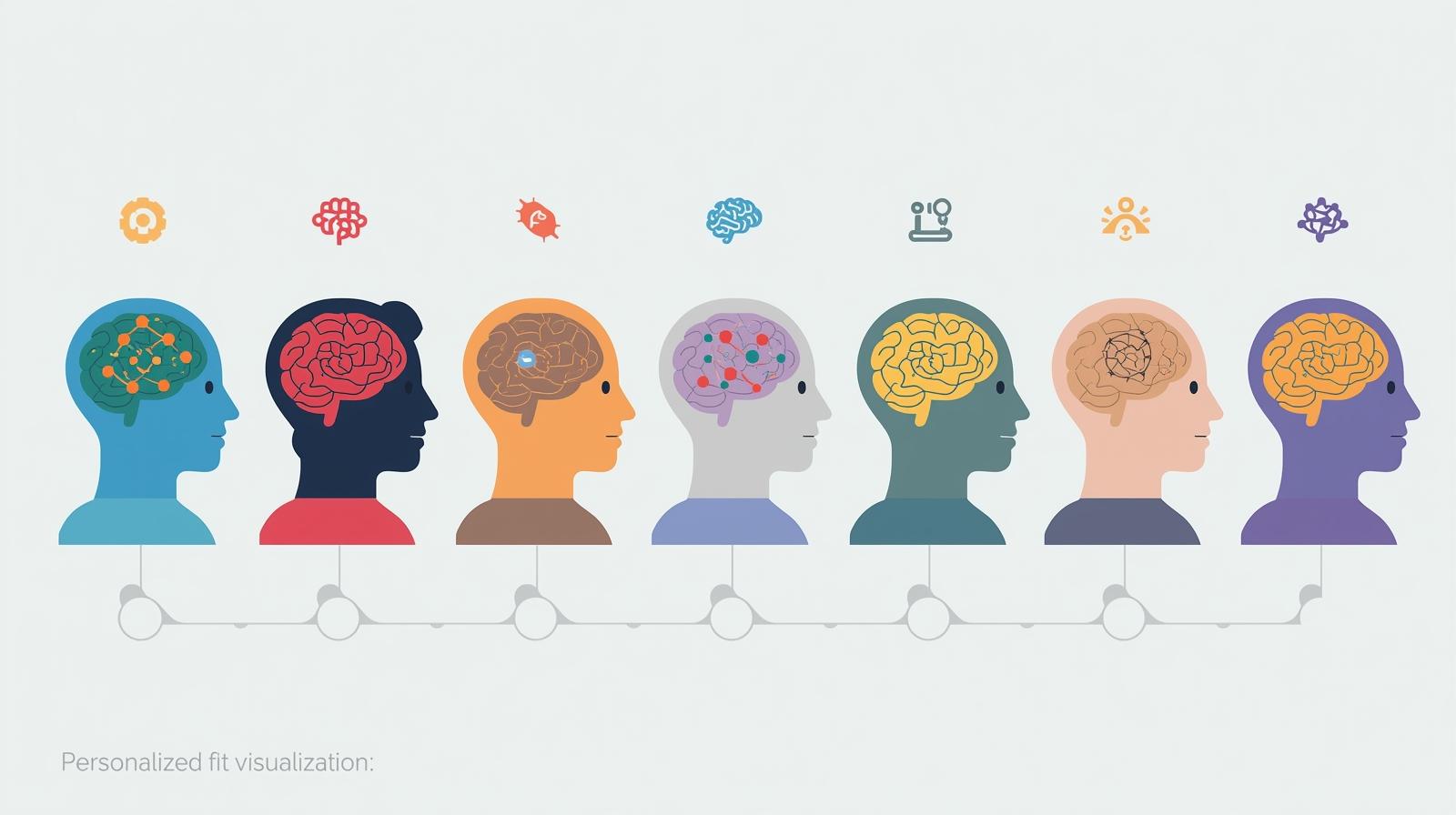
Your development director struggles to process information in crowded interfaces and frequently gets overwhelmed by complex dashboards. Your program manager, who has ADHD, finds that certain AI tools help her organize tasks brilliantly while others create more distraction than clarity. Your newest hire, who is autistic, excels at pattern recognition but finds ambiguous AI outputs frustrating and anxiety-inducing. These aren't edge cases or accommodations for a tiny minority—they represent the reality of cognitive diversity in your workforce.
Research shows that 15-20% of people are neurodivergent, encompassing conditions like ADHD, autism, dyslexia, dyspraxia, and other differences in how brains process information. But here's the critical insight: 76% don't disclose at work due to stigma or lack of formal diagnosis, and among Gen Z workers, 53% identify as neurodivergent. This means that when you select AI tools for your nonprofit, you're almost certainly choosing for a cognitively diverse team, whether you realize it or not.
Beyond diagnosed neurodivergence, everyone has cognitive preferences and processing strengths. Some people are highly visual learners. Others process information better through text or audio. Some thrive with detailed step-by-step guidance, while others prefer high-level concepts they can customize. Some need quiet, minimalist interfaces, while others benefit from rich, multimodal presentations. When AI tools ignore this cognitive diversity, they don't just create minor inconveniences—they systematically exclude people from full participation and productivity.
The stakes are high. Research shows that cognitively diverse teams of executives solved simulated problem sets up to three times faster than homogenous teams, and inclusive organizations are 75% more likely to see ideas become productized. But these benefits only materialize when cognitive diversity is actively supported, not merely tolerated. If your AI tools create barriers for neurodivergent staff or those with different cognitive processing styles, you're not just failing to accommodate individuals—you're undermining your entire organization's capacity for innovation and problem-solving.
This article provides a practical framework for selecting AI tools through the lens of cognitive diversity and neurodiversity. You'll learn how to evaluate AI platforms for accessibility features, flexibility, and inclusive design. You'll discover specific accommodations that different cognitive profiles benefit from, and you'll understand how to involve your team in tool selection in ways that surface diverse needs. By the end, you'll be equipped to make AI technology choices that enable everyone on your team to contribute their best work, regardless of how their brain processes information.
Understanding Cognitive Diversity and Neurodiversity
Before you can select AI tools that support cognitive diversity, you need to understand what cognitive diversity actually means and how it shows up in nonprofit workplaces. Cognitive diversity refers to differences in how people perceive, process, and respond to information. It encompasses both neurodivergence (neurological differences like ADHD, autism, dyslexia, and others) and the broader spectrum of cognitive processing preferences that all humans exhibit.
Neurodiversity is a framework that recognizes neurological differences as natural variations in human cognition rather than deficits to be corrected. This perspective, increasingly mainstream in 2026, emphasizes that different cognitive profiles bring different strengths. Research reveals that neurodivergent individuals can be 30% more productive than neurotypical colleagues, are less prone to cognitive bias, and are usually more consistent in rational decision-making. The challenge isn't that neurodivergent brains don't work well—it's that many workplace tools and processes are designed exclusively for neurotypical cognitive patterns.
Common Cognitive Profiles and AI Tool Implications
Understanding how different cognitive profiles interact with AI technology
ADHD (Attention-Deficit/Hyperactivity Disorder)
Characteristics relevant to AI tool use include difficulty sustaining attention, tendency toward hyperfocus on engaging tasks, challenges with executive function (planning, organizing, time management), and sensitivity to distractions in cluttered interfaces.
Tool implications: Need for AI that breaks tasks into smaller parts, sets reminders, manages workflows to prevent overwhelm, and provides clear visual hierarchy to reduce distraction. Tools like Leantime that help ADHD employees organize and prioritize can be transformative.
Autism Spectrum
Characteristics include preference for explicit communication over ambiguity, strong pattern recognition abilities, potential sensory sensitivities (visual, auditory), and preference for predictable, consistent interfaces.
Tool implications: Need for AI systems that clearly explain their processes and decisions, helping users understand how tools work and how they can be customized. Ambiguous or inconsistent AI outputs can create anxiety; clear, structured information helps. Written instructions and visual aids are often preferred over verbal-only communication.
Dyslexia and Reading Differences
Characteristics include difficulty with text-heavy interfaces, stronger visual-spatial reasoning, potential challenges with dense written content, and benefits from multimodal information presentation.
Tool implications: AI tools with text-to-speech capabilities, speech-to-text input, clear visual hierarchies, and minimal text density are essential. Tools that can improve the clarity of written communication and reduce errors are particularly valuable. Leantime is specifically designed to support dyslexic users alongside ADHD.
Executive Function Challenges
Can accompany various conditions or exist independently. Involves difficulty with planning, prioritizing, task initiation, working memory, and mental flexibility.
Tool implications: AI-powered tools that provide structure, break complex processes into steps, send timely reminders, and reduce cognitive load are crucial. Project management platforms that adapt to different ways of processing information and tools like Claude AI that can help design tailored project plans by cognitive load are particularly beneficial.
Sensory Processing Differences
Includes hypersensitivity or hyposensitivity to visual stimuli, auditory input, or other sensory information that can affect how people interact with technology interfaces.
Tool implications: Need for customizable interfaces with adjustable brightness, contrast, color schemes, and the ability to disable animations or sounds. AI tools with flexible visual presentation and quiet, minimalist design options are important.
It's important to recognize that these categories overlap and that many people don't have formal diagnoses or don't disclose them. Additionally, cognitive processing preferences exist on a spectrum—someone might benefit from ADHD-supportive features even without a diagnosis, or find autistic-friendly design elements helpful for their own information processing style. This is why universal design principles, which create flexibility and choice for everyone, are more effective than designing exclusively for diagnosed conditions.
The key insight is that AI tools can either amplify cognitive diversity's benefits or create new barriers. Tools that only work well for people who process information in one specific way will systematically disadvantage portions of your team. Tools designed with cognitive diversity in mind enable everyone to leverage AI according to their strengths and processing styles, multiplying rather than limiting your organization's collective capacity.
Core Selection Criteria for Neuro-Inclusive AI Tools
When evaluating AI tools for your nonprofit, cognitive diversity and neurodiversity should be explicit criteria, not afterthoughts. This doesn't mean you need separate tools for neurodivergent and neurotypical staff—in fact, that approach often increases complexity and stigma. Instead, look for tools designed with flexibility, customization, and universal design principles that make them accessible and effective for diverse cognitive profiles.
Research emphasizes that a diverse, equitable, and inclusive approach to AI development is essential, with transparency, explainability, and accountability guiding design for accessibility, especially for those with neurological differences. The following criteria provide a practical framework for evaluating whether an AI tool will support your cognitively diverse team.
Essential Features for Neuro-Inclusive AI Tools
Evaluate potential AI tools against these accessibility and flexibility criteria
1. Interface Customization and Flexibility
Can users adjust visual presentation to match their processing needs? This includes the ability to change color schemes, adjust text size and font, control density of information, toggle animations and visual effects, and choose between different layout options.
- Look for tools with user-customizable interfaces with clear visual cues and flexible design options
- Verify that customizations persist across sessions and devices
- Test whether the tool works well in both "busy" and "minimal" display modes
2. Multimodal Input and Output Options
Does the tool support different ways of interacting with information? This includes text input and output, voice/audio capabilities (text-to-speech, speech-to-text), visual representations of data, and the ability to switch between modalities based on user preference.
- Prioritize tools with robust speech-to-text and text-to-speech features for employees with dyslexia or reading differences
- Look for automatic transcription features in communication and meeting tools like Otter.ai
- Verify that visual information has text alternatives and vice versa
3. Transparency and Explainability
Does the AI clearly explain what it's doing and why? This is particularly important for autistic users and anyone who benefits from predictability and explicit communication. Tools should explain their processes and decisions, show how outputs were generated, provide clear documentation and help resources, and maintain consistency in behavior.
- AI systems should clearly explain their processes and decisions, helping neurodiverse users understand how the tools work
- Avoid "black box" AI that produces outputs without explanation
- Look for tools that show their work and allow users to understand the logic behind suggestions
4. Task Breakdown and Cognitive Load Management
Can the tool help users manage complex processes without overwhelming them? This is crucial for ADHD and executive function support. Look for the ability to break projects into manageable subtasks, set reminders and deadlines, visualize workflows and progress, and reduce context-switching.
- AI-based project management tools that break tasks into smaller parts, set reminders, and manage workflows prevent overwhelm for employees with ADHD or executive function disorders
- Tools like Claude AI can help design more tailored project plans by breaking down tasks by cognitive load and reducing context-switching
- Verify that the tool provides progress indicators and clear next steps
5. Focus Support and Distraction Reduction
Does the tool help users maintain focus or does it create additional distractions? Consider whether notifications can be customized or disabled, the interface minimizes visual clutter, there are "focus modes" or simplified views available, and the tool integrates smoothly without constant interruptions.
- AI-powered tools can support focus and reduce overwhelm through features like automatic prioritization and distraction blocking
- Look for tools that surface important information without overwhelming users with options
- Avoid tools with attention-grabbing animations or constant pop-ups that disrupt concentration
6. Learning Curve and Onboarding Support
How accessible is the tool for people with different learning styles? Evaluate whether documentation is clear and available in multiple formats, onboarding can be customized to different learning paces, there are multiple ways to learn (videos, text, interactive tutorials), and ongoing support is available when users get stuck.
- Written instructions, visual aids, calendars, planners, mind maps, and flow charts should all be available
- Look for tools with progressive disclosure—revealing complexity gradually rather than all at once
- Verify that help resources are accessible within the tool and don't require extensive external searching
7. Error Tolerance and Recovery
How forgiving is the tool when users make mistakes or deviate from expected patterns? Consider whether the tool provides clear error messages and guidance for correction, allows easy undo/redo of actions, saves work automatically to prevent data loss, and accommodates different approaches to completing tasks.
- Tools should prevent catastrophic errors while allowing experimentation
- Error messages should be helpful and instructional, not punitive or confusing
- Look for tools that accept multiple paths to the same outcome rather than enforcing rigid workflows
None of these criteria are binary—tools exist on a spectrum of neuro-inclusivity. The goal isn't to find the perfect tool that meets every criterion perfectly, but to make informed choices that balance cognitive accessibility against other organizational needs like cost, functionality, and integration with existing systems. When you must make trade-offs, be explicit about them and consider whether supplementary tools or accommodations can fill the gaps.
It's also important to recognize that what works well for some cognitive profiles might create challenges for others. For instance, a highly visual, colorful interface might be engaging for some users but overwhelming for those with sensory sensitivities. This is why customization and user control are so critical—they allow the same tool to serve diverse needs without requiring everyone to use it the same way.
AI Tools With Strong Neuro-Inclusive Features
While the framework above helps you evaluate any AI tool, it's useful to know which specific tools have demonstrated strong support for cognitive diversity and neurodiversity. The following tools have been recognized for their accessibility features, customization options, or specific design elements that support neurodiverse users. This is not an exhaustive list, and tool capabilities evolve rapidly, but these provide starting points for exploration.
Recommended AI Tools for Neurodiverse Teams
Specific platforms with demonstrated cognitive accessibility features
Otter.ai (Meeting Transcription & Collaboration)
Otter.ai is an interactive chat app for meetings that automatically transcribes live meeting notes, highlights key points, captures shared slides, incorporates slides into notes, synchronizes calendars, and assigns action items for participants. This is particularly valuable for employees who struggle with communication through real-time conversation processing or note-taking during meetings.
- Best for: Reducing cognitive load during meetings, supporting auditory processing differences, creating written records for later review
- Key features: Real-time transcription, searchable meeting archives, action item extraction, integration with major video platforms
Read&Write (Literacy Support)
Read&Write helps people who may struggle with literacy by reading text aloud, helping readers understand vocabulary, and proofreading their writing. This tool is specifically designed for dyslexia and reading differences but benefits anyone who processes information better aurally or needs writing support.
- Best for: Dyslexia, reading comprehension challenges, writing clarity, reducing errors in written communication
- Key features: Text-to-speech, vocabulary support, grammar and spell checking, dyslexia-friendly fonts
Leantime (Project Management)
Leantime is assistive technology for ADHD staff and a task and work management tool that helps ADHD employees organize and prioritize work. It's also explicitly designed to support dyslexic users. This dual focus on ADHD and dyslexia makes it particularly valuable for nonprofit teams with cognitive diversity.
- Best for: ADHD, executive function support, dyslexia, task organization and prioritization
- Key features: Task breakdown, visual workflows, deadline management, distraction reduction, accessible interface design
Claude AI (Conversational AI & Task Support)
Claude AI and similar large language models can help managers and individuals design more tailored project plans by breaking down tasks by cognitive load, reducing context-switching, and building in buffer time. The conversational interface allows users to explain their specific needs and get customized support.
- Best for: Customized workflow design, task breakdown, explaining complex concepts, drafting and editing text
- Key features: Natural language interaction, context retention, ability to adapt to individual cognitive preferences when prompted
Stark (Accessibility Design Tool)
While Stark is primarily a design tool, it's worth mentioning because it integrates accessibility checks into the design process, helping catch potential issues early on and saving time and money. If your nonprofit creates digital content or websites, Stark helps ensure those outputs are accessible to cognitively diverse audiences.
- Best for: Nonprofits creating digital content, ensuring external-facing materials are accessible
- Key features: Automated accessibility audits, color contrast checking, inclusive design recommendations
Speech-to-Text and Text-to-Speech Tools (Various)
AI-powered tools can help neurodivergent employees that struggle with communication through text-to-speech and speech-to-text tools. These capabilities are now built into many platforms (Microsoft Office, Google Workspace, Apple devices) and can also be accessed through specialized AI tools.
- Best for: Dyslexia, visual processing challenges, multitasking while consuming information
- Key features: Natural-sounding voice synthesis, accurate speech recognition, integration across multiple platforms
When considering these or other AI tools, remember that the best tool for your organization depends on your specific team composition, workflows, and needs. The tools listed above excel in particular dimensions of neuro-inclusivity, but they may not be the right fit for every nonprofit. Use them as starting points for evaluation rather than as definitive recommendations.
It's also important to note that many accommodations for neurodivergent employees cost less than $500—or often nothing at all—but can make a huge difference to the employee's experience and their overall productivity. Free or low-cost AI tools like built-in speech-to-text features, browser extensions for reading support, or open-source project management platforms can provide significant cognitive accessibility without major budget implications.
Involve Your Team in Participatory Tool Selection
The most expertly designed evaluation framework is incomplete without input from the people who will actually use the AI tools you're considering. Research on nonprofit technology selection emphasizes that organizations should include all staff levels in designing new systems and include constituents when designing and implementing constituent-facing systems (and compensate them for their labor). This participatory approach is particularly critical for cognitive diversity because people are experts on their own cognitive needs in ways that no external evaluator can be.
Involving neurodivergent people at every stage, from brainstorming to deployment, and creating independent teams led by neurodivergent people to stress-test systems for ethical blind spots and edge cases is considered a best practice in inclusive AI development. While you may not have the resources to create separate testing teams, you can absolutely incorporate neurodiverse perspectives into your tool selection process.
Strategies for Inclusive Tool Selection Process
How to gather and incorporate diverse cognitive perspectives when evaluating AI tools
Create Safe Spaces for Sharing Cognitive Needs
Remember that 76% of neurodivergent people don't disclose at work due to stigma or lack of diagnosis. This means you can't simply ask "Who's neurodivergent and wants to test tools?" Instead, frame participation around cognitive preferences and work styles without requiring disclosure.
- Use language like "We want input from people with different learning styles and information processing preferences"
- Create anonymous feedback mechanisms (surveys, suggestion boxes) alongside direct conversations
- Normalize accommodation requests by building them into the tool evaluation process for everyone
Conduct Pilot Testing with Diverse User Groups
Before committing to an AI tool organization-wide, pilot it with a diverse group of users who represent different roles, experience levels, and cognitive processing styles. Provide structured opportunities for feedback and actually act on what you learn.
- Ask specific questions: "Does this interface feel cluttered or clear to you?" "Can you customize this tool to match your preferences?" "What frustrates you about using this?"
- Observe actual usage patterns, not just self-reported feedback—people may struggle without realizing it or may not feel comfortable saying so
- Test accessibility features explicitly, even if no one has disclosed needing them—this surfaces potential issues before they become barriers
Prioritize Feedback from Users with Accessibility Needs
While you want input from everyone, give particular weight to feedback from users who experience barriers or challenges. If someone says "This tool doesn't work for me because of how my brain processes information," that's critical information that should influence your decision, even if the majority of users are satisfied.
The goal is to avoid systematically excluding portions of your team. A tool that works great for 80% of staff but creates significant barriers for 20% may not be the right choice, especially if alternatives exist that work well for everyone.
Ask About Customization and Workarounds
During tool evaluation, explicitly ask users: "Can you make this tool work the way your brain works?" and "What workarounds would you need to use this effectively?" If people are describing elaborate workarounds or indicating that the tool doesn't match their cognitive processing style, that's a red flag.
- Pay attention to whether customization options actually exist or whether users are expected to adapt to the tool's rigid design
- Consider whether workarounds are simple preferences or significant barriers that reduce effectiveness
Consider the Needs of Future Employees
Your current team composition doesn't represent all the cognitive diversity you may have in the future. With 53% of Gen Z identifying as neurodivergent, selecting tools with strong accessibility features now positions you to attract and retain diverse talent going forward.
Additionally, cognitive accessibility features benefit everyone in certain contexts—speech-to-text is helpful when multitasking, text-to-speech helps when you're tired, and clear visual hierarchies make everyone more efficient. Designing for neurodiversity creates better tools for all users.
Build Accessibility into Your Tool Evaluation Rubric
Create a formal scoring system that includes cognitive accessibility criteria alongside functionality, cost, integration, and other factors. This ensures that neuro-inclusivity is weighed systematically rather than becoming an afterthought when other priorities compete for attention.
- Use the criteria outlined earlier in this article as rubric categories
- Assign weights that reflect your organization's values around equity and inclusion
- Document decisions so future tool selections maintain these standards
Participatory selection processes take more time upfront, but they prevent costly mistakes and create greater buy-in when tools are actually deployed. When staff members see that their cognitive needs were considered in tool selection—and better yet, when they participated in that selection—they're more likely to adopt new AI tools successfully and advocate for their use across the organization.
It's also worth noting that technology projects should be funded with enough support for iterative and participatory processes, according to research on nonprofit technology equity. Don't rush tool selection to save time or money. The costs of selecting the wrong tool—in productivity loss, frustration, workarounds, and potential staff turnover—far exceed the investment in thoughtful, inclusive evaluation.
Beyond Tool Selection: Creating Neuro-Inclusive Implementation
Selecting neuro-inclusive AI tools is essential, but it's not sufficient. How you implement, train, and support those tools determines whether cognitive diversity becomes an organizational strength or remains a source of friction. Research consistently shows that successful implementation requires not just technology, but a combination of appropriate tools, inclusive culture, and committed leadership.
The following strategies help ensure that your carefully selected AI tools actually deliver on their promise of supporting cognitive diversity in practice.
Neuro-Inclusive AI Implementation Practices
How to deploy and support AI tools in ways that honor cognitive diversity
- Provide multimodal training: Offer training in multiple formats (video tutorials, written documentation, hands-on workshops, one-on-one support) so people can learn according to their preferences. Don't assume one training approach works for everyone. Our article on building AI literacy for multilingual staff offers additional inclusive training strategies.
- Allow self-paced adoption: Avoid forcing everyone to adopt AI tools on the same timeline. Some users will need more time to explore features, customize settings, and build comfort. Flexible adoption timelines reduce stress and increase long-term success.
- Create peer support networks: Connect users who have similar cognitive processing styles or have successfully navigated tool customization. Peer learning is often more effective than top-down training, especially for discovering accessibility features and workarounds.
- Document customization options proactively: Don't assume users will discover accessibility features on their own. Create guides that explicitly show how to customize interfaces, enable text-to-speech, adjust notification settings, and modify visual displays. Make these guides easily accessible.
- Normalize accommodation requests: Make it easy and stigma-free for staff to request accommodations or additional support when using AI tools. Frame accommodations as standard practice, not special favors. Create clear processes for requesting assistive technology or modifications.
- Budget for assistive technology: Allocate funds for supplementary tools that address gaps in your primary AI platform. If your main system doesn't have strong text-to-speech, budget for a tool like Read&Write. If project management needs enhancement, consider tools like Leantime.
- Evaluate impact on neurodivergent staff specifically: When assessing AI tool success, explicitly ask whether neurodivergent team members are benefiting or facing new barriers. Don't rely solely on aggregate satisfaction scores that may mask struggles experienced by minorities.
- Remain flexible and willing to change: If an AI tool isn't working for significant portions of your team despite customization and support, be willing to switch tools. Sunk costs shouldn't outweigh ongoing productivity losses and staff frustration.
- Build neuro-inclusive culture beyond tools: Creating a workplace that values different ways of thinking, processing, and working requires more than accessible technology. Foster psychological safety, celebrate diverse problem-solving approaches, and create policies that support flexible work styles. Programs that provide accommodations such as flexible work schedules, assistive technology, and job coaching create environments where neurodivergent staff can thrive.
Implementation is where good intentions meet organizational reality. You can select the most neuro-inclusive AI tool available, but if you roll it out with rigid training, inflexible timelines, and no support for customization, you'll undermine its potential benefits. Conversely, even tools with moderate accessibility features can work well if you provide strong support, clear documentation, and a culture that welcomes different ways of working.
Remember that neuro-inclusion is an ongoing process, not a one-time project. As AI tools evolve, as your team composition changes, and as understanding of cognitive diversity deepens, you'll need to revisit and adjust your approach. Build in regular check-ins, maintain open feedback channels, and stay curious about how different team members are experiencing the AI tools you've implemented.
Building a Future Where AI Works for All Brains
Cognitive diversity isn't a niche concern affecting a small minority of your team—it's the reality of human variation that shapes how everyone processes information, solves problems, and interacts with technology. When you select AI tools with this understanding, you're not creating special accommodations for a few individuals. You're building systems that work more effectively for everyone by honoring different cognitive strengths and processing styles.
The business case for neuro-inclusive AI selection is compelling. Research shows that cognitively diverse teams solve problems three times faster, that neurodivergent individuals can be 30% more productive in the right environments, and that inclusive organizations are 75% more likely to see ideas become productized. But beyond the metrics, there's a fundamental question of values: does your organization genuinely embrace different ways of thinking, or does it merely tolerate them? Your AI tool choices provide a concrete answer.
In 2026, as AI-powered accessibility is shifting from novelty to baseline expectation, nonprofits have an opportunity to lead rather than follow. By making cognitive diversity an explicit criterion in tool selection, you're not just accommodating current staff—you're positioning your organization to attract and retain the diverse talent that will drive mission impact in the years ahead. With 53% of Gen Z identifying as neurodivergent, the organizations that build neuro-inclusive technology infrastructure now will have significant competitive advantages in recruiting and retaining the next generation of nonprofit professionals.
The framework provided in this article—evaluating tools for customization, multimodal interaction, transparency, cognitive load management, focus support, learning accessibility, and error tolerance—gives you concrete criteria to apply in your next tool selection process. The recommended tools provide starting points for exploration. The participatory selection strategies ensure that diverse perspectives shape your decisions. And the implementation practices help translate good tool choices into actual organizational benefit.
But ultimately, selecting neuro-inclusive AI tools is about more than checklists and evaluation rubrics. It's about recognizing that we must consciously design systems that are inclusive by default, and that this requires ongoing attention, learning, and adaptation. It's about understanding that the most powerful AI implementations aren't those that force humans to adapt to technology, but those that allow technology to adapt to the full spectrum of human cognitive diversity.
As you move forward with AI adoption in your nonprofit, let cognitive diversity be a lens that sharpens rather than complicates your decision-making. Ask not just "Will this tool work?" but "Will this tool work for everyone?" The answers will lead you toward more inclusive, more effective, and ultimately more mission-aligned technology choices that enable your entire team—in all its cognitive diversity—to contribute their best work to the causes you serve.
Need Help Selecting Neuro-Inclusive AI Tools?
We can help you evaluate AI platforms through the lens of cognitive diversity, conduct inclusive pilot testing, and create implementation strategies that work for your entire team.