
Connecting Claude to Your CRM: A Practical Guide to MCP for Nonprofit Operations
Model Context Protocol lets Claude read your donor database, update records, and answer questions about your relationships using live data, without exporting spreadsheets or copy-pasting. Here's exactly how it works for the CRM systems nonprofits actually use.
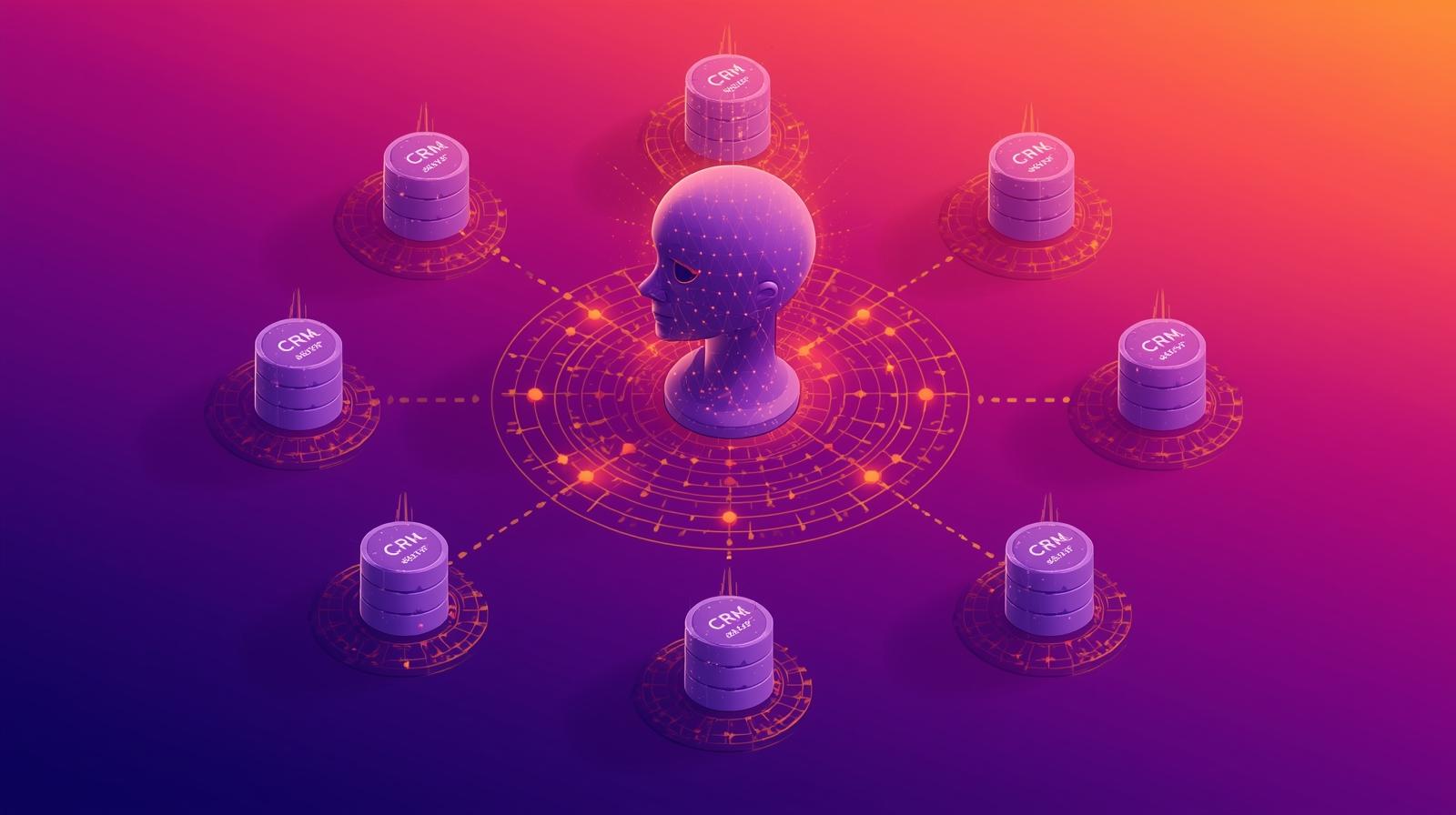
Your CRM holds years of donor relationships, giving history, program notes, and institutional knowledge. Your AI assistant, Claude, can reason, write, analyze, and plan. But for most nonprofits, these two powerful systems remain completely separate, connected only by manual copy-paste or exported spreadsheets. A development director who wants Claude to help draft a personalized appeal for a major donor has to manually look up the donor's history, copy it into a document, and paste that context into Claude before getting any useful help.
Model Context Protocol (MCP) is a technical standard that changes this. It creates a structured, secure way for Claude to read your CRM data, answer questions using live information, and in some cases take actions directly in your systems, all through natural conversation. Instead of exporting a donor list, you ask: "Which donors gave over $5,000 last year but haven't given yet this year?" Claude queries your CRM and returns the answer. Instead of looking up a donor's record before a meeting, you ask: "What do we know about the Chen family's giving history and interests?" Claude pulls it from your database.
Anthropic introduced MCP in November 2024, and the adoption curve since then has been steep. By early 2026, over 10,000 MCP servers are publicly available, and the protocol is supported not just by Claude but by ChatGPT, Microsoft Copilot, and Google Gemini. In December 2025, Anthropic donated MCP to the Linux Foundation's Agentic AI Foundation, making it a vendor-neutral open standard governed by an industry-wide community. This matters for nonprofits: the integrations you build using MCP will work across AI platforms, not just with Claude.
This guide covers what MCP is, what it can do when connected to the CRM systems nonprofits actually use, how to set it up for the most common platforms, what security risks to understand, and how to think about whether this is the right move for your organization right now. The goal is practical clarity, not technical complexity.
What Model Context Protocol Actually Does
MCP is often described as "USB-C for AI integrations." Just as USB-C created a universal standard that lets you plug any compatible device into any compatible port regardless of manufacturer, MCP creates a universal standard for connecting AI models to external data sources and tools. Before MCP, connecting Claude to your donor database would require custom engineering work specific to Claude. After MCP, you build one integration that any MCP-compatible AI can use.
Technically, an MCP server is software that sits between your existing system, your CRM, your database, your documents, and the AI model. The server exposes exactly what you decide to expose: specific data the AI can read, specific actions the AI can take, and specific interaction templates for how the AI engages with your information. The AI cannot access anything beyond what the MCP server explicitly permits.
Three things an MCP server can expose: resources (data the AI can read, like donor records or giving history), tools (actions the AI can take, like updating a contact record or logging a call note), and prompts (predefined templates that guide how the AI interacts with your specific data and workflows). You control the scope of each. A read-only configuration that lets Claude answer questions about your donor data is very different from a write-enabled configuration that lets Claude update records directly.
This is also what makes MCP meaningfully different from older integration approaches. When you use Zapier to connect your CRM to Claude, you're creating predetermined automation workflows. Zapier can trigger a task when a form is submitted, or send donor information to Claude when a specific event happens. But it can't answer a spontaneous question: "Show me all donors who attended our gala but have never given online." MCP gives Claude direct, contextual access to answer questions like that using live data, not just predefined triggers.
MCP Availability for the CRMs Nonprofits Actually Use
The practical question for most nonprofits is simple: does MCP work with my CRM? The answer varies significantly by platform. Here's the current state of the most widely used nonprofit CRM systems.
Blackbaud Raiser's Edge NXT
Official native connector available now
On December 2, 2025, Blackbaud and Anthropic announced an official partnership and a native Claude connector for Raiser's Edge NXT. This is the most significant development for nonprofits using Blackbaud's flagship CRM. The connector is supported directly by Blackbaud, requires no third-party development, and brings Raiser's Edge NXT Chat for Blackbaud AI directly into Claude. It gives users natural language access to donor records, events, gifts, giving patterns, and campaign outcomes.
The connector is available for Claude Teams and Enterprise plan customers. A third-party option also exists for organizations that want read/write access outside the official channel: CData Software has released a free (beta) MCP server for Raiser's Edge NXT that enables access through Claude Desktop via JDBC drivers.
- Requires: Claude Teams or Enterprise subscription
- Access: Donor records, gifts, events, campaign outcomes, giving patterns
- Setup: Install Blackbaud Connector via Raiser's Edge NXT integrations marketplace
HubSpot
Official MCP server in public beta, most accessible option
HubSpot launched an official MCP server in public beta in mid-2025, making it one of the most capable and accessible CRM MCP implementations available. The official server supports read access to contacts, companies, deals, tickets, orders, invoices, quotes, subscriptions, line items, and products. It also supports read/write access, including creating and updating CRM records, logging activities, and accessing full engagement history covering emails, calls, meetings, and notes.
Setup is more accessible than most MCP integrations. HubSpot offers a direct connector through Claude's settings (Settings, Connected Apps, HubSpot Connector for Claude), and an NPM package for more granular configuration through Claude Desktop. The HubSpot MCP server was also the first third-party CRM connector for ChatGPT's Deep Research feature, confirming that MCP integrations you build for Claude will also work with other AI platforms.
- Requires: HubSpot account plus Claude Pro, Teams, or Enterprise
- Setup: Create a HubSpot private app, copy the access token, configure in Claude Desktop
- Easiest to configure of all major CRM MCP options
Salesforce / Nonprofit Success Pack (NPSP)
Community options available now; hosted GA targeted for early 2026
Salesforce introduced MCP support in June 2025, with hosted MCP servers entering beta in October 2025 and targeting general availability in early 2026. Anthropic and Salesforce also announced an expanded strategic partnership in October 2025, with Claude as a foundational model for Agentforce 360. For nonprofits already on Salesforce NPSP or Nonprofit Cloud, this integration is becoming increasingly accessible.
While awaiting Salesforce's hosted GA, community-built MCP servers for Salesforce already exist on GitHub and enable CRUD (create, read, update, delete) operations on any Salesforce object through Claude Desktop. These work with NPSP objects, meaning your donor, campaign, and opportunity data is accessible through natural language. No specific NPSP-targeted MCP connector has been announced yet, but the standard Salesforce MCP servers work across all Salesforce object types.
- Community options: GitHub-hosted MCP servers (require Salesforce admin credentials)
- Official option: Salesforce Hosted MCP Servers (check for current GA status)
- Also available: Agentforce direct integration (requires Agentforce licensing)
Bloomerang and DonorPerfect
No official MCP yet; Zapier MCP is the best no-code path
Neither Bloomerang nor DonorPerfect has released an official MCP server as of early 2026. Both platforms have open REST APIs, meaning a developer could build a custom MCP server using their API credentials. This is a realistic option for organizations with technical staff or a technology partner willing to build and maintain the integration.
The more accessible path for most nonprofits on these platforms is Zapier MCP, described below. Zapier's coverage of these platforms through its standard integrations means you can connect Claude to many Bloomerang and DonorPerfect functions without any custom development. The tradeoff is less direct, real-time data access compared to a native MCP server.
- Best option: Zapier MCP (no-code, covers many standard CRM functions)
- Technical option: Custom MCP server built against the platform's REST API
Zapier MCP: The No-Code Bridge
Access 8,000+ apps including most nonprofit CRMs without coding
Zapier launched its own MCP server that gives Claude access to 30,000 or more actions across 8,000 or more apps. This is the most accessible path for nonprofits with limited technical capacity. No code is required to set up. Any app Zapier integrates with, including Bloomerang, DonorPerfect, Salesforce, HubSpot, Google Workspace, and many others, becomes accessible to Claude through natural language commands.
The tradeoff is that Zapier MCP works differently from a direct CRM connection. Each MCP tool call consumes Zapier task credits, and the data access is mediated through Zapier's platform rather than directly querying your database. This means real-time queries of large datasets may be slower or more limited than what a direct MCP server connection provides. But for most nonprofit use cases, Zapier MCP delivers enough capability at a much lower implementation cost.
- Requires: Claude Pro, Teams, or Enterprise plus a Zapier account with task quota
- Setup: Connect Zapier account in Claude.ai, select which app actions to expose
- Best for: Organizations on CRMs without native MCP servers, or those wanting a quick start
Candid: Free Funder and Nonprofit Data
No-cost connector for grant research and nonprofit intelligence
Candid launched an official MCP connector for Claude on December 2, 2025, as part of Anthropic's Claude for Nonprofits initiative. The connector provides access to Candid's database of nonprofits, foundations, and grants. It requires only a free Candid account to activate, with no code and no API configuration. It's available directly through Claude's Connectors Directory with a one-click setup.
While not a CRM connector per se, the Candid integration is highly relevant to development operations. When Claude has access to Candid's data, you can ask: "Find foundations that fund youth workforce development in the Pacific Northwest with grants over $50,000," or "What is the giving history and focus areas of the Smith Family Foundation?" This kind of real-time funder research, grounded in Candid's verified data, complements whatever CRM connection you establish.
- Cost: Free (requires free Candid account)
- Access: Foundation profiles, giving history, nonprofit data, grant information
- Setup: One-click via Claude's Connectors Directory
What Claude Can Actually Do With Your CRM Data
Understanding MCP in the abstract is less useful than understanding what a connected Claude can do for your daily operations. Here are the most valuable use cases for nonprofit development and program teams.
Donor Relationship Intelligence
- "Show me donors who gave over $5,000 last year but haven't given yet this year" returns a live list from your CRM
- Before a meeting, ask for a donor's full giving history, interests, and relationship notes
- Draft personalized outreach that references actual relationship history, not a generic template
- Identify major donor upgrade opportunities by analyzing giving patterns across your portfolio
Campaign and Portfolio Analysis
- Query gift data across time periods to identify seasonal patterns and campaign performance
- Segment donors by recency, frequency, and value without manually exporting and filtering data
- Answer "what was our donor retention rate last year versus the year before" with live data
- Generate board-ready fundraising summaries using current CRM data, not days-old exports
Record Updates and Logging (Where Permitted)
- "Add a note to Maria's record that we spoke today about the gala sponsorship" works through natural language
- Create follow-up tasks and reminders without switching between applications
- Update contact information or preferences directly from conversation
- Log call notes immediately after a donor conversation without manual data entry
Staff Onboarding and Knowledge Access
- New development staff can ask questions about your donor base without learning the CRM's query interface
- Access relationship context and institutional knowledge embedded in CRM notes
- Accelerate onboarding for new fundraisers taking over existing donor portfolios
- Surface CRM insights for staff who rarely log into the platform directly
Setting Up Your First MCP Connection: HubSpot Walkthrough
HubSpot's official MCP server is the most accessible starting point for nonprofits with limited technical capacity. Here's a practical walkthrough of the setup process, which most users can complete in under 30 minutes.
Step-by-Step HubSpot MCP Setup
Requires: A HubSpot account (any plan) and Claude Desktop (downloaded from claude.ai)
- 1Create a HubSpot private app. In HubSpot, navigate to Settings, Account Setup, Integrations, Private Apps. Click "Create private app." Give it a descriptive name like "Claude MCP Integration." Under Scopes, add the minimum permissions you need. Start with read-only: crm.objects.contacts.read, crm.objects.deals.read, and crm.objects.companies.read. Only add write permissions for actions you specifically want Claude to take.
- 2Copy your access token. After creating the private app, HubSpot generates an access token. Copy this token now. You will not be able to see it again after leaving the page. Store it somewhere secure.
- 3Configure Claude Desktop. Open Claude Desktop and go to Settings, Developer, Edit Config. This opens a JSON configuration file. Add the HubSpot MCP server configuration, which involves specifying the package name (@hubspot/mcp-server) and your access token. The exact configuration format is documented in HubSpot's developer documentation.
- 4Restart Claude Desktop and verify. After restarting, Claude will show HubSpot as a connected tool. You can verify the connection by asking Claude: "How many contacts do I have in HubSpot?" If the integration is working, Claude will query your CRM and return the actual count.
- 5Test with read-only queries before enabling writes. Before giving Claude the ability to update your CRM records, spend at least a week using it for read-only queries. Understand how it behaves, what it does well, and where its answers need human verification. Only then consider expanding to write permissions for specific, low-risk actions.
The same general pattern applies to other MCP connections, though the specific steps differ by platform. Raiser's Edge NXT uses Blackbaud's marketplace rather than a JSON configuration file. Salesforce community MCP servers require Salesforce OAuth credentials and more technical configuration. Zapier MCP is the simplest, connecting through Claude.ai's settings interface without any file editing.
Security Considerations You Cannot Skip
MCP provides better security controls than many alternative integration approaches, but it introduces its own risks that nonprofit leaders need to understand before connecting AI to donor data or beneficiary records.
What MCP Gets Right on Security
- MCP servers define explicit permission scopes; Claude cannot access anything beyond what is specifically permitted in the server configuration
- Servers can run within your own infrastructure, keeping data local rather than flowing through third-party systems
- Access can be revoked by deleting the private app or disabling the MCP server, without modifying the AI tool itself
- Full audit logging of all MCP interactions is possible, creating a record of what data was accessed and when
Risks to Take Seriously
Prompt injection via MCP
If malicious content exists in data Claude reads through an MCP server, such as a donor's notes field containing embedded instructions, it can potentially manipulate Claude's behavior. OWASP has documented this as a known MCP security risk. The mitigation is to audit what data the MCP server exposes and to be cautious about exposing free-text fields where anyone could have entered content.
Over-broad permissions
Granting Claude write access to your entire CRM when you only need it to read contact information is unnecessary risk. Apply the principle of least privilege rigorously. Start with read-only access to specific object types, and add write permissions incrementally and only for tested use cases.
Token security
MCP servers hold authentication tokens that represent access to your systems. If a configuration file containing an access token is exposed, an attacker gains access to everything that token is authorized to reach. Store tokens securely and rotate them periodically. Never commit them to code repositories or share them in team documents.
Sensitive population data
Nonprofits serving vulnerable populations, including those in mental health services, domestic violence programs, immigration services, and child welfare, have heightened obligations around client data. Before connecting any AI system to databases containing this information, a thorough legal and ethical review is required. Many AI tool terms of service allow training on user inputs, which creates serious compliance risks for organizations subject to HIPAA, state privacy laws, or funder data restrictions.
For most nonprofits, the right approach is to start with read-only access to non-sensitive data, such as aggregate giving statistics or publicly available funder information, before expanding to individual donor records. Then expand carefully, one capability at a time, with human review of Claude's outputs before using them to inform significant decisions. The organizations that experience the most value from MCP integrations are those that took this measured approach rather than trying to connect everything at once.
MCP vs. Other Ways to Connect AI to Your Data
MCP isn't the only way to give Claude access to your organizational data. Understanding where it fits compared to other approaches helps you choose the right tool for each use case.
MCP vs. Copy-Paste Context
The simplest alternative to MCP is manually copying relevant information into your Claude conversation. "Here's a donor's giving history [paste data], help me draft a personalized appeal." This requires no technical setup and works for one-off tasks. But it doesn't scale, creates version control issues (you might paste outdated data), and provides no audit trail. MCP replaces this manual step with live, accurate data access at the moment you need it.
MCP vs. RAG (Knowledge Bases)
Retrieval-Augmented Generation systems, like Google NotebookLM or a custom RAG implementation, embed and index documents for semantic search. They're excellent for navigating large bodies of static or semi-static content: your grant library, your policy manual, your program documentation, your historical reports. MCP connects to live transactional systems with structured data. The two are complementary: use RAG for documents and policies, use MCP for donor records and program data.
MCP vs. Traditional API Integration
Traditional API integration requires custom code written for each specific AI model plus system combination. Every time you switch AI tools or update your CRM's API version, the integration may need to be rebuilt. MCP builds the integration once and makes it reusable across any MCP-compatible AI. The AI also understands what it can do through the MCP server's tool definitions, rather than requiring hardcoded instructions in your prompts.
MCP vs. Zapier Traditional Automation
Traditional Zapier is a trigger-action automation tool. When someone submits a donation form, Zapier can send a thank-you email. These are predetermined workflows that execute when specific events occur. Zapier MCP is different. It gives Claude the ability to query data and take actions in real time through conversation, not through predetermined triggers. Both have value: use traditional Zapier for reliable, repeatable automation; use Zapier MCP for dynamic, conversational access to your systems.
Is MCP the Right Next Step for Your Organization?
MCP CRM integration is genuinely valuable for many nonprofits, but it's not the right first step for all of them. Here's how to assess your readiness.
You're a good candidate for MCP integration if your staff regularly spends time searching your CRM for information before donor meetings, drafting communications, or preparing reports. If development staff frequently ask questions like "who are our lapsing major donors?" or "what's our year-over-year retention rate?" and getting those answers currently requires exporting data or manually querying the system, MCP could save significant time. Organizations with decent data quality, where CRM records are reasonably complete and up-to-date, will see much more value than those with fragmented or inconsistent data.
You should wait if your CRM data quality is poor. An AI connected to incomplete, outdated, or inaccurate data will produce unreliable outputs, and because those outputs will seem authoritative (they're "from the CRM"), they may cause harm before the errors are caught. Before connecting AI to your donor data, invest in data hygiene. Deduplicate records, complete missing fields for key donors, and establish data entry standards. This is also true if your organization lacks the governance capacity to define appropriate access boundaries and review AI-generated outputs before acting on them.
Consider starting with Candid's free connector as a low-stakes way to experience MCP before connecting your own organizational data. Spending a few weeks using Claude to search Candid's funder database for grant opportunities will build your team's comfort with the MCP interaction model, help you identify what kinds of questions are most useful to ask through live data access, and do so without any risk to your own systems.
The technology is genuinely ready. For organizations using Raiser's Edge NXT or HubSpot, the integration paths are well-documented and officially supported. The question is whether your organization is ready: the data quality, the governance clarity, and the staff capacity to use a more powerful AI interface responsibly. Get those foundations in place, and connecting Claude to your CRM will be one of the highest-value technology investments your development team can make.
The Practical Path Forward
MCP represents a genuine shift in how AI can support nonprofit operations. Rather than requiring staff to find information, format it, and paste it into an AI conversation, MCP lets AI reach into your systems and pull exactly what's needed at the moment it's needed. For development operations, this means donor research that happens in seconds rather than minutes, personalized communications grounded in actual relationship history, and analytical questions answered with live data rather than week-old exports.
The ecosystem is maturing rapidly. Blackbaud and Anthropic's formal partnership delivered a native Raiser's Edge NXT connector on GivingTuesday 2025. HubSpot's official server is accessible to any organization with both a HubSpot account and a Claude subscription. Salesforce's hosted integration is reaching general availability. Candid's connector is free and available today. For the many nonprofits on Bloomerang or DonorPerfect, Zapier MCP provides a no-code bridge.
The best immediate action is to assess your data quality and choose one low-risk integration to pilot. Start with read-only access, test it with specific questions you currently answer manually, and measure the time savings. That concrete evidence will tell you far more about MCP's value for your organization than any abstract analysis. Then, when you're ready to expand, you'll have the experience and the governance framework to do it well.
Ready to Connect Your Systems?
One Hundred Nights helps nonprofits evaluate, implement, and get value from AI integrations like MCP. If you're wondering where to start or want a second opinion before connecting AI to your donor data, let's talk.