
Distributed Teams, Unified AI: Managing Remote Nonprofit Workforces with Technology
Remote and hybrid work models have fundamentally reshaped nonprofit operations, creating both opportunities and challenges. Distributed teams expand access to talent, improve work-life balance, and enable organizations to serve geographically dispersed communities more effectively. However, they also introduce coordination complexity, cultural fragmentation risks, and communication challenges that can undermine organizational effectiveness. This comprehensive guide explores how AI-powered tools and thoughtful technology strategies help nonprofits build cohesive, productive distributed workforces—bridging geographical divides while maintaining the human connections that power mission-driven work.
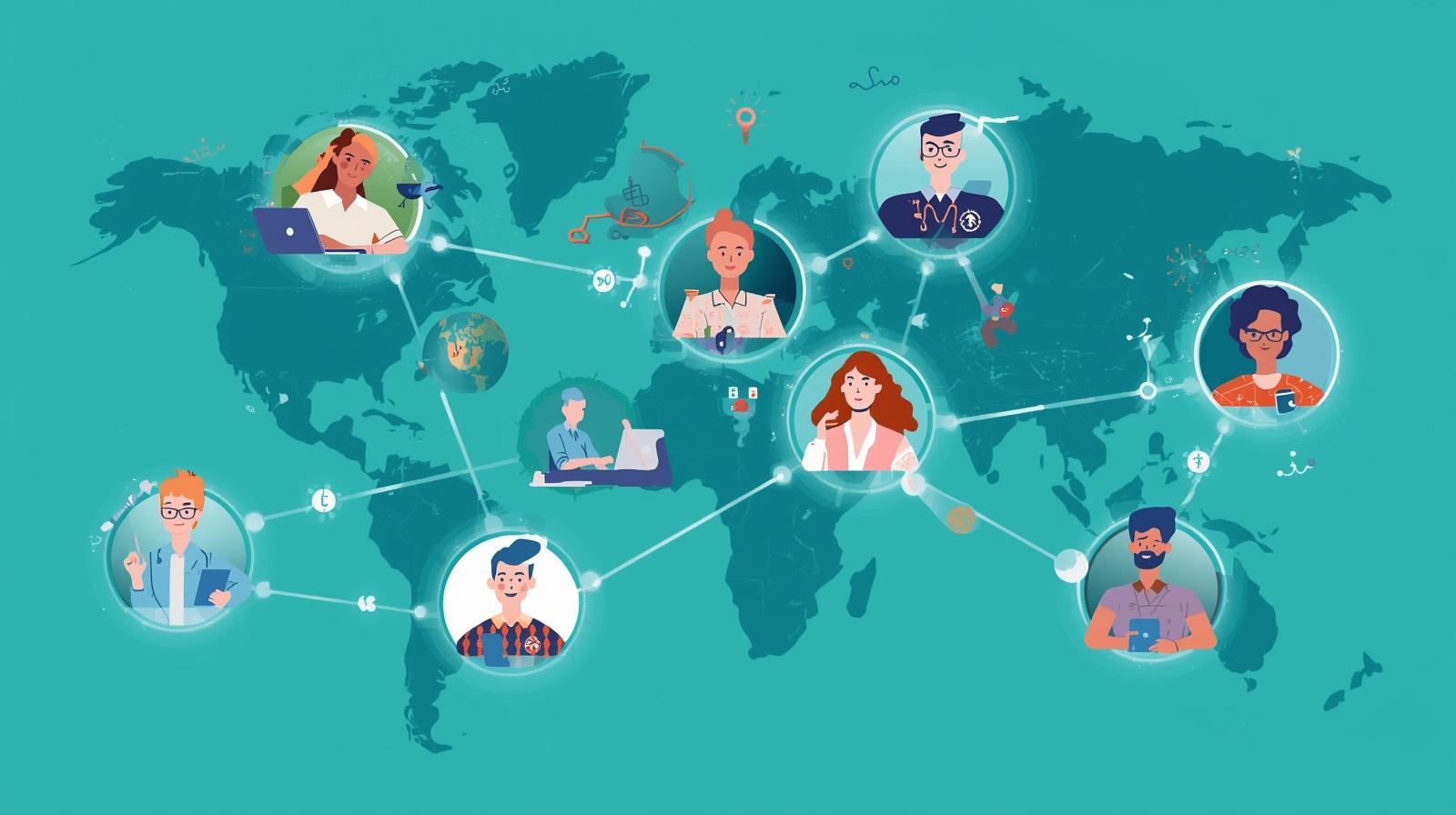
The shift to distributed work in the nonprofit sector accelerated dramatically during the pandemic and shows no signs of reversing. According to the National Council of Nonprofits, hybrid and remote work models have become attractive benefits for prospective employees, satisfiers for current staff, and a strategic way to help teams nurture work-life balance while reducing stress and burnout. With nonprofits finding it increasingly difficult to fill open positions, workforce flexibility has evolved from a temporary accommodation to a permanent competitive advantage in talent recruitment and retention.
Yet the transition hasn't been seamless. Nonprofits increasingly rely on hybrid work models that combine in-person operations with distributed teams of staff, volunteers, and program managers across regional boundaries. This geographic distribution creates coordination challenges: How do you maintain organizational culture when staff rarely see each other? How do you ensure equitable access to information and opportunities? How do you coordinate work across time zones and schedules? How do you preserve the human connection that makes nonprofit work meaningful when interactions happen primarily through screens?
Artificial intelligence and modern collaboration platforms offer practical solutions to these challenges. AI-powered scheduling tools help coordinate across time zones. Automated meeting summaries ensure everyone stays informed regardless of attendance. Intelligent workflow systems distribute tasks based on availability and capacity. Communication platforms with AI features reduce coordination overhead while maintaining personal connection. When implemented thoughtfully, these technologies create unified, efficient distributed teams without sacrificing the relationships and culture that define nonprofit organizations.
This guide explores the complete landscape of AI-enabled distributed team management for nonprofits. You'll learn about the specific challenges distributed teams face, discover AI tools that address coordination and communication barriers, understand strategies for maintaining culture and connection remotely, explore approaches to volunteer coordination across geography, and develop frameworks for building resilient distributed teams that leverage technology while preserving the human elements that make nonprofit work special. Whether managing a fully remote team, navigating hybrid arrangements, or coordinating volunteers across regions, AI tools can help your distributed workforce operate as a cohesive, effective unit.
The Distributed Nonprofit Landscape in 2026
Understanding the current state of distributed work in nonprofits provides context for why AI tools matter. The shift to remote and hybrid models isn't uniform—different organizations face different challenges based on their mission, staff composition, and service delivery model. Some nonprofits operate with fully remote staff while maintaining physical program locations. Others use hybrid arrangements where some roles remain on-site while others work remotely. Many coordinate geographically dispersed teams serving multiple communities simultaneously.
The Remote Global Workforce Report indicates that many organizations expect more than half of their new hires to be internationally located by 2026, reflecting the global nature of distributed work. This internationalization creates opportunities—access to specialized talent regardless of location—but also challenges around time zone coordination, cultural differences, and varying work norms. Nonprofits must balance the benefits of geographic flexibility with the complexities of managing truly distributed operations.
Common Distributed Models
How nonprofits structure geographically dispersed teams
Fully Remote Operations
All staff work remotely with no central office. Common for advocacy organizations, virtual service providers, and administrative functions. Offers maximum flexibility but requires intentional culture-building.
Hybrid Central + Remote
Core team works from central office with remote staff in other locations. Typical for organizations with strong local presence but expanding regional reach or specialized remote roles.
Multi-Location Offices
Multiple physical offices in different cities or regions with staff splitting time between office and remote work. Common for federated nonprofits and those serving multiple geographic communities.
Programs On-Site, Admin Remote
Program staff work in physical locations (shelters, schools, clinics) while administrative, development, and support roles work remotely. Balances in-person service delivery with operational flexibility.
Key Challenges for Distributed Nonprofits
Common obstacles that AI tools can help address
- Feelings of disconnection: Remote workers often feel isolated from colleagues and organizational culture, particularly those who joined during remote periods and have never met teammates in person.
- Communication fragmentation: Information scattered across email, Slack, Teams, project tools, and documents makes it difficult to maintain shared understanding of work and priorities.
- Time zone coordination: Scheduling meetings and coordinating work across multiple time zones creates logistical complexity and limits real-time collaboration opportunities.
- Technology and resource constraints: Ensuring all distributed staff have adequate internet access, hardware, software licenses, and technical support strains limited nonprofit budgets.
- Supervision and accountability: Remote environments complicate performance management, making it harder to provide timely feedback, recognize contributions, and address performance issues.
- Cultural maintenance: Preserving organizational values, shared purpose, and team cohesion becomes challenging when staff lack regular in-person interactions and informal relationship-building opportunities.
AI-Powered Communication and Collaboration Tools
Modern communication platforms have evolved far beyond simple messaging and video calls. AI features now handle routine coordination tasks automatically, surface relevant information proactively, and reduce the cognitive overhead of staying connected across distributed teams. In 2026, these AI capabilities have become standard features rather than premium add-ons, making sophisticated coordination accessible to nonprofits of any size.
The transformation is substantial: AI can summarize lengthy message threads so returning staff can catch up quickly, automatically generate meeting agendas based on recent discussions, transcribe and summarize video calls for those who couldn't attend, translate communications in real-time for multilingual teams, and suggest optimal meeting times across multiple time zones. These features don't replace human connection—they create more time and mental space for meaningful interaction by handling coordination logistics automatically.
Meeting Intelligence Platforms
AI tools that make virtual meetings more productive and inclusive
Video conferencing platforms like Zoom and Microsoft Teams now include comprehensive AI features that transform meeting productivity. Zoom AI Companion can automatically summarize meetings, generate agendas based on calendar context, draft follow-up emails with action items, organize whiteboard content into structured notes, and provide real-time Q&A by searching meeting transcripts and connected documents. These features ensure that distributed team members who miss meetings due to time zones or scheduling conflicts can still stay fully informed and engaged.
Practical Applications for Nonprofits:
- All-hands meetings recorded and auto-summarized for staff across time zones
- Program team sync-ups with automatic action item extraction and assignment
- Board meetings with AI-generated minutes and decision tracking
- Training sessions transcribed with searchable content for future reference
- Multilingual team meetings with real-time speech interpretation
Asynchronous Communication Tools
Platforms that help distributed teams work across time zones
Asynchronous communication becomes critical when teams span multiple time zones or work schedules. Tools like Loom enable staff to record quick video messages explaining concepts, providing updates, or giving feedback—content that colleagues can watch and respond to on their own schedule. Loom's AI features automatically generate video titles, create text summaries, remove filler words for cleaner viewing, generate smart chapters for easy navigation, and provide full transcriptions that are searchable across your organization's video library.
When Asynchronous Communication Works Best:
- Updates and announcements that don't require immediate discussion
- Training and onboarding content that new staff can review at their pace
- Project updates and status reports for team awareness
- Detailed feedback on documents, designs, or proposals
- Knowledge sharing where tone and nuance matter more than text can convey
Unified Workspace Platforms
All-in-one platforms that reduce tool fragmentation
Distributed teams often struggle with information scattered across too many platforms. Unified workspace tools like Notion combine documents, project management, wikis, databases, and AI assistance into one adaptable system. Notion AI can automatically take meeting notes, generate project summaries, search across all connected applications, automate routine workflow steps, and help teams find information regardless of where it was originally stored. Microsoft Copilot provides similar capabilities across the Microsoft 365 suite, generating meeting recaps, drafting documents, and surfacing relevant information automatically.
Benefits for Distributed Nonprofits:
- Single source of truth reduces confusion about where information lives
- New team members can onboard by exploring organized knowledge bases
- Remote staff access same information as on-site colleagues in real-time
- AI search surfaces relevant content regardless of original context
- Reduced need for "where did we document that?" conversations
Intelligent Scheduling and Coordination
AI tools that handle time zone complexity automatically
Coordinating schedules across multiple time zones creates significant overhead. AI-powered scheduling tools analyze availability across teams, account for time zone differences, respect working hour preferences, and suggest optimal meeting times automatically. These systems reduce the back-and-forth typically required for finding times that work for distributed participants. Advanced platforms even consider factors like meeting fatigue, optimal collaboration times for specific time zone combinations, and individual productivity patterns.
Smart Scheduling Features:
- • Automatic time zone conversion for all participants
- • "Fair share" rotation of meeting times across time zones
- • Respect for individual working hour preferences
- • Buffer time suggestions to prevent back-to-back meetings
- • Integration with project deadlines and deliverable schedules
- • Automatic meeting prep document generation and distribution
Maintaining Culture and Connection in Distributed Teams
Technology can facilitate communication and coordination, but organizational culture—the shared values, norms, and sense of purpose that define a nonprofit—requires intentional cultivation in distributed environments. Nonprofits often thrive on strong community and shared mission commitment. When staff rarely interact in person, maintaining this cultural cohesion becomes more challenging but also more critical. The risk of fragmentation is real: remote workers developing separate subcultures, new hires never fully integrating, and the organizational mission becoming abstract rather than lived.
AI tools can support—but not replace—the human effort required to build and maintain culture remotely. The most effective distributed nonprofits combine technology that reduces coordination friction with deliberate practices that create space for relationship building, shared experiences, and cultural transmission. This section explores both the technological tools and the human practices that together create cohesive distributed teams.
Building Connection Through Intentional Communication
Strategies for fostering relationships in virtual environments
Strong communication systems correlate directly with higher engagement, productivity, and retention in distributed teams. Organizations that maintain clear communication frameworks see better outcomes than those where remote interaction feels haphazard or inconsistent. The framework should define when to use different tools (Slack for quick questions, email for formal communications, video for nuanced discussions, asynchronous video for updates), establish expectations for response times across tools, create space for both work and social interaction, and maintain consistent rituals that build shared experience.
Essential Communication Practices:
- Regular one-on-ones: Weekly or biweekly individual check-ins maintain personal connection and provide coaching opportunities beyond formal reviews
- All-hands meetings: Monthly or quarterly gatherings (virtual or hybrid) where leadership shares updates, celebrates wins, and reinforces organizational values
- Social channels: Dedicated Slack channels or Teams spaces for non-work conversation, photo sharing, and informal bonding that happens naturally in physical offices
- Asynchronous standups: Daily or weekly written updates where team members share progress, challenges, and needs—creating transparency without requiring synchronous meetings
- Recognition systems: Public acknowledgment of contributions and wins, whether through Slack announcements, newsletter features, or virtual award ceremonies
Balance Synchronous and Asynchronous
Over-reliance on synchronous meetings exhausts distributed teams and disadvantages those in unfavorable time zones. Over-reliance on asynchronous communication creates disconnection. The best approach blends both: synchronous for relationship building and complex discussions, asynchronous for updates and documentation.
Onboarding Remote Team Members
Setting new hires up for success in distributed environments
New team members joining distributed organizations face unique challenges. Without physical office presence, they miss informal learning that happens through observation and casual conversation. They may feel isolated or struggle to understand organizational culture that isn't explicitly documented. AI tools can enhance onboarding by providing structured knowledge bases that new hires can explore independently, automated scheduling for introduction meetings across the organization, and intelligent systems that surface relevant information based on the new hire's role and questions.
Effective Remote Onboarding Elements:
- Comprehensive knowledge base with organizational history, processes, and culture documentation
- Structured virtual meet-and-greets with colleagues across departments
- Buddy system pairing new hires with experienced remote workers
- Pre-recorded video tours of systems, tools, and common workflows
- Clear 30-60-90 day goals with regular check-ins and feedback
- AI-powered chatbot answering common new hire questions 24/7
Making the Most of In-Person Time
Strategic use of occasional physical gatherings
For hybrid teams or those who gather periodically, in-person time becomes precious and should be used intentionally. Rather than using office days for work that could happen remotely, successful distributed nonprofits focus in-person time on activities that benefit from physical presence: relationship building, complex collaborative work, strategic planning, team building, and cultural reinforcement. When teams do gather, careful planning maximizes the value of face-to-face interaction.
Prioritize for In-Person Time:
- • Strategic planning and visioning sessions benefiting from extended dialogue
- • Team building activities that create shared experiences and bonding
- • Complex problem-solving requiring whiteboarding and real-time collaboration
- • Difficult conversations better handled face-to-face with full body language
- • New staff introductions and relationship building with the broader team
- • Skills training and workshops with hands-on components
- • Celebration of milestones and recognition of achievements
Volunteer Coordination Across Geography
Distributed nonprofit teams often include not just remote staff but also volunteers spread across wide geographic areas. Volunteer coordination presents unique challenges: volunteers have limited availability, may participate irregularly, typically have less access to organizational systems than staff, and often contribute remotely without ever visiting physical locations. Yet volunteers remain critical to nonprofit capacity, and geographic flexibility dramatically expands the volunteer pool available to organizations.
AI-powered volunteer coordination tools help nonprofits build structured workflows that support remote participation without requiring constant staff supervision. These systems can automatically distribute assignments based on volunteer skills and availability, track participation and contribution over time, send personalized reminders and guidance to keep volunteers engaged, coordinate complex multi-volunteer projects across time zones, and maintain engagement through automated but personalized communication that recognizes individual contributions.
AI-Enhanced Volunteer Management
Technology that scales volunteer coordination capacity
Modern volunteer management platforms use AI to automate routine coordination tasks, freeing volunteer coordinators to focus on relationship building and strategic program development. AI improves volunteer coordination by automatically distributing assignments, tracking participation trends, offering personalized guidance for volunteer tasks, and helping volunteers remain engaged through intelligent reminders and recognition. This automation helps nonprofits build structured volunteer workflows that support remote participation at scale.
AI Applications in Volunteer Coordination:
- Smart matching: Algorithms match volunteer skills, interests, and availability to opportunities automatically
- Automated onboarding: Self-guided training with AI chatbots answering common questions
- Engagement tracking: AI identifies volunteers at risk of disengagement before they drop off
- Personalized communication: Automated messages recognizing individual contributions and celebrating milestones
- Impact reporting: Automatic generation of volunteer impact summaries for recognition and stewardship
Asynchronous Volunteer Opportunities
Expanding access through time-flexible volunteering
Traditional volunteer opportunities often require specific time commitments that exclude potential volunteers with irregular schedules, caregiving responsibilities, or full-time work. Asynchronous volunteer opportunities—tasks that volunteers complete on their own schedule—dramatically expand participation access. AI tools make asynchronous volunteering practical by clearly defining micro-tasks, providing self-service training and resources, tracking progress automatically without manual oversight, and aggregating individual contributions into collective impact.
Examples of Asynchronous Volunteer Work:
- • Data entry and database cleanup on volunteer's own schedule
- • Content moderation and community management for online platforms
- • Translation of organizational materials into multiple languages
- • Remote mentoring through asynchronous video messages
- • Research and information gathering for program development
- • Social media content creation and scheduling
- • Transcription of interview recordings or meeting notes
- • Graphic design and creative work with flexible deadlines
Performance Management and Accountability in Remote Teams
Remote work environments complicate traditional supervision approaches. Managers can't casually observe work happening, making it harder to provide timely feedback, recognize contributions in real-time, or identify struggling staff members who might hide difficulties rather than seek help. The shift to distributed work requires rethinking performance management—moving from presence-based evaluation (hours worked, visibility in the office) to results-based assessment (deliverables, project impact, collaboration quality, value creation).
This shift actually aligns well with best practices regardless of work location, but becomes essential for distributed teams. Moving into 2026, forward-thinking nonprofits focus evaluations on deliverables, project impact, collaboration quality, and customer outcomes rather than hours logged or activity metrics. AI-powered workforce analytics and project management tools help leaders track meaningful performance indicators without micromanagement, providing transparency that builds trust rather than surveillance that erodes it.
Results-Oriented Performance Metrics
Measuring what matters in distributed teams
Effective performance management for distributed teams focuses on outcomes rather than inputs. Rather than tracking time spent working, successful organizations define clear expectations for deliverables, measure quality of work and impact achieved, assess collaboration and communication effectiveness, evaluate professional growth and skill development, and consider stakeholder feedback and satisfaction. AI-powered project management and analytics tools can surface these metrics automatically, providing managers with insight without creating oppressive surveillance systems.
Healthy Performance Indicators for Remote Teams:
- Project completion: Tasks and projects finished on time with quality standards met
- Stakeholder satisfaction: Feedback from colleagues, beneficiaries, and partners
- Collaboration quality: Responsiveness, support for teammates, knowledge sharing
- Initiative and problem-solving: Proactive identification and resolution of challenges
- Professional development: Growth in skills, capabilities, and organizational value
Avoid Activity Surveillance
Tools that track mouse movement, keyboard activity, or take screenshots create hostile work environments that destroy trust. Focus on outcomes and deliverables, not activity monitoring. The goal is accountability through transparency, not surveillance through suspicion.
Building Trust and Autonomy
Creating accountability without micromanagement
Distributed teams function best when built on trust and clear expectations rather than constant oversight. Leaders should set clear goals and deliverables at the beginning of every project or time period, establish transparent communication about progress and challenges, provide autonomy in how work gets done while maintaining accountability for results, offer regular feedback and coaching focused on growth and support, and recognize contributions publicly to reinforce positive performance and cultural values.
Trust-Building Practices for Remote Leaders:
- Assume positive intent when communication issues arise
- Default to transparency about organizational decisions and challenges
- Give team members flexibility in how and when they complete work
- Respond to mistakes as learning opportunities rather than failures
- Model vulnerability by acknowledging your own challenges and uncertainties
Technology Infrastructure and Security
Supporting distributed teams requires reliable technology infrastructure accessible from anywhere. Unlike traditional office environments where IT teams can maintain physical equipment and troubleshoot problems in person, distributed workforces depend entirely on remote access to organizational systems, cloud-based tools that work across locations and devices, and adequate internet connectivity and hardware for all team members. Technology failures that would be minor inconveniences in physical offices become major barriers for remote workers.
Security concerns also intensify with distributed teams. When staff access organizational systems from home networks, coffee shops, and various locations, cybersecurity becomes more complex. Data breaches can occur through compromised home networks, phishing attacks targeting remote workers, and inadequate device security on personal computers. Cyberattacks remain the top concern when securing hybrid or remote workforces. AI-powered security tools can help by monitoring for unusual access patterns, detecting potential threats automatically, and providing adaptive authentication that balances security with usability.
Essential Security Practices
Protecting organizational data with distributed access
Core Security Measures for Distributed Teams:
- Multi-factor authentication (MFA): Required for all organizational systems and cloud services
- VPN access: Encrypted connections when accessing organizational resources remotely
- Endpoint security: Antivirus, firewalls, and security software on all devices accessing org systems
- Regular security training: Education about phishing, social engineering, and safe computing practices
- Data encryption: For sensitive information both in transit and at rest
- Access controls: Principle of least privilege—staff access only what they need for their roles
Technology Support for Remote Workers
Ensuring all team members have adequate technical resources
Technology and resource constraints create significant challenges for distributed nonprofits. Organizations must ensure all staff have adequate hardware (reliable computers meeting minimum specifications), high-speed internet access (or stipends to cover connectivity costs), necessary software licenses for tools used across the organization, and access to technical support when problems arise. This investment, while substantial, proves essential for distributed team productivity and satisfaction.
Technology Equity Considerations:
- Provide organization-managed computers rather than expecting staff to use personal devices
- Offer internet stipends for staff in areas with limited connectivity options
- Maintain relationships with co-working spaces for staff who need professional work environments
- Provide responsive IT support accessible via multiple channels (chat, email, video calls)
- Create comprehensive self-service documentation for common technical issues
Best Practices Framework for Distributed Nonprofits
Successfully managing distributed teams requires more than just deploying technology—it demands thoughtful policies, clear expectations, and intentional cultural practices. Organizations that thrive with distributed workforces combine the right tools with the right approach, creating systems that leverage technology's strengths while compensating for the human connection challenges inherent in remote work. This framework synthesizes the essential elements that distinguish high-performing distributed nonprofits from those that struggle with geographic dispersion.
1. Establish Clear Policies and Expectations
To thrive in 2026, organizations must design equitable, consistent, and supportive hybrid and remote systems without sacrificing performance or accountability. Leaders should set clear rules of engagement at the beginning of every remote work opportunity, including availability expectations (core hours when staff should be reachable), communication protocols (which tools for what purposes), meeting requirements and etiquette (camera expectations, recording policies), and documentation standards ensuring knowledge capture.
Essential Policy Components:
- • Core working hours expectations across time zones
- • Response time standards for different communication channels
- • Guidelines for when work should be synchronous vs. asynchronous
- • Technology equipment and home office support provided
- • Security and data protection requirements
- • Performance evaluation criteria and processes
2. Focus on Outcomes, Not Activity
Trust distributed teams to manage their time and work in ways that fit their personal circumstances while delivering on commitments. Define success through results achieved rather than hours worked or meetings attended. This autonomy improves job satisfaction, reduces burnout risk, and often increases productivity as staff optimize their work patterns for personal effectiveness.
3. Invest in Technology Strategically
Organizations are investing in virtual whiteboards, shared workspaces, project management platforms, and knowledge bases. Rather than accumulating tools organically, evaluate technology needs systematically: What coordination challenges do we face? Where do communication breakdowns occur? What information remains siloed? Choose platforms that integrate well together, reducing tool sprawl that creates new coordination problems.
4. Maintain Strong Communication Rhythms
Organizations that maintain strong communication systems see higher engagement, productivity, and retention. Establish predictable rhythms: weekly team meetings, biweekly one-on-ones, monthly all-hands, quarterly strategic reviews. Consistency creates psychological safety and ensures regular connection points even when daily work happens independently.
5. Create Intentional Connection Opportunities
Don't rely on spontaneous interaction to build relationships—it won't happen in distributed environments. Schedule virtual coffee chats, team building activities, social channels for non-work conversation, and periodic in-person gatherings when feasible. Connection requires intention and resources when geography separates colleagues.
6. Address Burnout and Well-Being Proactively
Remote work can blur boundaries between professional and personal life, contributing to burnout. With nonprofits facing a burnout crisis, using AI tools to reduce workload rather than increase it becomes critical. Encourage genuine time off, respect working hour boundaries, model healthy work-life integration from leadership, and regularly check in about workload and stress levels.
Conclusion
Distributed work represents a fundamental shift in how nonprofits operate, not a temporary accommodation. The organizations that thrive in this new landscape will be those that embrace geographic flexibility while maintaining the human connections, shared purpose, and organizational culture that define effective mission-driven work. AI-powered tools and modern collaboration platforms provide the technological foundation for distributed coordination, but technology alone cannot create cohesive teams or preserve organizational culture—that requires intentional leadership, clear expectations, and consistent investment in connection.
The benefits of distributed work models for nonprofits are substantial: expanded access to talent regardless of location, improved work-life balance and reduced burnout for staff, increased organizational resilience through geographic distribution, cost savings from reduced office space requirements, and the ability to serve communities across wider geographic areas. These advantages explain why hybrid and remote work have become permanent features of the nonprofit sector rather than temporary pandemic accommodations.
Yet the challenges remain real. Technology can facilitate communication but not replace face-to-face relationship building. AI can coordinate schedules across time zones but not create the shared experiences that build team cohesion. Collaboration platforms can store organizational knowledge but not transmit cultural values automatically. The most successful distributed nonprofits recognize these limitations and build comprehensive approaches that combine technological tools with human practices designed to maintain connection, culture, and community.
As you build or refine your organization's distributed work model, remember that the goal isn't perfect geographic distribution or cutting-edge technology adoption. The goal is operational effectiveness in service of your mission. Use AI tools strategically to reduce coordination friction, maintain clear communication rhythms that keep everyone aligned, invest in periodic in-person connection when feasible, focus performance management on outcomes rather than activity, and above all, maintain the human relationships and shared purpose that make nonprofit work meaningful. With thoughtful implementation of AI-powered coordination tools and intentional practices that preserve organizational culture, your distributed team can operate as a unified, effective workforce regardless of where individual members sit.
Build a Thriving Distributed Team
Let's discuss how AI tools and thoughtful management practices can help your nonprofit coordinate distributed teams effectively while maintaining the culture and connections that power your mission.