
Email Deliverability in the AI Filter Era: Why Your Appeals Are Landing in Spam
You wrote a heartfelt year-end appeal, checked the links, and hit send to your whole list. Opens were dismal and gifts were down, and you assumed the message missed the mark. The more likely truth is that a large share of your supporters never saw it, because modern inbox providers quietly filed your appeal into spam or buried it in the Promotions tab before a single human decided anything.
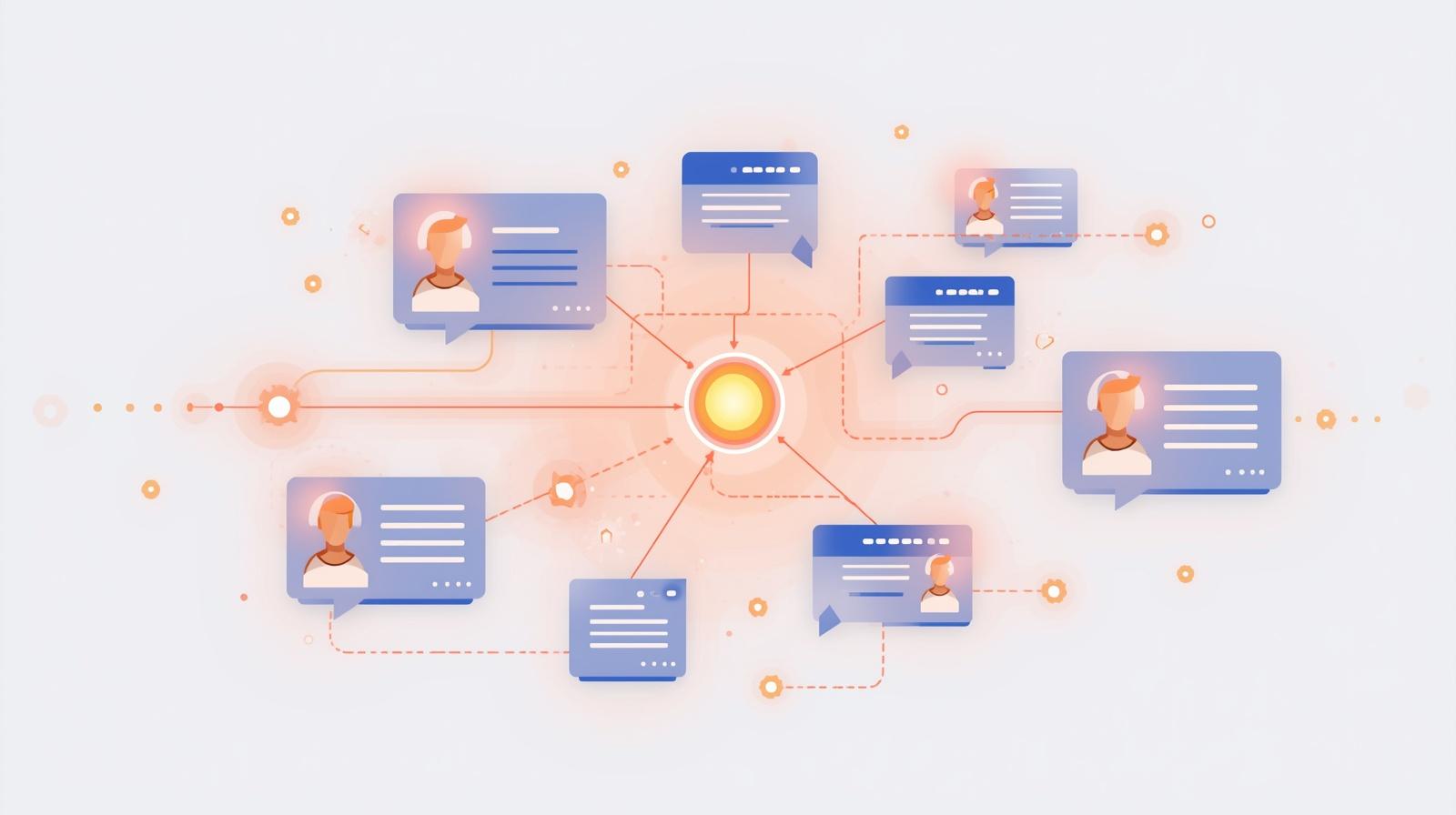
For most of email's history, spam filtering was a fairly blunt instrument. Filters looked for banned words, checked messages against blocklists, and flagged anything that matched a known bad pattern. If you avoided the obvious traps, your email generally arrived. That world is gone. Gmail, Outlook, and Yahoo now run machine learning systems that decide, in fractions of a second, whether your message belongs in the inbox, the Promotions tab, or the spam folder. These systems do not simply read your words. They weigh who you are, how people have responded to you in the past, and whether your sending behavior looks like that of a trustworthy sender.
This shift has enormous consequences for nonprofits, because so much of the sector's revenue and relationship building still flows through email. Your appeals, newsletters, event invitations, and receipts all depend on landing in a place where supporters will actually see them. When deliverability slips, the damage is invisible at first. Nothing bounces, no error appears, and your email platform still reports that the message was sent. The gifts simply do not come, and it is easy to blame the copy, the ask, or the economy rather than the filter that quietly intercepted the message.
The good news is that AI-era filtering is not arbitrary, and it is not out to get you. It rewards senders who are authenticated, who send to people who want their mail, and whose content looks like genuine communication rather than mass marketing. That means the levers you can pull are largely within your control, and most of them cost nothing but attention and discipline.
This article explains how modern AI spam filtering actually works, why nonprofits are especially vulnerable to it, and what you can do about it. We will cover email authentication in plain language, the outsized role of engagement and list hygiene, the content and design factors filters weigh, and how AI tools can help you diagnose and improve your deliverability rather than fight against it. By the end, you will have a practical checklist to recover and protect your sender reputation.
How AI Spam Filtering Actually Works Now
To fix deliverability, you first have to understand what you are being judged on. Modern filters do not evaluate a single email in isolation. They build a running assessment of you as a sender and combine it with signals from the specific message and from how recipients behave. Think of it less like a bouncer checking a list of banned words and more like a credit score that updates every time you send. Four categories of signal do most of the work.
Sender Reputation
Providers track the reputation of your sending domain and the IP address you send from. A history of low complaints, steady volume, and engaged recipients builds trust. Sudden spikes, spam complaints, or hitting inactive addresses erode it. Reputation is the foundation everything else sits on.
Engagement Signals
Filters watch how recipients react. Opens, replies, forwards, and moving a message out of spam are positive signals. Deletions without reading, marking as spam, and long stretches of being ignored are negative. High engagement tells the filter your mail is wanted.
Content Analysis
Machine learning models read the whole message, not just keywords. They assess subject lines, the balance of text and images, the reputation of the links you include, and how closely your email resembles patterns associated with spam or aggressive marketing.
Behavioral Patterns
Consistency matters. Regular cadence, stable volume, and authentication that always lines up read as legitimate. Erratic sending, mismatched sender addresses, and infrequent giant blasts look like the behavior of a spammer or a compromised account.
The critical insight is that these signals interact. A message with mediocre content from a highly trusted sender who mails an engaged list will usually reach the inbox. The same message from a sender with a shaky reputation and a stale list will not. Old-fashioned advice about avoiding a handful of spam trigger words still has some value, but it is a tiny factor compared to reputation and engagement. If you spend all your energy rewording subject lines while ignoring who you send to and how they respond, you are optimizing the least important variable.
Why Nonprofits Are Especially Vulnerable
Nonprofits are not singled out by filters, but the way many organizations send email happens to trip almost every wire the AI systems are watching for. The sector's habits, formed in an earlier era of email, are precisely the habits that modern filtering punishes. Recognizing these patterns in your own operation is the first step toward fixing them.
Big, Infrequent Blasts
Many nonprofits go quiet for weeks, then send one enormous appeal to the entire list at once. To a filter, a sender who suddenly transmits a huge volume after a long silence looks exactly like a compromised account or a bulk spammer. Steady, predictable sending builds reputation. Feast-and-famine sending destroys it.
Purchased and Stale Lists
Rented lists, event badge scans from years ago, and addresses collected without clear permission are full of people who never asked to hear from you. Mailing them generates complaints, hits dead addresses, and can land you on spam traps, which are addresses filters use specifically to catch senders who do not clean their lists.
Seasonal Volume Spikes
Year-end and Giving Tuesday concentrate an entire year of sending into a few frantic weeks. Organizations that barely email all year suddenly send daily, often to lists that have not heard from them in months. That combination of dormancy and spike is one of the most reliable ways to get filtered at the worst possible moment.
Thin Technical Setup
Lean teams rarely have someone whose job is email infrastructure. Authentication may be half configured, sender addresses may be inconsistent across tools, and no one is monitoring deliverability metrics. Filters interpret this technical looseness as a lack of legitimacy, even when the mission is entirely genuine.
Consider a mid-sized food bank that emails supporters twice a year, once in spring and once at year-end. Each send goes to a list of forty thousand addresses accumulated over a decade, many gathered at events or imported from an old system. In November the team fires off a Giving Tuesday appeal, followed by three more emails in the final week of December. Complaints tick up, thousands of messages hit addresses that no longer exist, and Gmail begins routing the organization's mail to spam. The appeals that reach the inbox convert fine, but a large chunk of the list never sees them. The team concludes that donors are tapped out, when the real problem is that their sending pattern told the filters not to trust them. Every one of these vulnerabilities is fixable, and the rest of this article explains how.
Email Authentication, Explained Plainly
Authentication is the set of technical records that prove you are who you claim to be when you send email. Without it, anyone can forge your organization's address, and filters have no way to distinguish your legitimate appeal from an impersonation. In the AI filter era, authentication is not optional. Gmail and Yahoo now require it for anyone sending in bulk, and missing or broken records are one of the fastest routes to the spam folder. There are three records to understand, and you do not need to be technical to grasp what each one does.
SPF: Who Is Allowed to Send for You
SPF, or Sender Policy Framework, is a published list of the mail services authorized to send email on behalf of your domain. When you use an email platform, that platform's servers need to appear in your SPF record. If they do not, receiving providers see mail claiming to be from you that is not on your approved list, and treat it with suspicion.
DKIM: A Tamper-Proof Signature
DKIM, or DomainKeys Identified Mail, adds a cryptographic signature to every message you send. The receiving server checks that signature against a key published on your domain. If it matches, the provider knows the message genuinely came from you and was not altered in transit. It is the digital equivalent of a wax seal that only you can produce.
DMARC: What to Do With Failures
DMARC ties SPF and DKIM together and tells receiving providers what to do when a message fails those checks, whether to let it through, quarantine it, or reject it. It also sends you reports on who is sending mail using your domain, which helps you spot both misconfigurations and impersonation attempts. Bulk-sender rules now expect at least a basic DMARC policy in place.
Beyond the three records, the major providers have published bulk-sender requirements that any organization mailing large volumes should meet. In plain terms, these expectations are: authenticate your mail with SPF, DKIM, and DMARC; make unsubscribing simple with a clearly visible link and one-click support so recipients can leave without hassle; and keep spam complaints low, generally well under a fraction of a percent of messages sent. Meeting these requirements is not just about avoiding penalties. It is the baseline of trust that lets everything else you do have an effect.
If you do not know whether your authentication is set up correctly, this is the single highest-value thing to check first. Most reputable email platforms provide a setup guide and a way to verify that your records are passing. If configuring DNS records feels beyond your comfort level, this is a reasonable moment to ask for help from your platform's support team or a technical volunteer, because getting it right underpins every message you will ever send.
The Outsized Role of Engagement and List Hygiene
If authentication is the price of entry, engagement is what actually determines where your mail lands day to day. Filters treat engagement as the clearest signal of whether people want your email, and they increasingly personalize placement to each recipient based on how that person has interacted with you. This is why the instinct to email everyone, always, is exactly backward. Sending to people who never open your mail drags down your reputation for everyone, including the supporters who love hearing from you.
List hygiene is the discipline of keeping your list full of people who genuinely want to be there. It feels counterintuitive to remove contacts you worked hard to collect, but a smaller, engaged list dramatically outperforms a large, indifferent one, both in deliverability and in results. The practices below are the core of good hygiene.
Engagement and List Hygiene Practices
The habits that keep filters treating you as a wanted sender
- Sunset inactive contacts: if someone has not opened or clicked in many months despite several attempts, stop mailing them regularly. Their silence is actively harming your reputation with the recipients who do engage.
- Run re-engagement campaigns: before sunsetting, send a short series asking whether people still want to hear from you. Those who respond confirm their interest, and the rest can be removed cleanly.
- Segment your list: send the most engaged supporters more, and the least engaged less. Tailoring frequency and content by segment keeps engagement rates high across the board.
- Make unsubscribing easy: a visible, honest unsubscribe link protects you. When people cannot find the exit, they mark you as spam instead, which is far more damaging than a quiet opt-out.
- Use confirmed opt-in for new contacts: asking new subscribers to confirm their address keeps typos, bad actors, and uninterested sign-ups off your list from the start.
- Remove hard bounces promptly: addresses that permanently reject mail should come off immediately. Repeatedly hitting dead addresses is a strong signal that you are not maintaining your list.
Engagement and hygiene reinforce each other. A clean list produces higher engagement, higher engagement builds reputation, and a strong reputation means more of your future mail reaches the inbox, which produces still more engagement. It is a virtuous cycle, and list hygiene is how you start it. Winning back quiet supporters is a discipline in itself, and our guide to reviving lapsed donors pairs well with the re-engagement work described here. Automated welcome and thank-you flows also keep engagement steady between campaigns, a topic we cover in our article on automated stewardship sequences.
Content and Design Factors Filters Weigh
Once your authentication is solid and your list is healthy, the content of the message itself becomes the final variable. Filters analyze what your email contains and how it is built, comparing it against the vast patterns they have learned from legitimate mail and from spam. The goal is not to game the filter but to make your email look like what it actually is: a genuine message from a real organization to people who want to hear from it.
Subject Lines
All-caps text, rows of exclamation marks, aggressive urgency, and money symbols read as spam. Clear, specific, honest subject lines read as real communication. The subject line also drives opens, so a strong one improves the engagement signal at the same time.
Text and Image Balance
Emails that are a single large image with almost no text are a classic spam pattern, because spammers use images to hide their words from filters. Keep a healthy amount of real text alongside your images, and make sure the email still makes sense if images do not load.
Link Reputation
Every link carries the reputation of the domain it points to. Link shorteners, unfamiliar redirect domains, and services with a poor track record can pull your message down. Link to your own domain and to well-regarded partners, and be cautious about third-party tracking links.
Consistency and Formatting
A recognizable, consistent from name and address help both filters and recipients trust you. Clean, well-formed code, a working plain-text version alongside the visual one, and a design that is not stuffed with mismatched fonts and colors all signal a legitimate sender.
A useful mental model is to write emails that a person would clearly recognize as coming from a real nonprofit they support. That means leading with substance, keeping the design clean, and letting the message read like communication rather than a billboard. Crafting subject lines that earn opens without tripping filters is enough of a craft that we devoted a full guide to it, which you can read in our article on writing better email subject lines with AI. Consistency of voice across your messages matters too, both for recognition and for trust, a theme we explore in building consistent donor messaging.
How AI Tools Can Help You Improve Deliverability
It is worth remembering that AI is not only the thing filtering your mail. The same underlying capabilities now power a growing set of tools that help senders diagnose and improve deliverability. For a lean nonprofit team, these tools can act as an always-available specialist, flagging problems you would not otherwise catch and suggesting fixes before you hit send. Used well, they turn deliverability from a mystery into something you can actually manage.
Spam Risk Prediction
Many email platforms now include AI-driven content checks that score a draft for spam risk before you send, highlighting risky subject lines, poor text-to-image ratios, and problematic links so you can fix them in advance.
Subject-Line Testing
AI can generate and compare subject-line variations, then help you test them against a portion of your list so the strongest performer goes to everyone else. Higher open rates feed directly back into your engagement reputation.
Send-Time Optimization
Some tools predict the best time to reach each recipient based on when they have engaged before, spreading your send across the day. This lifts engagement and avoids the sudden volume spike that can look suspicious to filters.
Inbox Placement Monitoring
Deliverability tools test where your mail lands across the major providers and track your sender reputation over time, giving you an early warning when placement starts to slip rather than leaving you to guess after a campaign underperforms.
AI can also assist with list cleaning, identifying disengaged segments, flagging addresses that look risky, and recommending who to move into a re-engagement flow versus who to sunset. None of these tools replace the fundamentals of authentication and hygiene, but they lower the effort required to maintain them, which for a small team is often the difference between good intentions and consistent practice. If you are building out your broader email program, our overview of AI email marketing for nonprofits puts these deliverability tools in the context of the whole workflow.
A Practical Checklist to Recover and Protect Your Reputation
If your deliverability has already slipped, reputation can be rebuilt, though it takes patience. The worst move is to respond to poor results by sending even more mail to even more people, which only deepens the problem. Instead, work through the sequence below. If you are starting fresh or maintaining a healthy program, the same list doubles as an ongoing protection plan.
Deliverability Recovery Checklist
Work top to bottom, and give reputation time to recover
- Verify authentication first: confirm SPF, DKIM, and DMARC are correctly configured and passing for every tool you send from. Fix this before anything else.
- Clean your list aggressively: remove hard bounces, obvious bad addresses, and long-inactive contacts. A dramatic cut is often the fastest route back to the inbox.
- Rebuild volume gradually: if your reputation is damaged, start by mailing only your most engaged supporters, then expand slowly. This warms your reputation back up rather than shocking the filters.
- Establish a consistent cadence: pick a sustainable frequency and stick to it, so filters and supporters both come to expect your mail.
- Prioritize engagement over reach: aim every campaign at prompting a genuine response. Content people open and click rebuilds trust faster than raw volume ever will.
- Monitor your metrics: watch open rates, complaint rates, bounce rates, and inbox placement over time. Treat a dip as an early warning, not a verdict.
- Plan seasonal peaks in advance: warm up your list with valuable content in the weeks before year-end and Giving Tuesday so your big appeals do not arrive as a cold spike.
Alongside the things to do, there are a few mistakes that reliably set organizations back. Avoiding them is as important as following the checklist.
Buying or Renting Lists
Mailing people who never opted in generates complaints and spam-trap hits that can damage your reputation for months. No short-term reach is worth that cost.
Hiding the Unsubscribe
Burying the opt-out to preserve list size backfires. Recipients who cannot leave easily mark you as spam, which harms you far more than a clean unsubscribe would.
Sending More When Results Drop
Reacting to weak numbers by blasting the whole list again deepens the reputation hole. When placement slips, the answer is to send less, to fewer, better people.
Ignoring the Data
Treating bounce and complaint rates as background noise means you only learn about a reputation problem after a major campaign has already failed. Watch the signals continuously.
Conclusion: Earn the Inbox
Email deliverability has quietly become one of the most consequential and least understood factors in nonprofit fundraising. The AI systems that now guard the inbox do not care how worthy your mission is or how moving your appeal reads. They care whether you are authenticated, whether you send to people who want your mail, and whether your behavior looks like that of a sender who can be trusted. When your gifts fall short, the filter is often a bigger factor than the message.
The path forward is not a secret formula. Get your authentication in order so providers know you are really you. Keep your list clean and your supporters engaged, even when that means sending less to fewer people. Build emails that read like genuine communication rather than mass marketing. Use the AI tools now available to diagnose problems early and fix them before they compound. And treat deliverability as an ongoing discipline rather than a crisis you address only after a campaign disappoints.
For a lean team, this can feel like one more thing to manage on top of everything else. But the return is substantial, because deliverability sits underneath every dollar and every relationship that flows through your email. A message that never reaches the inbox cannot inspire a gift, share a story, or thank a donor. Earning the inbox is not a technical chore off to the side of your mission. It is the precondition for your mission to be heard at all.
Start with the one thing you can verify today. Check your authentication, look at your engagement rates, and be honest about the state of your list. From there, the rest of this guide gives you a sequence to follow. The filters are not going away, but neither is your ability to work with them rather than against them.
Get Your Appeals Back in the Inbox
We help nonprofits audit their email authentication, clean and segment their lists, and build sending habits that AI filters trust. If your open rates have slipped or your appeals are underperforming for reasons you cannot explain, we can help you find the cause and fix it.