
Multimodal AI: Combining Text, Image, Voice, and Video for Nonprofit Impact
How nonprofits can leverage multimodal AI that processes text, images, voice, and video together. Discover practical applications for accessibility, multilingual outreach, documentation, and constituent services that weren't possible with text-only AI.
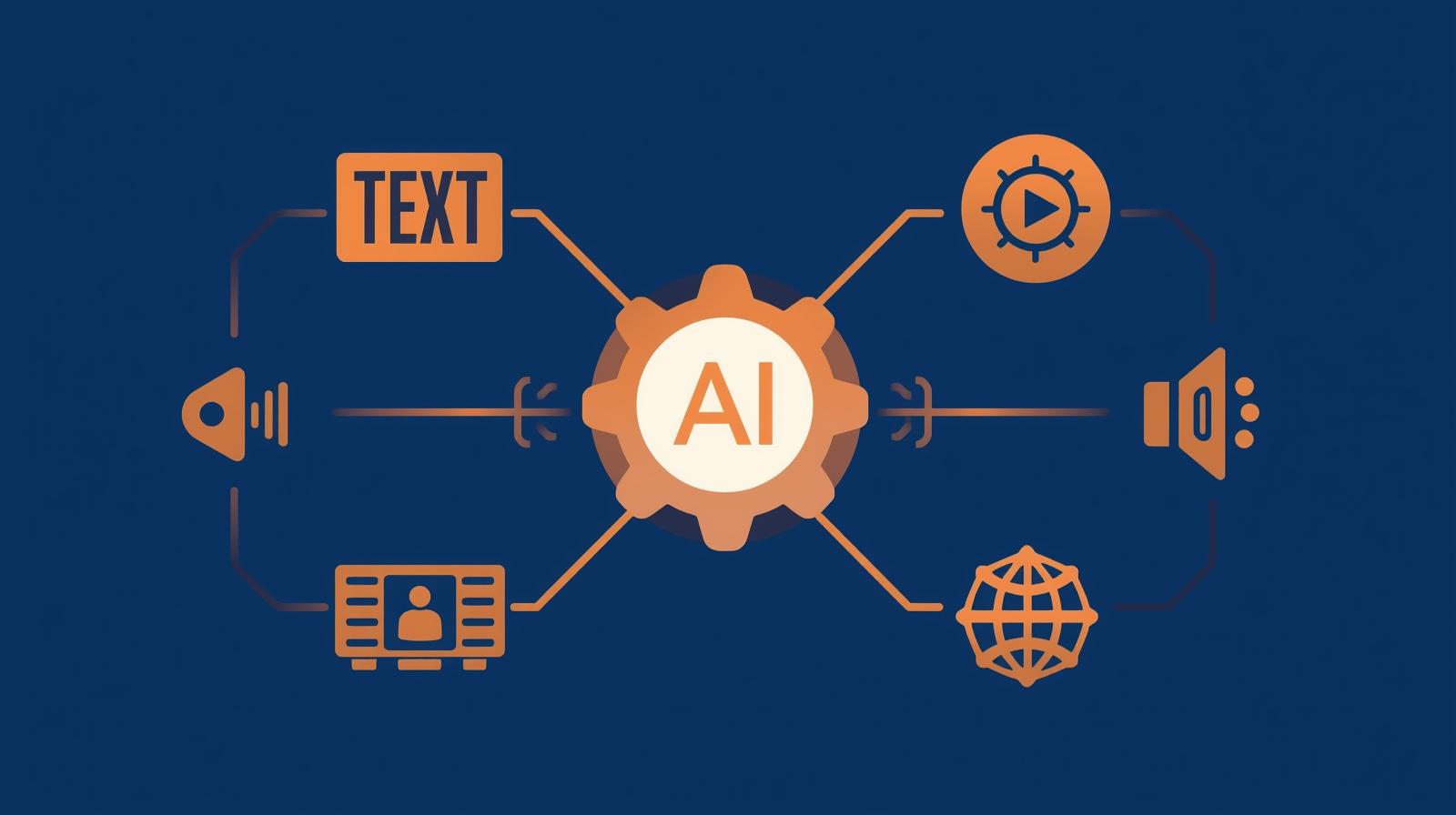
Most nonprofits using AI today interact with it through text—writing prompts, receiving text responses, generating written content. But the AI landscape is rapidly shifting toward multimodal capabilities, where AI can simultaneously process and generate text, images, audio, and video. This isn't just an incremental improvement; it's a fundamental expansion of what AI can help you accomplish, especially for organizations serving diverse communities with varying abilities, languages, and literacy levels.
Multimodal AI refers to artificial intelligence systems that can understand and work with multiple types of input and output simultaneously. Instead of treating text, images, voice, and video as separate domains requiring different tools, multimodal AI creates unified understanding across all these formats. You can show it a photo and ask questions about what's in it. You can have it watch a video and generate both a transcript and visual descriptions. You can describe something in one language through voice and receive a written translation with relevant images. The possibilities multiply when these capabilities combine.
By 2026, multimodal AI has moved from cutting-edge research to practical accessibility. Models like GPT-4 Vision, Google's Gemini 2.5, Claude's multimodal capabilities, and open-source alternatives are making these features available through affordable subscriptions or even free tiers. For nonprofits, this technology opens doors that were previously closed: serving constituents who can't read but can speak, documenting impact through photos that AI can analyze and describe, creating accessible content for people with visual or hearing impairments, and bridging language barriers in real-time.
This guide explores how nonprofits can leverage multimodal AI for mission impact. You'll learn what multimodal AI actually means in practical terms, discover specific applications relevant to nonprofit work, understand which tools and platforms offer these capabilities, and learn how to implement multimodal AI solutions responsibly. Whether you're serving visually impaired constituents, working in multilingual communities, trying to make your services more accessible, or simply looking to document and communicate your impact more effectively, multimodal AI offers new possibilities worth exploring.
The key insight is this: multimodal AI isn't about replacing existing programs or changing your mission. It's about meeting people where they are—whether that's through voice instead of text, images instead of words, or video instead of documents. It's about removing barriers that have historically made it harder for some community members to access your services or for your team to serve them effectively. And it's about using technology to become more inclusive, more accessible, and more responsive to the diverse needs of the communities you serve.
Understanding Multimodal AI: What Makes It Different
Before diving into applications, it's important to understand what makes multimodal AI fundamentally different from the text-based AI tools most nonprofits currently use. Traditional language models like early versions of ChatGPT could only work with text—you type text in, you get text out. Multimodal AI breaks down these barriers between different forms of communication.
Think of multimodal AI as having multiple "senses" that work together. Just as humans integrate what we see, hear, and read to form understanding, multimodal AI can process visual information from images and videos, auditory information from voice and sound, and textual information from written language—and it can understand how all these pieces relate to each other. This integrated understanding enables applications that weren't possible with single-mode AI.
Vision Capabilities
What AI can "see" and understand
- Image recognition - Identify objects, people, activities, and scenes in photographs
- Text extraction - Read and understand text within images (signs, documents, forms)
- Visual context - Understand spatial relationships, emotions, and context from visual information
- Chart and diagram interpretation - Analyze graphs, charts, flowcharts, and infographics
Audio Capabilities
What AI can hear and process
- Speech recognition - Convert spoken words to text across multiple languages and accents
- Speaker identification - Distinguish between different speakers in conversations
- Tone and emotion detection - Understand emotional content and urgency from voice patterns
- Sound classification - Identify background sounds and environmental context
Video Capabilities
What AI can understand from video
- Activity recognition - Identify actions, movements, and events happening over time
- Scene understanding - Comprehend the full context of what's happening across frames
- Temporal analysis - Track changes and progression over the duration of a video
- Integrated transcription - Combine visual information with audio transcription for full understanding
Integration Capabilities
How modalities work together
- Cross-modal understanding - Connect information from different formats to form complete picture
- Format translation - Convert between modalities (image to text, voice to text, etc.)
- Contextual reasoning - Use one modality to enhance understanding of another
- Multimodal generation - Create outputs combining multiple formats based on mixed inputs
What makes this powerful for nonprofits is that these capabilities work together. You're not just transcribing audio separately from analyzing images separately from reading text. The AI understands how all these elements relate to create meaning. For example, if you show multimodal AI a photo of a community event with people holding signs in Spanish, it can see the photo, read the text on the signs, translate the Spanish to English, describe who's in the photo, and understand the context of the event—all from a single image. This integrated understanding opens entirely new possibilities for accessibility, documentation, communication, and service delivery.
Accessibility Applications: Removing Barriers for All
Perhaps the most immediately impactful application of multimodal AI for nonprofits is accessibility—making your services, information, and programs accessible to people with visual impairments, hearing impairments, limited literacy, or other barriers to traditional communication methods. Multimodal AI offers practical solutions that were previously expensive, time-consuming, or simply unavailable.
Supporting People with Visual Impairments
How multimodal AI helps blind and low-vision constituents access your services
Tools like Be My Eyes (which integrates ChatGPT's vision capabilities), Seeing AI, and Envision Glasses enable visually impaired people to interact with their environment in ways that directly support nonprofit services. These aren't hypothetical applications—they're being used today by millions of people worldwide.
Document Access
Visually impaired constituents can photograph forms, documents, or materials you provide and have AI describe the contents, read text aloud, and help them navigate paperwork. This means your intake forms, program materials, and informational handouts become accessible without you needing to create separate braille or large-print versions for every document.
Environmental Navigation
When visiting your facility, visually impaired individuals can use AI-powered tools to identify rooms, read signs, and navigate your space. The AI can describe what's ahead of them, read door numbers and directional signs, and help them find specific locations like restrooms, offices, or program rooms.
Real-Time Assistance
During appointments or program sessions, visually impaired participants can use AI to identify who's in the room, read visual materials being presented, describe objects or activities, and participate more fully in visual components of your programs. This reduces the burden on staff to provide constant verbal descriptions.
What You Can Do
- Inform visually impaired constituents about AI tools like Be My Eyes that can help them access your documents and services
- Design your physical space with good lighting and clear signage that AI can easily read and interpret
- Provide staff training on how these tools work so they can assist constituents who use them
- Consider integrating AI-powered image description into your own digital platforms and mobile apps
Supporting People with Hearing Impairments
How multimodal AI helps deaf and hard-of-hearing constituents participate fully
For nonprofits serving deaf and hard-of-hearing communities, multimodal AI offers real-time captioning, sign language recognition, and visual alternatives to audio-based communication. Tools like InnoCaption provide FCC-certified real-time phone captioning at no cost, while AI-powered video platforms can automatically generate captions and transcripts.
Automated Captioning
Generate accurate, real-time captions for virtual meetings, webinars, and recorded videos without manual transcription. AI can now caption live events with accuracy rates above 90%, making your virtual programs accessible to deaf and hard-of-hearing participants without the delay and cost of human captioners.
Phone Accessibility
Deaf and hard-of-hearing constituents can call your organization and receive real-time text transcriptions of what your staff says, enabling phone communication that was previously impossible without relay services. This makes your helplines, intake lines, and crisis hotlines accessible to everyone.
Visual Alerts and Alternatives
AI can convert audio alerts, announcements, and notifications into visual alternatives—flashing lights, text messages, or visual displays—ensuring that important information reaches constituents who can't hear auditory signals.
What You Can Do
- Enable auto-captioning on all Zoom meetings, webinars, and recorded videos
- Use AI-powered platforms like Otter.ai or Tactiq to automatically transcribe and caption in-person meetings and events
- Train staff to speak clearly for AI captioning systems (which also improves human understanding)
- Provide transcripts alongside audio content on your website and in your programs
Supporting People with Limited Literacy
How multimodal AI helps constituents with low literacy access information
For constituents with limited reading skills, learning disabilities, or low literacy in the language you're communicating in, multimodal AI enables alternative pathways to access information—through voice, images, and simplified explanations rather than text-heavy documents.
Voice-Based Interaction
Constituents can ask questions by speaking instead of writing, and receive spoken responses instead of text. Voice assistants powered by multimodal AI can help people navigate your services, complete intake processes, and access information without needing to read or write.
Image-Based Information
Provide information through photos, diagrams, and visual guides that AI can help explain. Constituents can point their phone at visual materials and have AI describe them in simple language or their preferred language, making complex information accessible.
Simplified Explanations
AI can take complex documents, legal language, or technical information and explain it in simple terms, adjusting reading level and complexity based on individual needs. This helps constituents understand their rights, benefits, program requirements, and options without requiring high literacy.
What You Can Do
- Add voice interaction options to your website and digital services using platforms like Voiceflow or Google Dialogflow
- Create visual guides with QR codes that constituents can scan to hear audio explanations
- Use AI to automatically generate simplified versions of complex documents at different reading levels
- Train staff on plain language principles and use AI to check that materials are accessible to various literacy levels
Multilingual Communication: Breaking Language Barriers
For nonprofits serving multilingual communities, multimodal AI offers unprecedented capability to communicate across language barriers in real-time. Unlike traditional translation services that only work with text, multimodal AI can translate spoken conversations, read and translate signs and documents in any language, and even generate translated content with appropriate cultural context.
This is particularly valuable for organizations serving immigrant and refugee communities, international development organizations, or any nonprofit operating in linguistically diverse areas. The combination of vision, voice, and language understanding enables translation scenarios that simply weren't possible before.
Real-Time Conversation Translation
Multimodal AI can facilitate real-time conversations between your staff and constituents who speak different languages, translating both spoken words and visual context.
- Live interpretation for appointments, intake interviews, and program sessions
- Phone translation for helplines serving multilingual communities
- Video call translation for remote services and telehealth
Visual Translation
Constituents can photograph signs, forms, or documents in any language and receive instant translation, making your facility and materials accessible regardless of reading language.
- Point phone at signs to read them in preferred language
- Photograph forms and documents for instant translation
- Translate menus, schedules, and posted information on the spot
Multilingual Content Creation
Create content in one language and have AI generate culturally appropriate translations in multiple languages, complete with appropriate images and formatting.
- Program materials automatically available in multiple languages
- Social media posts translated for different community segments
- Website content dynamically translated based on visitor preference
Culturally Contextualized Communication
Beyond literal translation, multimodal AI can help adapt messaging, images, and communication style to be culturally appropriate for different communities.
- Adapt idioms and expressions for cultural relevance
- Select images that resonate with specific cultural communities
- Adjust communication formality and style for cultural norms
The key to responsible use of translation AI is recognizing its limitations. While multimodal AI translation has become remarkably accurate, it's not perfect—especially for specialized terminology, legal language, or nuanced cultural concepts. For critical communications like legal documents, medical advice, or binding agreements, human translation and cultural review remain essential. But for everyday communications, navigation, and basic service access, multimodal AI translation can dramatically expand your reach to multilingual communities without proportionally expanding your budget.
Consider using AI translation as a first layer of access, with human translators available for complex or high-stakes communications. This hybrid approach gives you the best of both worlds: immediate accessibility through AI for most interactions, with human expertise available when nuance and cultural precision matter most. Many nonprofits are finding that this approach increases language access significantly while keeping translation costs manageable.
Documentation and Impact Measurement Through Multimodal AI
One of the persistent challenges for nonprofits is documenting program activities and impact in ways that capture the full story beyond numbers and text. Multimodal AI enables new approaches to documentation that combine photos, videos, audio recordings, and text to create richer, more accurate records of your work—while reducing the burden on both staff and constituents.
Visual Impact Documentation
Using images and video to tell your impact story
Instead of relying solely on written reports and quantitative data, multimodal AI enables you to document impact through photos and videos that AI can analyze, categorize, and extract insights from automatically.
Before-and-After Analysis
AI can analyze photos taken at different points in time to identify and quantify changes—restored habitats, renovated facilities, community garden growth, or infrastructure improvements—without manual review
Participation Tracking
Automatically count participants in program photos, track attendance trends, analyze demographics visible in images (with appropriate consent), and generate participation reports from visual records
Activity Recognition
Identify what activities are happening in program photos and videos, categorize types of engagement, and track which activities are most common or generate most enthusiasm
Environmental Conditions
Analyze images to assess facility conditions, identify needed repairs, document safety concerns, or verify that standards are being maintained across multiple locations
Voice and Video Documentation
Capturing constituent voices and stories more naturally
For many constituents, especially those with limited literacy or who are more comfortable speaking than writing, voice and video are more natural ways to share their experiences. Multimodal AI makes it practical to collect and analyze these richer forms of feedback.
Voice Testimonials
Record constituent stories by voice, have AI transcribe and analyze them for common themes, and identify powerful quotes for grant reports—all while preserving the authentic voice
Video Interviews
Conduct video interviews with participants, have AI generate transcripts with speaker identification, pull out key insights and quotes, and create searchable archives of constituent experiences
Session Documentation
Record program sessions (with consent), have AI identify key moments, extract action items, and generate session summaries without staff needing to take detailed notes during the session
Sentiment Analysis
Analyze voice tone and emotional content in recordings to understand constituent satisfaction, identify concerns early, and track emotional well-being over time as a program outcome
Automated Reporting and Analysis
Turning multimodal documentation into insights for funders and stakeholders
Once you've collected photos, videos, and audio recordings of your programs, multimodal AI can help you analyze this rich documentation and create compelling reports that combine quantitative and qualitative data.
Pattern Recognition
Identify patterns across hundreds or thousands of images and videos that would be impossible to spot manually—recurring challenges, successful activities, or evolving needs
Thematic Analysis
Analyze qualitative data from videos and voice recordings to identify common themes, challenges, and success stories across your programs
Visual Report Generation
Automatically create reports that combine quantitative metrics with relevant photos, video clips, and quotes that illustrate your impact in compelling, visual ways
Longitudinal Tracking
Track changes over time by analyzing photos and videos from different periods, showing visual evidence of progress, growth, or change
Practical Implementation: Tools and Platforms
Understanding multimodal AI capabilities is one thing; knowing which specific tools to use and how to implement them is another. Here's a practical guide to the platforms and tools available in 2026, organized by use case and budget.
General-Purpose Multimodal AI Platforms
Platforms that offer multiple multimodal capabilities in one place
ChatGPT Plus (OpenAI) - $20/month
GPT-4 Vision capabilities allow you to upload images and ask questions about them, analyze documents, extract text from photos, and get descriptions of visual content. Best for general-purpose image analysis and document processing.
Use case: Staff analyzing intake photos, extracting data from photographed forms, describing images for accessibility
Google Gemini 2.5 Pro - Free tier available
Supports text, images, audio, and short video understanding with strong multilingual capabilities. Particularly good at answering questions about images and videos, analyzing charts and graphs, and generating detailed descriptions.
Use case: Analyzing program photos, generating video descriptions, multilingual content creation
Claude (Anthropic) - $20/month for Pro
Claude can process and analyze images, documents, charts, and diagrams alongside text. Known for strong analytical capabilities and responsible AI features, making it good for sensitive applications.
Use case: Analyzing sensitive documents with visual elements, grant applications with charts, case file review
Accessibility-Focused Tools
Specialized tools for serving constituents with disabilities
Be My Eyes - Free for users
Connects blind and low-vision users with sighted volunteers via live video, now enhanced with Be My AI (powered by GPT-4 Vision) for instant image descriptions without waiting for volunteers. Constituents can use this to navigate your facility and access your materials.
Use case: Helping visually impaired constituents navigate your facility, read forms, identify objects
Seeing AI (Microsoft) - Free
Designed specifically for blind and low-vision users, this app describes people, text, objects, scenes, colors, and light. Can read multiple pages of documents, identify products by barcode, and recognize currency.
Use case: Recommending to visually impaired constituents for accessing your printed materials and navigating your space
InnoCaption - Free (FCC funded)
Provides real-time phone call captioning for deaf and hard-of-hearing individuals at no cost. When constituents call your organization, they see live text of what your staff says.
Use case: Making your phone lines accessible to deaf and hard-of-hearing constituents
Otter.ai - Free tier, paid plans from $10/month
Transcribes meetings, interviews, and conversations in real-time with speaker identification. Integrates with Zoom and other video platforms for automatic captioning and meeting summaries.
Use case: Providing live captions for meetings and events, generating accessible transcripts, documenting sessions
Translation and Multilingual Tools
Platforms for serving multilingual communities
Google Translate App - Free
Point your phone camera at text to see instant translation overlaid on the image, translate conversations in real-time, and download language packs for offline translation. Supports over 100 languages.
Use case: Helping constituents navigate signage, translate documents, communicate across language barriers
DeepL - Free tier, Pro from €7.49/month
Often produces more natural-sounding translations than Google Translate, especially for European languages. Can translate entire documents while preserving formatting.
Use case: Translating program materials, donor communications, and marketing content with high quality
Microsoft Translator - Free
Real-time conversation translation supporting multiple participants speaking different languages, offline translation support, and image translation via camera.
Use case: Facilitating group conversations with multilingual participants, translating visual materials
Voice and Audio Tools
Platforms for voice-based interaction and audio processing
Voiceflow - Free tier, paid plans from $40/month
Build voice assistants and chatbots that constituents can interact with using voice or text. No coding required, with templates for common nonprofit use cases.
Use case: Creating voice-based information systems, intake processes, and FAQ bots
Descript - Free tier, paid plans from $12/month
Edit audio and video by editing the transcript, automatically generate captions, remove filler words, and create written content from recordings.
Use case: Creating accessible video content, documenting interviews, generating content from recorded programs
Implementing Multimodal AI Responsibly
With great capability comes great responsibility. Multimodal AI that can see, hear, and analyze raises important privacy, consent, and ethical considerations that text-only AI doesn't. Here's how to implement these tools while protecting your constituents and maintaining trust.
Privacy and Consent Considerations
- Informed consent for recording - Always obtain explicit consent before photographing, video recording, or audio recording constituents. Explain how the recordings will be used, who will have access, and how long they'll be retained.
- Data minimization - Only collect the visual or audio data you actually need. If a text form would work just as well, don't default to video or voice just because you can.
- Biometric data protection - Faces and voices are biometric identifiers in many jurisdictions. Understand your legal obligations around collecting, storing, and processing this sensitive data.
- Secure storage and transmission - Images, videos, and audio files containing constituent information must be stored securely and transmitted using encryption. Don't save sensitive media to unencrypted cloud storage or email it without protection.
- Right to deletion - Constituents should be able to request deletion of photos, videos, and recordings of themselves. Implement processes to honor these requests.
Accessibility Best Practices
- Don't assume technology access - Not all constituents have smartphones capable of running AI apps. Provide alternative pathways for people without access to these tools.
- Maintain human alternatives - AI-powered accessibility tools should supplement, not replace, human assistance. Always have staff available to help constituents who prefer or need human interaction.
- Test with diverse users - Accessibility tools work differently for different people. Test your multimodal AI implementations with actual members of the communities you're trying to serve.
- Provide training and support - Don't just point people to AI tools; offer training on how to use them effectively for your specific services.
Cultural and Ethical Considerations
- Cultural appropriateness of recording - Some cultures and communities have prohibitions or concerns about being photographed or recorded. Respect these boundaries and provide alternative documentation methods.
- Translation accuracy for critical information - While AI translation is remarkably good, it's not perfect for medical, legal, or other critical communications. Use professional human translators for high-stakes situations.
- Representation in training data - AI models can have biases based on their training data. Test carefully to ensure your multimodal AI tools work equally well for all the communities you serve.
- Dignity in documentation - When using AI to analyze photos or videos of constituents, ensure you're doing so in ways that preserve dignity and avoid exploitation. Never use constituent images in ways they didn't consent to.
Getting Started with Multimodal AI
Ready to explore multimodal AI for your nonprofit? Here's a practical, phased approach that minimizes risk while allowing you to learn what works for your organization.
Phase 1: Explore and Educate (Month 1)
Build understanding and identify opportunities
- Create free accounts with ChatGPT, Google Gemini, and Otter.ai to explore capabilities
- Test these tools with non-sensitive organizational materials (public documents, your own photos, sample data)
- Identify 2-3 specific use cases where multimodal AI could help your constituents or staff
- Research accessibility and translation tools that your constituents could use independently
Phase 2: Pilot Small-Scale (Months 2-3)
Test with limited scope and gather feedback
- Choose one specific application to pilot (e.g., auto-captioning for virtual programs, image-based impact documentation)
- Develop consent processes and privacy protections for the pilot
- Test with a small group of constituents or in a limited program setting
- Gather structured feedback from both staff and constituents about what works and what doesn't
Phase 3: Refine and Expand (Months 4-6)
Improve based on learnings and scale successful applications
- Adjust implementation based on pilot feedback and address any issues that emerged
- Expand successful pilots to broader use across your programs
- Update your AI policy to address multimodal AI specifically (privacy, consent, data handling)
- Begin piloting a second use case based on what you learned from the first
Phase 4: Integrate and Optimize (Months 6+)
Make multimodal AI part of standard operations where valuable
- Integrate successful multimodal AI applications into standard workflows and training
- Train all relevant staff on multimodal AI tools and best practices
- Educate constituents about AI tools they can use to access your services more easily
- Continuously gather feedback and adjust implementation as technology and needs evolve
Conclusion
Multimodal AI represents a fundamental shift in how technology can support nonprofit work. By breaking down the barriers between text, images, voice, and video, these tools enable new ways of serving constituents, documenting impact, and making your services accessible to everyone in your community.
The applications are particularly powerful for accessibility. Visually impaired constituents can navigate your facility and access your documents using AI-powered vision tools. Deaf and hard-of-hearing community members can participate fully in your programs through real-time captioning and transcription. People with limited literacy can interact with your services through voice instead of text. Multilingual communities can access information in their preferred language without waiting for translation services. These aren't theoretical benefits—they're real improvements in access that are available today.
Beyond accessibility, multimodal AI opens new possibilities for documentation and impact measurement. You can capture richer stories through photos and videos that AI helps analyze and organize. You can track visual changes over time to demonstrate impact. You can collect constituent feedback through voice and video rather than requiring written responses. And you can create reports that combine quantitative data with compelling visual evidence of your work.
The key to success with multimodal AI is starting with clear use cases grounded in constituent needs, not technology capabilities. Don't implement AI tools because they're cool or cutting-edge. Implement them because they solve real problems for the people you serve or make your team more effective at delivering on your mission. Start small, pilot carefully, gather feedback, and expand what works while learning from what doesn't.
As you explore multimodal AI, keep privacy, consent, and dignity at the center of your implementation. These tools are powerful, which means they can cause harm if used carelessly. Obtain proper consent before recording constituents. Protect sensitive visual and audio data with the same care you protect written records. Test tools with diverse users to ensure they work for everyone. And always provide human alternatives for people who prefer or need them.
The most exciting aspect of multimodal AI for nonprofits isn't the technology itself—it's what the technology enables. It enables you to meet people where they are, in whatever form of communication works best for them. It enables you to serve communities you previously couldn't reach effectively. It enables you to document your impact in richer, more compelling ways. And it enables you to remove barriers that have historically made it harder for some people to access your services.
The tools are becoming more accessible and affordable every month. The question isn't whether multimodal AI will transform how nonprofits serve their communities—it's whether your organization will proactively harness these capabilities to expand access and impact, or whether you'll watch from the sidelines as others do. The technology is ready. The question is: are you?
Ready to Explore Multimodal AI for Your Mission?
We help nonprofits implement multimodal AI solutions that expand accessibility, serve multilingual communities, and document impact more effectively. Let's explore what's possible for your organization.