
n8n for Nonprofits: Free Open-Source AI Workflow Automation You Can Self-Host
n8n is a powerful open-source automation platform that lets nonprofits build AI-powered workflows connecting any combination of tools, all without per-task fees or vendor lock-in. If your organization has ever hit the limits of Zapier's pricing or needed more control over how automation handles sensitive data, n8n is worth understanding.
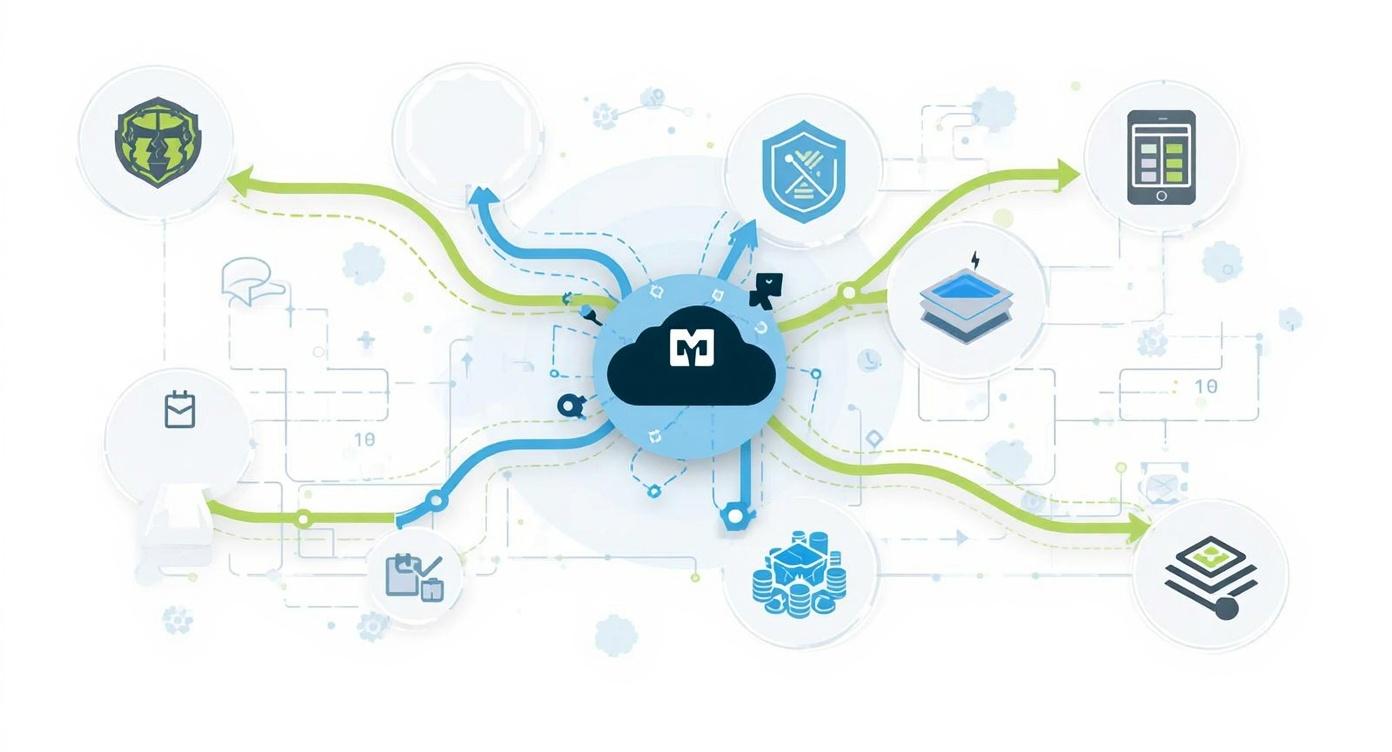
Most nonprofits encounter automation through tools like Zapier or Make. These platforms are genuinely useful, connecting popular apps with simple trigger-action logic. But they come with tradeoffs that become more pronounced as organizations mature: per-task pricing that escalates with volume, limited support for complex logic, and restrictions on how much you can customize workflows or handle sensitive data. When a nonprofit's automation needs outgrow these boundaries, the usual options have been either to pay enterprise rates or to bring in developers to build custom integrations.
n8n offers a different path. It is an open-source workflow automation platform that nonprofits can self-host for free (paying only for the server infrastructure) or use through a cloud subscription at predictable flat rates based on workflow executions rather than individual tasks. Beyond the cost model, n8n is built for technical depth. It supports full JavaScript within workflows, complex conditional logic, loops, parallel execution, and native integration with AI and LLM providers including OpenAI and Anthropic's Claude. This makes it practical for building the kind of multi-step AI workflows that create real operational leverage.
n8n is not the right tool for every nonprofit. It requires more technical capacity to set up and maintain than Zapier, and its library of around 400 built-in integrations is smaller than Zapier's 8,000-plus app connections, though n8n supports any system with an API through its HTTP request node. For organizations with the right combination of technical capacity, volume of automation needs, data privacy requirements, and interest in AI-powered workflows, n8n can deliver capabilities that no consumer automation platform matches at any price.
This article explains what n8n is and how it works, walks through nonprofit-specific use cases where it excels, addresses the self-hosting question honestly, and helps you assess whether n8n fits your organization's current situation. For context on the broader agentic AI landscape that n8n fits into, our article on the agentic AI market for nonprofits provides useful background.
What n8n Is and How It Works
n8n (pronounced "n-eight-n," short for "nodemation") is a workflow automation platform that launched in 2019 and operates under a "fair-code" license. This means the source code is publicly available and free to use for self-hosted deployments, while commercial cloud hosting and certain enterprise features require a paid subscription. The practical result for nonprofits is that self-hosting on your own server costs only the server infrastructure, while n8n Cloud provides managed hosting with predictable monthly pricing.
Workflows in n8n are built visually in a node-based editor. Each node represents an action: retrieve data from a system, transform it, send it somewhere else, or trigger an AI operation. Nodes connect with lines that define the flow of data between them. The visual approach makes workflows easier to understand and debug than code, while the underlying JavaScript support means technical users can write custom logic directly within the workflow canvas when needed.
What distinguishes n8n from simpler automation tools is its support for complex workflow logic. You can write conditional branches that route data differently depending on values, create loops that process lists of records, run parallel paths simultaneously, handle errors gracefully with retry logic, and chain multiple AI operations together in sequences. This capability makes n8n practical for building multi-step AI agent workflows where each step processes and passes context to the next.
n8n's AI node ecosystem connects natively to OpenAI, Anthropic, Hugging Face, Cohere, and other major model providers. The platform includes a built-in AI Agent builder that allows creating agents with memory, tool access, and autonomous decision-making capabilities. You can build RAG (Retrieval Augmented Generation) workflows that query your own documents and databases, multi-agent systems where different specialized agents handle different parts of a workflow, and AI pipelines that chain analysis, decision-making, and action steps together. Our article on RAG for nonprofits explains how this document-grounding approach improves AI accuracy and reliability.
n8n Core Capabilities
- Visual workflow builder with node-based editor
- Native JavaScript support for custom logic in any node
- Complex conditional branching, loops, and parallel execution
- 1,200-plus integrations including HTTP for any API
- Git-compatible version control for workflows
- Self-hosted or cloud deployment options
AI and Agent Features
- Native OpenAI, Anthropic, and Hugging Face integrations
- Built-in AI Agent builder with memory and tool access
- RAG workflows that query your own documents and databases
- Multi-agent orchestration through LangChain integration
- Sentiment analysis, classification, and summarization nodes
- AI workflow builder that generates workflows from natural language
How n8n Compares to Zapier, Make, and Other Platforms
Understanding where n8n fits relative to other automation platforms helps nonprofits decide whether it is the right tool for their specific situation. The platforms address the same broad problem (connecting apps and automating workflows) but make very different tradeoffs that affect which organizations they serve well.
Zapier is the most accessible automation platform for non-technical users, with over 8,000 pre-built app connections and an interface that requires no coding knowledge. Its tradeoff is per-task pricing where each action in a workflow counts as a "task," which means complex branching workflows or high-volume automation can become expensive quickly. Zapier's AI capabilities are also limited to OpenAI integrations as plugins rather than the native, deeply integrated AI agent capabilities n8n provides.
Make (formerly Integromat) occupies a middle ground, offering more sophisticated workflow logic than Zapier at lower per-operation costs, but still following a cloud-only, consumption-based pricing model. Make has stronger support for complex scenarios than Zapier but lacks n8n's self-hosting option and AI agent depth.
n8n's differentiation comes down to three things. First, the self-hosting option gives nonprofits full control over where their data lives and processes, with no data leaving their infrastructure. This matters significantly for organizations handling sensitive client information, protected health data, or donor financial information. Second, the pricing model (per-workflow-execution rather than per-task) means complex workflows with many steps cost the same as simple ones, making high-complexity automation economically viable. Third, the depth of AI and agent support means n8n is built for the multi-step AI workflows that create real operational leverage, not just simple one-step AI calls.
Platform Comparison at a Glance
How n8n compares on key nonprofit-relevant dimensions
| Feature | n8n | Zapier | Make |
|---|---|---|---|
| Self-hosting available | Yes (free) | No | No |
| Pricing model | Per execution | Per task | Per operation |
| Pre-built integrations | 400+ nodes | 8,000+ | 1,000+ |
| Complex workflow logic | Full support | Limited | Moderate |
| Custom code support | Full JavaScript | Basic JS step | Limited |
| AI agent capabilities | Native, deep | Plugin-based | Basic |
| Technical skill required | Moderate-High | Low | Low-Moderate |
The integration count difference between n8n and Zapier deserves context. n8n's 400 built-in nodes cover Google Workspace, Microsoft 365, Salesforce, HubSpot, Slack, PostgreSQL, OpenAI, Anthropic, Airtable, and most major platforms nonprofits use. For any system not covered, n8n's HTTP Request node can connect to any service with an API. New integrations are added regularly by both the core n8n team and community contributors. The 8,000-plus Zapier connections include many niche tools and consumer apps that most nonprofits will never need.
Nonprofit Use Cases Where n8n Excels
n8n's combination of AI capabilities, complex workflow support, and data control makes it particularly well-suited for nonprofit workflows that involve sensitive data, multi-step processing, or AI-driven decisions. Here are the use case categories where organizations get the most value.
Grant Research and Reporting Workflows
From prospect discovery to compliance tracking
Grant management involves a significant amount of repetitive information gathering and document tracking that maps well to automation. n8n can build workflows that monitor foundation websites and grant databases for new opportunities matching your organization's focus areas, automatically extract deadline and eligibility information, add matching grants to a tracking spreadsheet or database, and notify the development team through Slack or email.
On the reporting side, n8n can automate the aggregation of program data from multiple sources into a structured format aligned with a specific funder's reporting requirements. An AI node then drafts narrative sections of the report based on the aggregated data, which a staff member reviews and refines before submission. This workflow reduces the time spent on grant reports from several days to a few hours of review and editing. The approach connects directly to the strategies in our article on using AI to improve grant reporting.
- Monitor foundation sites for new grant opportunities matching your criteria
- Aggregate program data from multiple sources into reporting formats
- AI-draft narrative sections from structured program data
- Track grant deadlines and trigger reminder notifications automatically
Donor Communication and Segmentation
Personalized outreach without per-email fees
n8n can connect to your donor database (whether Salesforce, Bloomerang, Little Green Light, or a spreadsheet), pull donor records based on specific criteria, classify donors using AI based on giving history and engagement patterns, and trigger different communication sequences for different segments. Because n8n charges per workflow execution rather than per action, running a segmentation workflow across 5,000 donor records costs the same as running it across 50.
Lapsed donor workflows illustrate this well. An n8n workflow can identify donors who gave in a previous year but not the current year, classify them by giving level, pull relevant context about their relationship with your organization, use an AI node to generate a personalized re-engagement message for each donor, and pass the draft messages to a queue for staff review before sending. The staff reviews and approves messages in batches rather than writing each one individually. This human-in-the-loop approach maintains message quality while reducing the time required substantially.
- AI-classify donors by giving behavior and engagement signals
- Generate personalized draft messages for staff review in batches
- Trigger different workflows based on donor segment
- Update CRM records with engagement data from email and website
Program Data and Outcome Tracking
Connecting service delivery data to reporting
Many nonprofits collect program data in one system (intake forms, case management software, spreadsheets) and need to report on it in a different format for funders, boards, or internal leadership. n8n excels at bridging these gaps, extracting data from multiple sources, transforming it into the required format, running calculations or analyses, and populating dashboards or reports automatically.
Organizations running complex programs with multiple service touchpoints can build n8n workflows that aggregate data across these touchpoints, identify clients approaching key milestones, flag cases that may need staff attention based on defined criteria, and generate summary reports on program outcomes for different audiences. Adding AI nodes enables more sophisticated analysis, such as classifying open-ended survey responses by theme or sentiment, identifying patterns in service utilization that might indicate emerging needs, or generating natural language summaries of program data for non-technical audiences.
- Aggregate program data from multiple intake and case management systems
- AI-classify open-ended survey responses by theme and sentiment
- Flag cases meeting specific criteria for staff follow-up
- Auto-populate dashboards and reports with current data
Internal Knowledge Base and AI Assistant Workflows
Connecting AI to your organizational knowledge
One of n8n's most powerful AI applications for nonprofits is building workflows that connect large language models to your organization's own documents, policies, procedures, and program data. Rather than staff having to search through shared drives for the right policy document or intake form, an n8n workflow can power an internal AI assistant that answers questions based on your actual organizational materials.
This kind of RAG workflow ingests your documents into a vector database, indexes them for semantic search, and connects a chat interface to an AI model that uses your documents as context. When a staff member asks "What is our policy on client confidentiality?" the workflow retrieves the relevant policy documents and uses an AI model to provide an accurate, document-grounded answer. This is particularly valuable for onboarding new staff, supporting volunteers who need policy guidance, or helping program staff recall specific procedures without interrupting colleagues. Our article on building an organizational brain with AI explores this concept in depth.
- Build an internal AI assistant grounded in your actual policies and procedures
- Auto-index new documents as they are added to your shared drives
- Answer staff questions with accurate, source-cited responses
- Support volunteer onboarding without requiring staff time for each question
The Self-Hosting Question: Honest Assessment
Self-hosting n8n is one of the platform's most compelling features for nonprofits handling sensitive data, but it also represents the highest barrier to entry. Understanding what self-hosting actually requires helps organizations make a realistic assessment of whether it is feasible for them.
At minimum, self-hosting n8n requires a server or cloud instance (AWS, Google Cloud, DigitalOcean, or similar), basic command-line familiarity, Docker or Docker Compose for the recommended installation method, a PostgreSQL database for production use (n8n uses SQLite by default but recommends PostgreSQL for reliability), a domain name, and SSL/TLS certificate configuration for secure access. The server costs range from roughly $20 to $80 per month for most nonprofit use cases, depending on how many workflows you run and their complexity.
Ongoing maintenance involves applying n8n updates (monthly cadence recommended), monitoring for workflow failures, backing up your database and workflow configurations, and maintaining the underlying server infrastructure. This work requires someone with basic systems administration skills, even if they are not a dedicated IT professional. If your organization already has a developer, IT coordinator, or technically skilled staff member who is comfortable with servers and the command line, self-hosting is manageable. If not, n8n Cloud is likely a better fit.
The security architecture for self-hosted n8n requires attention as well. Your n8n instance should not be publicly accessible on the internet without authentication. The recommended approach involves setting up n8n behind a reverse proxy (Nginx or Caddy are common choices), enabling strong authentication for the n8n interface, configuring your firewall to restrict access, and setting up monitoring to detect unexpected behavior. These are standard practices for any self-hosted web application, but they add setup complexity.
Self-Hosting Makes Sense When:
- You handle sensitive client data that cannot leave your infrastructure
- You have a developer or IT-capable staff member
- Your workflow volume makes cloud pricing uneconomical
- You want full control over the execution environment and data storage
- You are subject to data residency requirements (HIPAA, GDPR)
n8n Cloud Makes Sense When:
- Your organization lacks technical staff for server maintenance
- You want to start quickly without infrastructure setup
- Your data does not have strict on-premises requirements
- Predictable cloud pricing fits within your budget
- You prefer managed updates and infrastructure maintenance
Understanding n8n Pricing for Nonprofits
n8n's pricing model is structured around workflow executions rather than individual task steps. This is a significant practical difference from Zapier's per-task model. In Zapier, a workflow with 10 steps that runs 1,000 times per month consumes 10,000 tasks. In n8n, the same workflow running 1,000 times consumes 1,000 executions. For complex, multi-step workflows, this difference can be dramatic.
For self-hosted deployments, n8n is free. The only costs are your server infrastructure, typically $20 to $80 per month for a virtual private server on a cloud provider, depending on your workflow volume. Light usage (up to roughly 100 active workflows) runs well on a 2 vCPU, 4GB RAM instance costing $20 to $40 per month. Medium usage (up to 500 workflows) works well on a 4 vCPU, 8GB RAM instance at $40 to $80 per month. These infrastructure costs are borne by the organization but do not flow to n8n.
For n8n Cloud, the platform does offer discounts for registered nonprofits and educational institutions, though the specific discount terms are not publicly documented and require contacting n8n directly. The standard cloud plans are priced per execution with higher tiers providing more executions per month and access to additional features like team collaboration and advanced audit logging. Check n8n's current pricing page for the most up-to-date rates, as this information changes.
When calculating the cost comparison between n8n and alternatives, factor in not just the subscription fees but the value of the capabilities you gain. The ability to run complex AI agent workflows, integrate with any API, and process data without per-step fees often means that n8n enables automation scenarios that would be cost-prohibitive on consumption-based platforms. The total automation capacity you get for a given budget is generally higher with n8n for organizations using it at meaningful scale.
When n8n Self-Hosting Becomes Cost-Effective
Analysis of self-hosting economics suggests that n8n self-hosting becomes cost-competitive with cloud platforms at around 20,000 workflow executions per month. Below that threshold, n8n Cloud or a competing platform may be more economical when you factor in the time cost of self-hosted infrastructure management.
Getting Started with n8n: A Practical Approach
The most effective way to start with n8n is to pick one specific workflow problem and build a solution for it before expanding. Trying to automate everything at once is a common path to frustration and abandoned implementations. A single well-built workflow that saves your team several hours per week demonstrates clear value and builds organizational confidence in the platform.
For nonprofits evaluating n8n without committing to infrastructure, n8n Cloud offers a trial period that lets you explore the platform with real workflows before making any technical or financial commitments. The cloud version provides the same workflow capabilities as self-hosted n8n, so anything you build during evaluation will transfer directly to a self-hosted deployment if you decide to go that route.
n8n has an active community forum and extensive documentation that cover most common integration scenarios. The n8n template library includes hundreds of pre-built workflows that you can import and adapt rather than building from scratch. Many of the common nonprofit automation scenarios (CRM synchronization, email processing, data aggregation, report generation) have templates that provide a working starting point requiring customization rather than construction from zero.
For AI workflows specifically, start with simpler use cases before building complex multi-agent systems. A workflow that retrieves recent donor records and uses Claude to generate personalized thank-you message drafts is a good first AI project. It involves real data, produces tangible value, and gives your team experience with how n8n handles AI integrations before tackling more complex scenarios. This approach connects to the principles in our article on building your first AI agent workflow.
Common Pitfalls to Avoid
- Starting with the most complex workflow instead of a simple one
- Self-hosting without anyone able to maintain the server
- Building AI workflows without human review steps for outputs
- Skipping error handling, leaving workflows that silently fail
- Not documenting workflows before staff turnover makes them incomprehensible
Security Best Practices
- Never expose your n8n instance directly to the internet without auth
- Store API credentials in n8n's encrypted credentials vault, not in workflow logic
- Enable SSL/TLS and use a reverse proxy (Nginx or Caddy)
- Back up your PostgreSQL database and workflow exports regularly
- Restrict access to n8n to known IP addresses using firewall rules
Is n8n Right for Your Nonprofit?
n8n is not the right automation tool for every nonprofit, and being honest about that saves organizations from investing time and resources in a platform that does not fit their situation. The key questions to ask are about your technical capacity, data requirements, workflow complexity needs, and volume of automation.
n8n makes sense for your organization if you have at least one person comfortable with technical tools and willing to invest time in learning the platform, if you handle sensitive data that you want to keep within your own infrastructure, if you have complex multi-step workflows where per-task pricing on other platforms creates a cost problem, or if you want to build AI agent workflows that go beyond simple single-step AI calls. Any one of these factors can make n8n the right choice; having multiple creates a compelling case.
If your organization is small, non-technical, and needs straightforward automation between common apps, Zapier remains a better starting point. Its larger integration library, simpler interface, and extensive documentation for non-technical users make it more accessible for teams without technical staff. The per-task pricing becomes a concern at volume, but for organizations just starting with automation, the learning curve of n8n may not be worth the tradeoff.
The path does not have to be either/or. Some nonprofits use Zapier for simple, low-volume integrations between consumer apps while using n8n for complex, AI-powered workflows involving sensitive data. This hybrid approach lets each tool do what it does best. As your automation needs grow in complexity and volume, you can migrate more workflows to n8n over time. This connects to the broader framework in our article on budgeting for AI tools, where matching tool complexity to organizational capacity is a central principle.
Conclusion
n8n represents a genuinely different approach to automation for nonprofits, combining the visual simplicity of platforms like Zapier with the technical depth that complex AI workflows require, all without the per-task pricing model that makes high-volume or complex automation expensive on consumer platforms. For organizations with the right technical foundation, it opens up automation capabilities that are simply not accessible on other tools at comparable costs.
The self-hosting option is what makes n8n particularly compelling for nonprofits handling sensitive data. Running AI workflows over client information, health data, or donor financial records on your own infrastructure, under your own security policies, with no data leaving your control, addresses one of the most common barriers to AI adoption in mission-driven organizations working with vulnerable populations.
The honest assessment is that n8n requires investment in learning and setup that simpler platforms do not. That investment pays off for organizations that use automation at meaningful volume, need AI workflow capabilities beyond basic single-step integrations, or have data handling requirements that demand on-premises processing. For those organizations, n8n is worth the effort. Start with one workflow, build it well, and let the demonstrated value guide your decision about whether to expand.
Ready to Build AI-Powered Workflows for Your Nonprofit?
Whether you are evaluating n8n, Zapier, or custom automation approaches, we help nonprofits design and implement workflows that fit their technical capacity, data requirements, and budget.