
Native Audio in AI Video: Why the 2026 Breakthrough Matters for Nonprofit Content
Until recently, AI video tools produced silent clips that required separate audio production to bring to life. In 2026, that changed fundamentally. The latest AI video models now generate synchronized sound, dialogue, ambient noise, and music alongside the visuals in a single pass, collapsing a multi-step production workflow into one prompt. For nonprofits that have long struggled to produce compelling video content on limited budgets, this shift is significant.
Video has long been one of the most effective tools in nonprofit communications. Donors who watch fundraising videos are significantly more likely to give, and campaigns with video consistently raise more than those relying on text alone. The challenge has always been production cost and complexity. Hiring videographers, voiceover artists, sound designers, and video editors puts professional-quality video out of reach for many smaller organizations.
AI video tools changed that equation for visuals. But even the early generation of AI video tools left a critical gap: they produced silent clips. The audio, whether narration, ambient sound, or music, still had to be sourced, recorded, and layered in separately. That meant another tool, another workflow, another opportunity for things to misalign. A beautifully generated scene of children at a community center lost some of its power when the ambient sounds were pasted in from a stock audio library and clearly didn't match what was happening on screen.
The native audio breakthrough of 2025 and 2026 addresses this gap directly. Models like Google Veo 3, Kling 3.0, and Seedance 2.0 now generate audio and video simultaneously, as a unified output. The sound is architecturally synchronized with the visuals because it was created alongside them, not added afterward. For nonprofits, this means the door to truly compelling, emotionally resonant video content is now significantly more accessible than it was even a year ago.
This article explains what native audio in AI video actually means, which tools have it, how nonprofits can use it responsibly, and what limitations to be aware of before incorporating it into your content strategy.
What "Native Audio" Actually Means
Before the native audio era, AI video generation was a two-phase process. Phase one: generate the video clip. Phase two: add audio. That second phase might involve selecting stock music, recording a voiceover, finding ambient sound effects, and then precisely timing all of those elements to match the action on screen. Even when done well, it was time-consuming and required either significant skill or significant budget.
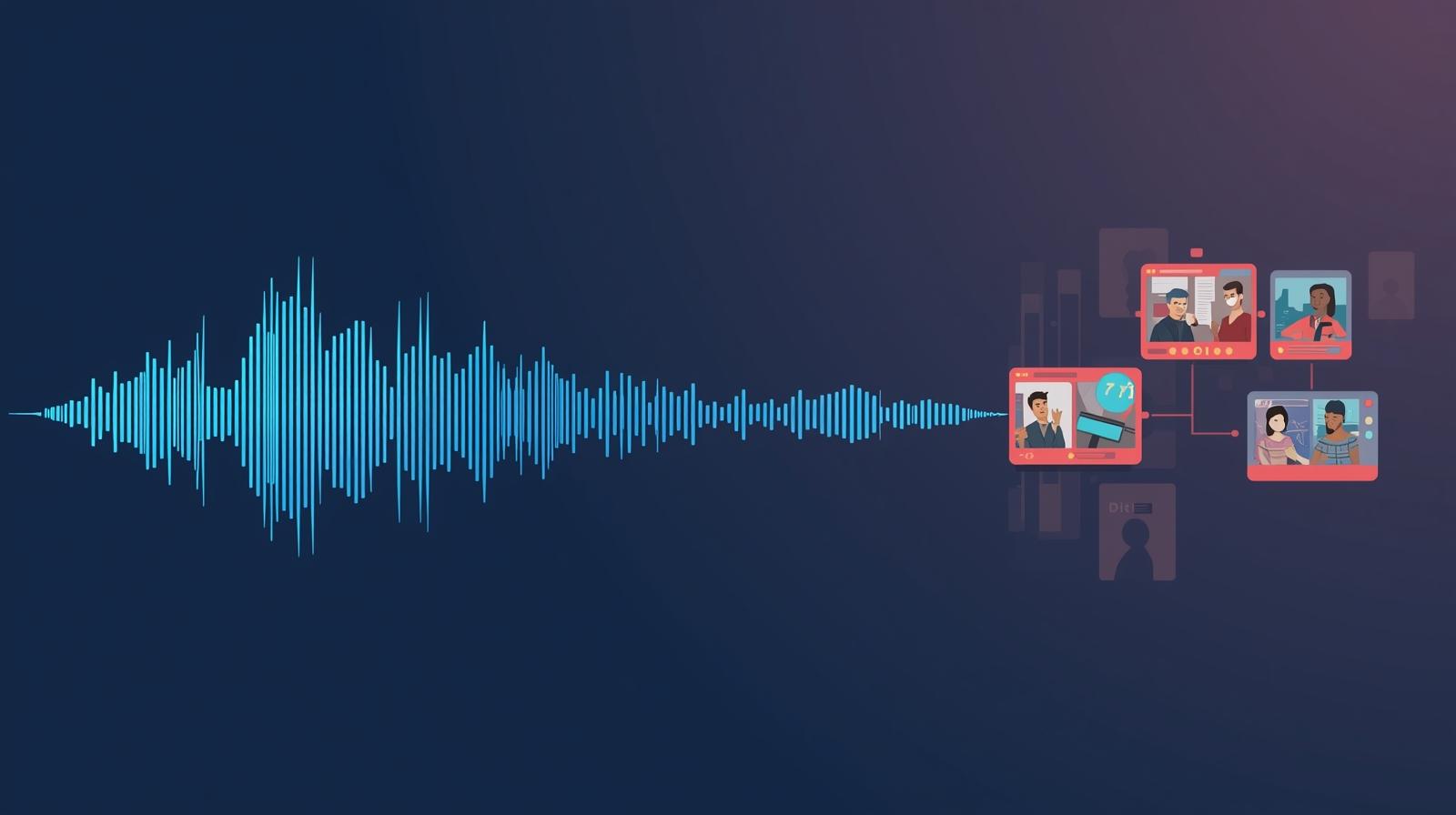
Native audio means the AI model generates sound and visuals together in a single computational pass. When you prompt a native-audio model with something like "a volunteer reading to elderly residents in a warm community room," the model produces both the visual scene and the accompanying audio, including ambient room sounds, the soft sound of pages turning, and perhaps background conversation, synchronized to exactly what appears on screen. Nothing is pasted on afterward.
The practical consequence is that lip movements match speech, environmental sounds match visual environments, and the emotional register of the audio matches the emotional register of the visual. The human brain is highly sensitive to audio-visual misalignment. Even a slight mismatch breaks immersion and reduces emotional impact. Native generation eliminates this problem at the source.
What Native Audio Includes
Modern native audio AI video generates multiple audio layers simultaneously
- Synchronized dialogue: Speech that matches lip movements of on-screen characters, with appropriate accent, pace, and emotion
- Ambient environmental sound: Background audio that matches the visual setting, from outdoor traffic to indoor echoes
- Sound effects: Contextually appropriate sounds that match on-screen actions and movements
- Background music: Thematically appropriate music generated to match the emotional tone of the visual content
- Multilingual voice generation: Advanced models like Seedance 2.0 generate lip-synced dialogue in eight languages natively
The Tools That Have Native Audio in 2026
Several AI video platforms now offer native audio, with meaningfully different capabilities, pricing structures, and nonprofit accessibility. Understanding these differences helps you choose the right tool for your needs.
Google Veo 3 and Veo 3.1
The model that started the native audio era, with strong nonprofit access
Google Veo 3, launched in May 2025, was the first major AI video model to generate fully synchronized audio alongside video. Veo 3.1, the 2026 update, showed the highest audio-visual synchronization scores in independent evaluations across hundreds of test prompts. The model generates 8-second clips at up to 4K resolution, with dialogue, ambient sound, music, and sound effects all produced natively.
The most significant aspect for nonprofits is access: Google for Nonprofits provides approved organizations with access to Veo and other Google AI tools at no cost for up to 2,000 users. If your organization is not already enrolled in Google for Nonprofits, it is worth investigating. The program expanded significantly in 2025 and now covers organizations in over 100 countries.
- Best for: High-quality illustrative content, campaign videos, educational material
- Access: Free through Google for Nonprofits (apply at google.com/nonprofits)
- Limitation: 8-second clip length; longer narratives require multi-clip workflows
Kling 3.0
Multilingual native audio at 4K resolution with a free tier
Kling 3.0, released in early 2026 by Kuaishou, adds native audio generation across multiple languages, dialects, and accents at 4K resolution and 60 frames per second. Videos up to two minutes can be generated, which is significantly longer than most competing models. The free tier includes 66 daily credits, making it accessible for nonprofits testing the technology before committing to a paid plan.
- Best for: Social media content, longer-form narratives, multilingual outreach
- Pricing: Free tier available; paid plans from $6.99/month
- Strength: Longest generation length among leading models; multilingual capability
Seedance 2.0
Multilingual lip-sync in eight languages with a unique dual-branch architecture
Seedance 2.0, released by ByteDance in February 2026, introduced what the company calls phoneme-perfect multilingual lip-sync in eight languages (English, Hindi, Mandarin, Spanish, Portuguese, French, German, Japanese, and Korean), generated natively rather than through a separate text-to-speech pipeline. The model supports up to nine reference images, three videos, and three audio files as contextual inputs, making it flexible for nonprofits that need to incorporate existing visual assets.
For nonprofits serving multilingual communities, this is particularly powerful. Creating a fundraising appeal or program explainer in Spanish that shows authentic lip movement matching Spanish speech, rather than an obvious dub over English footage, is a significant step forward in reaching diaspora and international donors authentically.
- Best for: Multilingual donor outreach, serving diverse communities, global programs
- Access: Via API through platforms like fal.ai
- Strength: Best-in-class multilingual lip-sync; 30% faster generation than competitors
Other Notable Tools
Sora 2, Runway Gen-4.5, and HeyGen each serve specific nonprofit needs
Sora 2 (OpenAI) generates synchronized dialogue and sound effects alongside video at full HD 1080p. Requires a ChatGPT Plus subscription ($20/month) for basic access. No dedicated nonprofit discount, though OpenAI does offer API credits through certain grant programs.
Runway Gen-4.5 added native audio generation alongside character-consistent video sequences up to one minute long. Plans start at $12/month. Runway offers education discounts but no specific nonprofit pricing.
HeyGen specializes in AI presenter and avatar videos with synchronized speech, rated highly for professional spokesperson-style content. A free plan allows three videos per month. Enterprise terms can be negotiated for larger organizations.
How Nonprofits Can Use Native Audio AI Video
The most effective applications for native audio AI video in the nonprofit sector center on creating emotionally resonant content efficiently. Video consistently outperforms other content formats in donor engagement, with fundraising campaigns that include video raising more donations than those without, and donors who watch fundraising videos showing higher conversion rates. The question is how to apply native audio AI video appropriately.
Fundraising Campaigns
Native audio AI video can generate illustrative campaign content that represents the work of your organization, complete with ambient sound and music that carries emotional weight. A food bank can generate scenes of families at a community meal with appropriate ambient sound. A literacy nonprofit can create footage of reading sessions with the soft sounds of children's voices and turning pages. These scenes function as illustrative b-roll that supplements authentic photography and real footage from your programs.
The emotional register of synchronized sound is significantly more powerful than silent footage with a music track laid over it. Research on emotional storytelling in video consistently shows that audio carries a substantial portion of the emotional load. When a viewer hears the ambient sounds of a place alongside seeing it, their brain constructs a more complete, believable experience.
For year-end campaigns, giving days, and major donor cultivation, teams that previously could not afford professional video production can now create compelling illustrative content at a fraction of the cost. The key constraint, discussed further in the ethics section, is that all AI-generated content must be clearly disclosed and should serve as supplementary illustration rather than documentary evidence.
Volunteer Training and Staff Education
Training video production has historically been expensive and time-consuming, which means many nonprofits either don't produce training videos at all or produce them so rarely that the content becomes outdated quickly. Native audio AI video changes this equation dramatically. An AI avatar presenter explaining your volunteer orientation process, client interaction protocols, or safety procedures can be generated in a fraction of the time and cost of live-action video.
Nonprofits that have piloted AI avatar-based training videos report substantial reductions in production costs and faster volunteer onboarding. This is a use case where the AI-generated nature of the content is clearly appropriate: volunteers understand they are watching instructional material, not documentary footage, so disclosure concerns are minimal.
The multilingual capability of tools like Seedance 2.0 and Kling 3.0 is particularly valuable for organizations that onboard volunteers or staff who speak languages other than English. Producing the same orientation video in Spanish, Mandarin, or Hindi, with authentic lip-sync in each language, is now feasible without hiring separate voice talent for each language version.
Social Media Content at Scale
The demand for social media video content has increased substantially, with short-form video dominating engagement on Instagram, TikTok, LinkedIn, and other platforms. Communications teams at small and mid-size nonprofits are often managing this demand with a single person or no dedicated communications staff at all.
Native audio AI video makes it feasible to produce short-form social content regularly. A 15 to 30 second clip with synchronized ambient sound and music can be generated in response to a news event, a program milestone, or an advocacy moment. The turnaround is hours rather than days or weeks. For nonprofits that want to participate in fast-moving social media conversations around their mission, this speed matters.
Tools like Kling 3.0 with its free tier are particularly well-suited for high-frequency social content. Organizations can experiment with different visual styles, emotional tones, and themes without significant cost risk, then invest more in the approaches that resonate with their audience.
Reaching Multilingual Communities
For nonprofits serving immigrant communities, refugees, or populations where English is not the primary language, native audio AI video opens a door that was previously very expensive to open. Creating authentic, emotionally resonant video content in Spanish, Hindi, Mandarin, or other languages historically required either hiring native-speaking production teams or dubbing over English footage, which always looked slightly off.
Seedance 2.0's phoneme-perfect lip-sync in eight languages means you can now generate program explainers, community outreach videos, and donor appeals that appear authentically native to the language being spoken. A community health nonprofit can explain vaccination services in Hindi with matching lip movement, or a housing organization can describe tenant rights in Spanish with synchronized audio that sounds and looks natural.
This expands the reach of video communications to communities that were previously underserved by English-only content production, without requiring additional production budget for each language version.
Real Limitations to Understand
Adopting native audio AI video without understanding its genuine limitations leads to disappointment and potentially problematic content. These constraints are real, and responsible use requires accounting for them.
Clip Length Constraints
Most native audio models generate clips of 8 to 15 seconds. Veo 3.1 produces 8-second clips. Longer narratives require stitching multiple clips together, which can create visible breaks in visual and audio continuity. Kling 3.0's two-minute capability is the notable exception but at lower native audio quality than shorter-form models.
Audio Accuracy Issues
AI-generated audio can mispronounce proper nouns, organization names, place names, and specialized terminology. It can also generate plausible-sounding audio that doesn't accurately represent what your prompt specified. Always review the full audio transcript and listen to the output before publishing.
Character Inconsistency
Characters generated across multiple clips will not look the same person. If you need a consistent presenter or protagonist across a longer video, you will need additional tools (like HeyGen's avatar system) or to accept that each clip stands alone visually. This is a significant constraint for narrative storytelling.
Prompt Engineering Skill Required
Getting high-quality, consistent output from these models requires significant experience with prompt engineering. Off-the-shelf results from simple prompts will often be technically impressive but not usable for professional nonprofit communications. Budget time for iteration and experimentation, particularly when first adopting these tools.
Ethical Use: What Nonprofits Must Get Right
Nonprofits operate on public trust in ways that many for-profit organizations do not. How you use AI-generated content, and how transparently you disclose it, has direct implications for your credibility with donors, funders, and the communities you serve. The ethical stakes here are higher than for many content types.
Disclosure Is Non-Negotiable
The EU AI Act, which has been in enforcement since early 2025, requires explicit disclosure of AI-generated content. YouTube requires prominent disclosure in video descriptions and on-screen for AI-generated material. Regardless of platform requirements, nonprofits should treat transparency as a baseline standard, not a regulatory compliance checkbox.
Add on-screen text identifying AI-generated content. Include disclosure in video descriptions and any accompanying donor communications. Consider a brief statement in your annual report about how you use AI tools and what safeguards govern that use. Donors who discover undisclosed AI use lose trust; donors who are proactively told about your transparent AI practices often respond positively to that honesty.
Do Not Generate Synthetic Beneficiaries
AI video should never be used to generate synthetic representations of specific beneficiaries or to create what appear to be real testimonials from people you serve. Using AI to simulate a beneficiary's face, voice, or story, even with good intentions, constitutes deception. It misrepresents reality to donors and violates the dignity and consent of the people your mission is designed to help.
Illustrative, general community scenes (unnamed, unspecific individuals in contexts relevant to your work) are more defensible than synthetic "testimonials." The distinction is between illustrating the type of situation your organization addresses and falsely depicting a real or synthetic specific individual as a beneficiary or supporter.
Human Review Before Publication
AI handles the 70 to 80 percent of production work that is technical and repetitive. A human being must review every piece of AI-generated video content before it is published. This review should check for factual accuracy in the audio, appropriate tone, mission alignment, and any visual or audio artifacts that could undermine credibility.
Establish a simple internal approval workflow for AI video content. It doesn't need to be elaborate, but it needs to exist. The goal is to prevent a piece of content from reaching your audience that contains a hallucinated statistic, a mispronounced organization name, or a visual element that misrepresents your work.
Supplement Authentic Content, Don't Replace It
AI video is most powerful when used alongside real footage and authentic photography from your programs, not as a replacement for it. Real images of real people doing real work, obtained with proper consent, remain the most credible content you can share. AI video fills gaps, provides illustrative context, and makes certain types of content feasible when live production is not. It should not become the entire visual language of your organization's communications.
Getting Started: A Practical Path for Nonprofits
The most common mistake organizations make when adopting new AI capabilities is trying to do too much at once. A phased, experimental approach produces better results and more durable adoption than attempting to transform your entire content production workflow immediately.
Phase 1: Explore
Weeks 1-4
- Apply to Google for Nonprofits if not already enrolled
- Try Kling 3.0 free tier to generate test clips
- Experiment with different prompt styles and subjects
- Identify one low-stakes use case to pilot
Phase 2: Pilot
Months 2-3
- Draft an AI content disclosure policy
- Produce first AI video for internal or lower-stakes use
- Establish human review workflow before publication
- Gather staff and stakeholder feedback on quality
Phase 3: Integrate
Months 4+
- Build AI video into content calendar planning
- Use for campaign supplementary content
- Expand to multilingual versions if relevant
- Track engagement metrics against traditional content
For organizations that want to go deeper on AI content strategy, it is worth reading about AI knowledge management for nonprofits, which covers how to build systems that maintain consistency and quality across AI-assisted content production. The nonprofit leader's guide to AI also provides a strong foundation for thinking about AI adoption in stages.
Conclusion
The shift from silent AI video to natively synchronized audio-visual generation is not a minor technical refinement. It fundamentally changes what a single communications staff member can produce without a production budget, a film crew, or an audio engineer. For nonprofits that have long had a story worth telling but limited means to tell it compellingly, this represents a genuine opening.
The tools are real, the capabilities are substantial, and the access pathways, particularly through Google for Nonprofits, are increasingly favorable. The limitations are also real: clip length constraints, audio accuracy issues, and the technical learning curve of prompt engineering require honest acknowledgment and planning.
What distinguishes nonprofits that use this technology well from those that misuse it is not technical sophistication. It is clarity about what the technology is for (supplementary illustration, training content, multilingual outreach) and what it is not for (replacing authentic beneficiary voices, creating synthetic testimonials, obscuring the AI-generated nature of content). Organizations that lead with that clarity will find native audio AI video to be a powerful addition to their communications toolkit.
As with most AI capabilities in the current environment, the organizations that start experimenting now, carefully and ethically, will be better positioned than those that wait for perfect tools. The tools are already good enough to produce meaningful results. The question is whether your organization has the framework and the workflow to use them responsibly.
Ready to Strengthen Your Nonprofit's Content Strategy?
AI video is one piece of a broader content and communications strategy. Our team helps nonprofits develop practical, ethical frameworks for AI adoption that strengthen mission delivery and donor engagement.