
Running AI Offline: How Edge Computing Serves Communities Without Reliable Internet
The assumption that AI requires fast, constant cloud connectivity is giving way to a new paradigm. Edge computing and local AI models are enabling nonprofits to deliver powerful AI-driven services in rural areas, privacy-sensitive settings, and anywhere reliable internet is unavailable or unaffordable.
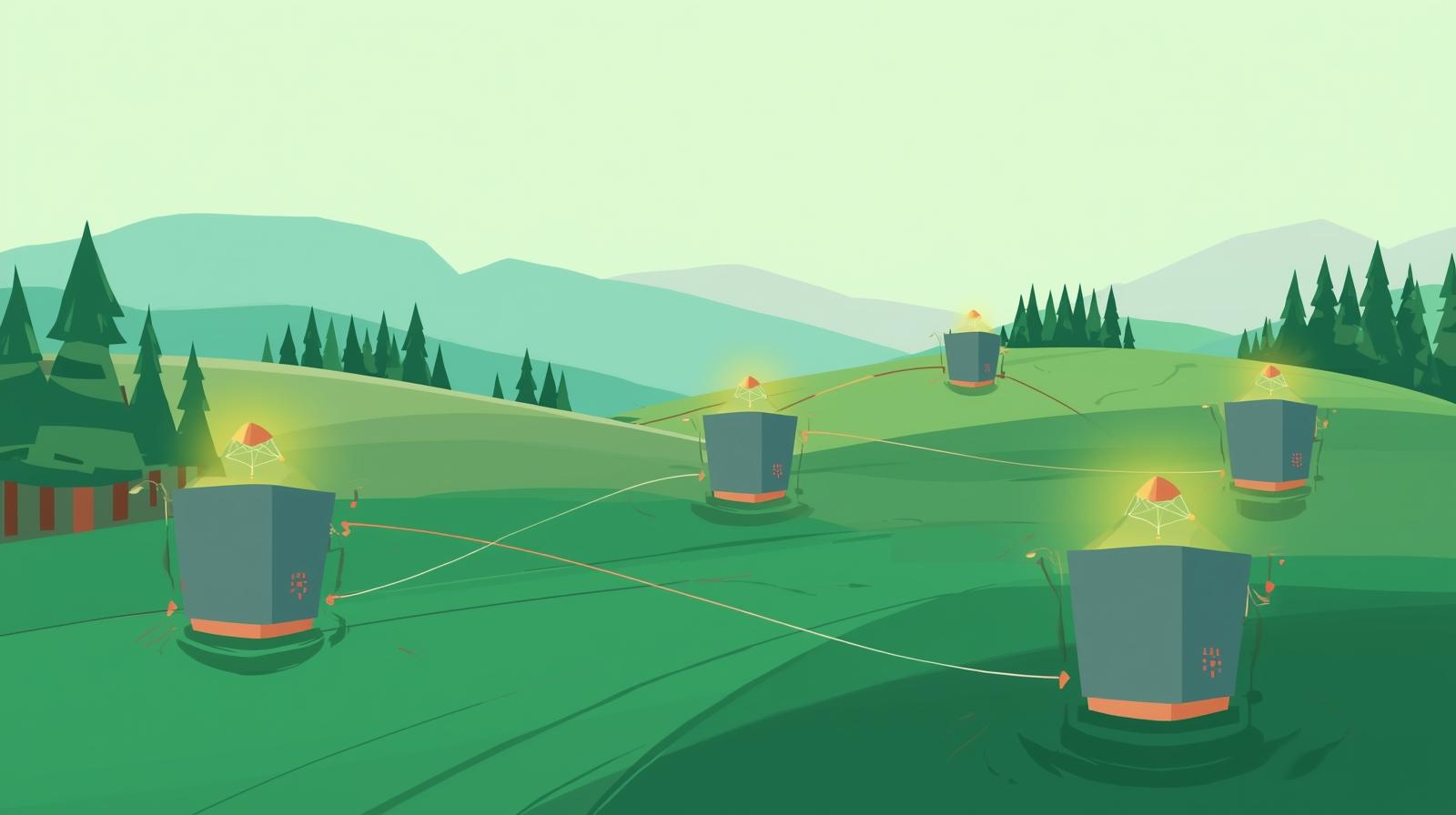
Imagine a community health worker in a rural county carrying a tablet loaded with an AI assistant that can analyze symptoms, suggest care plans, and translate between languages, all without any cellular signal. Or a literacy program in a remote Indigenous community where students interact with an AI reading tutor that runs entirely on an inexpensive laptop, with no dependence on broadband that may be weeks away from arriving. These scenarios describe what is already happening in 2026 as edge computing and offline-capable AI models mature into practical tools that nonprofits can deploy.
The conventional picture of AI, where all processing happens on distant servers and requires constant high-speed connectivity, is increasingly incomplete. A new generation of small, efficient AI models can run directly on everyday hardware: laptops, tablets, smartphones, and single-board computers. These models are not as capable as the largest cloud-based systems, but they are often powerful enough for the tasks nonprofits most commonly need, text summarization, language translation, document analysis, intake form processing, and conversational assistance.
For nonprofits whose missions take them into underserved communities, the ability to run AI offline is not just a technical curiosity. It is a genuine equity issue. Many of the communities where the need for services is greatest are precisely the communities where internet access is least reliable. If AI tools can only serve people with good broadband, they risk deepening the digital divide rather than bridging it. Offline AI is one of the most practical responses to this challenge available today.
This article explores the landscape of offline and edge AI in 2026: what it is, how it works in practical terms, which types of nonprofits are best positioned to benefit, which tools and approaches are most accessible, and how to evaluate whether offline AI makes sense for your organization's programs.
What Is Edge Computing and Why Does It Matter for Nonprofits?
Edge computing refers to processing data at or near the source of that data, rather than sending it to centralized cloud servers. The "edge" in this context means the edge of the network, the devices and locations closest to where data is generated and used. Your organization's laptop is an edge device. So is a tablet carried by a field worker, a server in a community health center, or a smartphone used by a program participant.
Traditional cloud AI requires a roundtrip for every interaction: your query travels from your device to a data center potentially thousands of miles away, is processed there, and the result is sent back. This works well with good connectivity but fails or degrades significantly when internet access is slow, intermittent, or absent. Edge AI eliminates this dependency by keeping all processing local, on the device you are using or a nearby server.
For nonprofits, edge computing offers several distinct advantages beyond solving the connectivity problem. Privacy is one of the most important: when data never leaves the device, it is not transmitted over networks, not stored in cloud servers, and not subject to the data retention policies of commercial AI providers. For organizations working with survivors of domestic violence, undocumented individuals, mental health clients, or any vulnerable population where confidentiality is paramount, this data sovereignty can be the deciding factor between adopting AI and foregoing it entirely.
Cloud AI Requires
What traditional AI systems depend on
- Reliable internet connection (typically 10+ Mbps for smooth operation)
- Ongoing subscription fees per user or per query
- Trust in the vendor's data handling and privacy practices
- Compliance review for any sensitive data sent to external servers
- Continued service availability dependent on vendor uptime
Edge AI Requires
What offline AI systems depend on
- A sufficiently capable device (8GB+ RAM recommended for most models)
- One-time model download (usually 2-8 GB depending on model size)
- Initial setup time and some technical configuration
- Acceptance that smaller models may have reduced capability vs. cloud alternatives
- No ongoing per-use costs or internet dependency after setup
The choice between cloud and edge AI is not all-or-nothing. Many organizations will find a hybrid approach works best: using cloud AI for tasks where connectivity is available and the data is not sensitive, and edge AI for fieldwork, sensitive client interactions, or environments where connectivity is unreliable. Understanding both options gives your organization the flexibility to choose the right tool for each situation.
Small Language Models: Powerful AI That Fits on a Laptop
The AI models that power tools like ChatGPT or Claude are enormous by any measure, requiring specialized hardware costing millions of dollars to run. But a different class of models, often called small language models (SLMs), has developed alongside these giants. These compact models are designed to run efficiently on consumer hardware while delivering genuinely useful results for a defined range of tasks.
Models from the Phi family (developed by Microsoft), Llama's smaller variants (from Meta), Mistral Small, and purpose-built models like Sarvam Edge (which runs on a smartphone and supports 10 Indian languages) represent the state of the art in accessible offline AI in 2026. These models can typically run on a laptop with 8-16 GB of RAM, do not require a dedicated graphics card, and can be downloaded once and used indefinitely without ongoing costs.
The capabilities of these small models have improved dramatically. In 2026, a well-chosen small model can reliably handle text summarization, document question-and-answer, language translation between major world languages, basic drafting tasks, and structured data extraction from documents. For many nonprofit program applications, this capability set covers the majority of use cases. Where small models struggle is in complex multi-step reasoning, highly specialized domain knowledge, and creative tasks requiring nuanced judgment. Understanding these limits helps organizations match the right tool to the right task.
Leading Offline AI Tools for Nonprofits in 2026
Practical platforms for running AI without internet connectivity
Ollama
The most widely used platform for running open-source AI models locally. Free, open-source, and available for Windows, Mac, and Linux. Runs models including Llama, Mistral, Phi, and dozens of others. Provides an OpenAI-compatible API, meaning many AI applications can be pointed at a local Ollama instance as a drop-in replacement for cloud AI. Best for technically confident staff or organizations with an IT resource.
LM Studio
A more user-friendly alternative with a graphical interface that makes downloading and running local models much more accessible to non-technical staff. Supports the same broad model library as Ollama. Works on Windows, Mac, and Linux. Ideal for organizations that want offline AI without requiring IT support for routine use.
Jan
An open-source desktop application focused on privacy and offline use. Runs models locally with a clean chat interface. Designed explicitly as a ChatGPT alternative that keeps all data on your device. Good option for organizations where privacy is the primary concern and ease of use is important.
Kolibri (Education)
An open-source education platform specifically designed for offline use in low-resource environments. Provides educational content and AI-assisted learning without internet access. Used by NGOs across Africa, South Asia, and Latin America to bring digital education to rural classrooms without connectivity requirements.
Where Offline AI Makes the Most Difference: Use Cases by Mission Area
Not every nonprofit faces the same connectivity challenges or has the same privacy requirements. The value of offline AI varies significantly by mission area and the populations served. The following examples illustrate where the benefits are most compelling.
Rural and Community Health Organizations
Bringing clinical AI support where connectivity is unreliable
Rural health nonprofits and community health centers face acute connectivity challenges. Many operate in counties where broadband infrastructure is years away from full deployment, yet the healthcare needs of rural populations are often more complex than urban areas. Offline AI tools can give community health workers access to clinical decision support, documentation assistance, and patient education materials regardless of signal strength.
A community health worker visiting a patient in a remote area can use a locally running AI to look up medication interactions, generate care plan drafts, or translate patient instructions into the patient's preferred language, all without requiring an internet connection. When the worker returns to a connected location, records can be synced and cloud-based systems updated. This offline-first, sync-when-connected workflow is increasingly common in field-based health programs.
- Symptom triage and clinical reference support for community health workers
- Patient education materials translation into local languages
- Offline documentation of visit notes synced later to the EHR
- Local analysis of patient-reported outcomes without data leaving the device
Education Nonprofits in Underconnected Communities
AI-assisted learning that doesn't require reliable broadband
Educational technology has historically deepened inequality by requiring connectivity that many rural and low-income communities lack. Offline AI offers a different path. Platforms like Kolibri deliver AI-assisted educational content on low-cost hardware in classrooms without reliable internet. AI reading tutors, math practice systems, and adaptive curriculum tools can all run locally, providing personalized learning experiences to students whose schools cannot afford satellite broadband.
For adult literacy and workforce development programs, offline AI assists learners in completing reading exercises, practicing job interview responses, and accessing career development resources. These programs often serve populations that are doubly disadvantaged: lacking both formal credentials and reliable internet access. Offline AI helps bridge both gaps simultaneously.
- AI reading and math tutoring on offline devices for under-resourced classrooms
- Adaptive curriculum that adjusts to student performance without internet
- Multilingual content for classrooms serving immigrant or Indigenous communities
- Teacher professional development materials accessible without connectivity
Social Services with Sensitive Client Populations
Privacy-first AI for organizations serving vulnerable communities
Domestic violence shelters, immigrant legal services, mental health organizations, and substance abuse treatment programs all work with clients who have elevated privacy needs. Sending client data to commercial cloud AI platforms, even with strong contracts, creates privacy risks that many of these organizations are unwilling to accept. Edge AI eliminates the risk at its source: if data never leaves the device, it cannot be exposed in transit or at rest on external servers.
Social service case workers can use locally running AI to summarize case notes, draft correspondence, identify relevant community resources, and generate progress reports, all without client information touching any external system. This capability is particularly valuable for organizations that serve undocumented individuals, who may be at heightened risk if their service records are accessed inappropriately.
- Case note summarization and documentation drafting entirely on-device
- Secure translation for multilingual client interactions
- Resource matching from locally stored community resource databases
- Legal document assistance that keeps client information on-premises
International and Humanitarian Organizations
Field operations in low-connectivity environments
Organizations operating in developing countries or disaster-response contexts routinely face complete absence of reliable connectivity. Satellite internet is available in many locations but can be expensive, intermittent, and bandwidth-limited. AI tools that can operate entirely offline and sync data when connectivity becomes available are transformative for field operations.
Humanitarian organizations can deploy edge AI for needs assessment data collection, beneficiary registration, resource distribution tracking, and field reporting. Language translation tools that run locally can bridge communication gaps between field workers and the communities they serve without requiring internet. Surveyors can conduct interviews, and the AI can provide real-time translation and transcription, with data uploaded when the team returns to a connected base.
- Field data collection with offline AI assistance for surveys and assessments
- Real-time language translation without satellite internet dependency
- Resource and beneficiary tracking that syncs when connectivity allows
- Field team communication and coordination tools
Practical Hardware: What You Need to Run AI Offline
One of the most common misconceptions about offline AI is that it requires expensive specialized hardware. In 2026, most small language models can run on hardware that many nonprofits already own or can acquire at reasonable cost. Understanding the requirements helps organizations make practical decisions about what is feasible within their budget.
RAM is the most important factor for running language models offline. Most small models of 7 billion parameters, a common and capable size, require approximately 8 GB of RAM to run, though performance is noticeably smoother with 16 GB. Many recent laptops meet this threshold, particularly those purchased in the last three to four years. Older or lower-end machines may struggle, particularly if they are also running other applications simultaneously.
Processing speed matters for the quality of the user experience. A modern CPU (Intel i5/i7/i9 from 2020 or later, or equivalent AMD) will generate responses in seconds. Older processors may take 30-60 seconds per response for longer tasks, which can be workable but is noticeably slower. Dedicated graphics cards (GPUs) dramatically accelerate AI inference when present, but they are not required. Many nonprofits find that the additional cost of GPU-equipped hardware is not justified unless they are running AI at high volume.
Hardware Requirements at a Glance
What different scenarios require for offline AI operation
Basic Use (Text Tasks, Simple Drafting)
8 GB RAM, any modern CPU from 2020+. Works on most current laptops. Response times of 5-20 seconds per exchange. Good for individual staff use on basic writing and summarization tasks.
Standard Use (Translation, Document Analysis, Longer Tasks)
16 GB RAM, recent-generation CPU (2022+). Suitable for regular staff use with multiple tasks. Response times of 3-10 seconds per exchange with a 7B model. Handles most nonprofit program applications comfortably.
Heavy Use (Multiple Users, Large Documents, Continuous Operation)
32 GB+ RAM, dedicated GPU optional but beneficial. Consider a local server that multiple staff can access simultaneously rather than individual laptops. Response times dramatically faster with GPU acceleration.
Field Use (Portability, Battery Life Priority)
Tablets and smartphones can run smaller models (1B-3B parameters) that are sufficient for translation, basic Q&A, and simple text tasks. ARM-based devices like recent iPads can run capable models efficiently. Ideal for fieldwork where weight and battery life matter.
A practical approach for many nonprofits is to start with hardware you already own. Install Ollama or LM Studio on a laptop that meets the minimum requirements and experiment with a task relevant to your work. This costs nothing beyond the time to set it up, and you will quickly learn whether the quality and speed are sufficient for your use case before making any hardware investment.
For organizations serving communities without internet, another option worth considering is a dedicated local server. A single machine with 32 GB of RAM and a capable GPU can serve as an AI server for multiple staff simultaneously, with each person accessing it over your local network. This centralizes the hardware cost and makes administration easier. For organizations with a field office in a rural area, a local server can provide cloud-like AI access to all staff in that location without internet, using only the local network.
Getting Started: A Practical Path for Nonprofits
The gap between knowing about offline AI and actually implementing it can feel daunting, particularly for organizations without dedicated technology staff. But the path to a first working offline AI setup is shorter than most nonprofits expect. The key is starting with a specific, bounded use case rather than trying to replace all cloud AI at once.
Step-by-Step Getting Started Guide
A practical path from zero to first working offline AI deployment
Identify your use case
Choose one specific task where offline AI would provide clear value: translating documents, summarizing intake notes, drafting routine communications. Start with a task where the quality bar is forgiving and the privacy benefit is clear.
Check your hardware
Look up the RAM in a computer you plan to use. 8 GB is the minimum; 16 GB is comfortable. If you have a machine that qualifies, start there. You can evaluate hardware investment needs after you have experienced the capability.
Install LM Studio (easiest start)
Download LM Studio from lmstudio.ai. It is free, has a graphical interface, and guides you through downloading a model. Start with a 7B parameter model (Llama 3.2 7B or Phi-4 mini are good starting points). The application will download the model and have you chatting within 15-30 minutes.
Test with your actual work
Use the AI for your target task with real (anonymized) examples from your work. How accurate is it? How fast? Is the quality sufficient for your use case? Compare it to what you need, not what cloud AI delivers.
Evaluate and expand
If the initial trial is promising, involve more staff, add more use cases, and consider whether dedicated hardware investment is justified. Document what works and what does not so you can inform organizational decisions about broader adoption.
One practical tip for the setup phase: make your first session a genuine experiment with real work, not a test of artificial prompts. The best way to know whether a local model is good enough for your purposes is to ask it to do the actual tasks you would use it for, using the kinds of inputs you would actually provide. The results will tell you far more than any benchmark can.
If your organization already uses AI tools like Claude or ChatGPT, you are not choosing between offline and cloud AI. You can run both, using each where it is most appropriate. Offline AI for field visits and sensitive client work, cloud AI for complex tasks where connectivity is available and data sensitivity allows. This complementary approach captures the strengths of each without abandoning the capabilities you already rely on. You might also explore how our article on small language models for nonprofits compares different lightweight options in more detail.
Honest Limitations: What Offline AI Cannot Do Well
Enthusiasm for offline AI should be tempered with an honest assessment of its limitations. Small local models are genuinely useful for a defined range of tasks, but they fall short of their cloud counterparts in important ways that any honest comparison must acknowledge.
Complex reasoning tasks are where small models most visibly struggle. A task that requires synthesizing information from multiple sources, maintaining context across a long conversation, or making nuanced judgments about ambiguous situations tends to produce better results from larger cloud models. For most grant writing, legal analysis, or strategic planning tasks, the quality difference between a 7B local model and a state-of-the-art cloud model is substantial.
Language coverage is uneven. Small models trained primarily on English perform well in English but may struggle with lower-resource languages. If your organization serves communities whose primary language is a less commonly represented world language, test carefully before depending on local models for translation. Specialized models for specific languages (like Sarvam Edge for Indian languages) can fill some of these gaps, but comprehensive multilingual support remains easier to achieve with cloud-based systems.
Tasks Where Cloud AI Remains Superior
- Complex multi-step analysis requiring synthesis of multiple sources
- High-quality grant writing that requires sophisticated language and argument
- Translation of less common languages or dialects
- Tasks requiring current knowledge of recent events (local models are static)
- Processing very long documents (many small models have limited context windows)
- Multimodal tasks combining text with images, audio, or video
The honest summary is that offline AI is excellent for clearly defined, relatively simple tasks where privacy or connectivity matters, and less suitable for complex, high-stakes work where maximum quality is essential. Knowing this helps organizations make smart decisions about when to use offline AI and when to depend on cloud alternatives. For more on evaluating AI tools for your specific context, see our guide on AI for nonprofit leaders.
Conclusion: AI That Meets Communities Where They Are
The communities that most need the benefits of AI, whether in terms of health access, education quality, or social support, are often the same communities least served by the cloud-centric AI model that dominates the current landscape. Offline AI is not a perfect solution, but it is a meaningful step toward an AI future that includes rather than excludes the populations nonprofits most commonly serve.
The technology has matured enough in 2026 that a nonprofit does not need deep technical expertise or significant budget to get started with offline AI. A laptop, an hour of setup time, and a willingness to experiment is genuinely sufficient to begin exploring whether local models can serve your organization's needs. The gap between curiosity and capability has narrowed considerably.
For nonprofits with missions that take them into underconnected or privacy-sensitive contexts, offline AI deserves serious consideration as part of the technology toolkit. It is not a replacement for the cloud-based AI tools your organization may already use, but a complement to them, extending AI's reach into the places and situations where connectivity and privacy requirements make cloud AI impractical. In doing so, it helps ensure that the AI revolution delivers on its promise for everyone, not just those lucky enough to have fast, reliable internet.
Expand AI Access Across Your Entire Mission
Whether your programs are in urban offices or rural fields, One Hundred Nights can help your nonprofit build an AI strategy that works in every environment you serve.