
Securing AI Tools When You Don't Have Dedicated Cybersecurity Staff
Most nonprofits don't have the luxury of a dedicated IT security team, yet you're responsible for protecting donor data, client information, and sensitive organizational records. As AI tools become essential to operations, securing them properly becomes even more critical. This practical guide shows you how to protect your organization's data and use AI tools safely, even when cybersecurity isn't your expertise and you're wearing multiple hats.
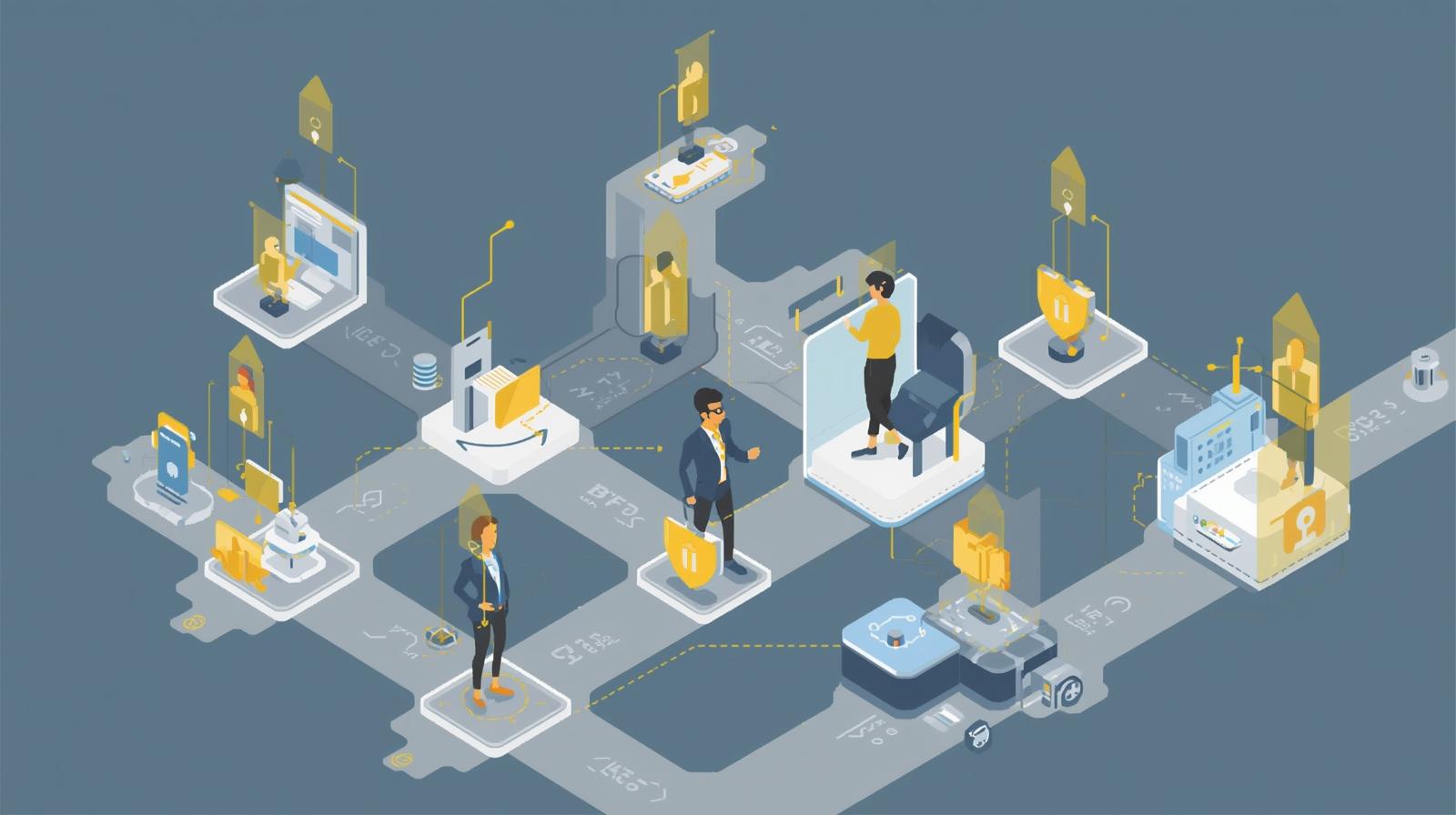
You manage donor relationships, coordinate programs, write grants, and somehow also became the person who "handles the technology." Now your board is asking about AI tools, staff are already using ChatGPT for various tasks, and you're wondering how to ensure your organization isn't inadvertently exposing sensitive donor information, protected health data, or confidential client records to security risks. You're not alone—60% of nonprofits don't have cybersecurity training programs for their staff, and 20% have no dedicated cybersecurity program at all.
The challenge is real. AI tools offer tremendous productivity benefits, but they also introduce new security considerations. Many popular AI chatbots learn from the data users input, which means anything you type could potentially be stored, analyzed, and used to train future models. For nonprofits handling protected information—whether that's financial records, health data, children's information, or personally identifiable donor details—this creates serious compliance and privacy risks.
The good news is that securing AI tools doesn't require a computer science degree or a dedicated cybersecurity department. It requires understanding the risks, implementing practical safeguards, establishing clear policies, and building a culture where security is everyone's responsibility. This article will walk you through a realistic, implementable approach to AI security that fits the resource constraints most nonprofits face.
We'll cover the essential security fundamentals every nonprofit needs, practical steps for evaluating and securing AI vendor tools, how to create simple but effective usage policies that staff will actually follow, and how to build security habits into your daily routines without adding overwhelming complexity. You don't need to become a cybersecurity expert—you need practical strategies you can implement this week that will significantly reduce your organization's risk.
Whether you're a small grassroots organization with three staff members or a mid-sized nonprofit where the development director also handles IT, this guide will help you protect your data, meet your compliance obligations, and use AI tools safely and effectively. Security doesn't have to be complicated, but it does need to be intentional. Let's explore how to make it work for your organization.
Understanding the Specific Risks AI Tools Create
Before we can protect against risks, we need to understand what they are. AI tools create several specific security and privacy challenges that differ from traditional software security concerns.
Data Exposure Through AI Training
Many popular AI chatbots and platforms learn from the data they process. When you input information into these systems, there's a risk that data could be stored, used to train or improve the AI model, or potentially accessed by other users in the future through the model's responses. This creates serious exposure risk for protected information.
Imagine a well-intentioned staff member copying a list of major donors with contact information into ChatGPT to draft personalized thank-you notes. That donor information could now be part of the AI's training data. Or a case manager pasting client details into an AI tool to summarize a service interaction—potentially exposing protected health information or sensitive case details.
This isn't theoretical. Organizations have inadvertently exposed confidential information, personally identifiable data, and protected health records through AI tools. The consequences can include compliance violations (HIPAA, state privacy laws), legal liability, donor trust erosion, and reputational damage that's difficult to repair.
Compliance and Regulatory Violations
Nonprofits often handle data subject to specific regulations—HIPAA for health information, FERPA for student records, state privacy laws like CCPA, or contractual data protection obligations from funders. Using AI tools improperly can inadvertently violate these regulations even when staff have the best intentions.
The challenge is that most staff don't fully understand these compliance requirements or how AI tools might create violations. A fundraiser might not realize that using a free AI tool to analyze donor giving patterns could violate data processing agreements. A program coordinator might not know that summarizing client intake forms in an AI chatbot could constitute a HIPAA violation.
Compliance violations can result in significant fines, loss of funding, damaged relationships with institutional funders, and legal liability. For small and mid-sized nonprofits, these consequences can be organizational existential threats, not just inconveniences.
Vendor Security and Data Handling Practices
Not all AI vendors handle data the same way. Some offer enterprise versions with robust data protection, encryption, and guarantees that your data won't be used for training. Others explicitly state in their terms of service that user inputs may be used to improve their models. Some have strong security practices; others have experienced high-profile data breaches.
The problem is that most nonprofits don't have the technical expertise to evaluate vendor security practices effectively. Security questionnaires ask about encryption standards, access controls, penetration testing, and compliance certifications—terms that aren't meaningful to non-technical staff. Yet these evaluations are critical for protecting your organization's data.
Third-party vendors now account for more than 60% of enterprise cyber risk, and 54% of organizations have experienced data breaches resulting from third-party incidents. Your security is only as strong as your weakest vendor's practices.
Lack of Visibility and Control
One of the biggest security challenges with AI tools is that you often don't know what tools staff are using. Shadow IT—technology adopted by individuals or departments without IT approval—is rampant in organizations without dedicated tech leadership. Staff might be using free AI tools that seem helpful without understanding the security implications or checking whether they're approved.
You can't protect what you don't know exists. Without visibility into what AI tools are being used, what data is being input into them, and how they're being used across your organization, it's nearly impossible to assess or manage your security posture effectively.
Understanding these risks isn't meant to scare you away from AI tools—the productivity and capability benefits are real and valuable. But it's essential to use them with awareness and appropriate safeguards. The rest of this article will show you how to do exactly that, with practical steps that don't require technical expertise or significant resources.
Essential Security Fundamentals Every Nonprofit Needs
Before diving into AI-specific security, let's establish baseline security practices that protect your entire organization. These fundamentals create the foundation for secure AI use and address broader cybersecurity risks.
Strong Authentication and Access Controls
Protecting accounts with multi-factor authentication and password management
The single most effective security improvement most nonprofits can make is implementing multi-factor authentication (MFA) on all accounts. MFA requires two forms of verification—typically a password plus a code from your phone—making it exponentially harder for attackers to access accounts even if passwords are compromised.
Immediate Action Steps:
- Enable MFA on email accounts (Google Workspace, Microsoft 365) for all staff
- Enable MFA on your donor database, accounting software, and all cloud platforms
- Implement a password manager (1Password, Bitwarden, LastPass) for the organization
- Require unique, complex passwords for each system (password manager handles this)
- Remove access for former staff immediately upon departure
These steps significantly reduce the risk of account compromise, which is often the entry point for broader security incidents. They're not complex to implement and most cloud services offer MFA built-in at no additional cost.
Regular Updates and Backups
Keeping systems current and data protected
Outdated software is one of the most common security vulnerabilities. Software updates often include critical security patches that fix known vulnerabilities attackers actively exploit. Regular backups ensure you can recover from ransomware, accidental deletion, or system failures.
Immediate Action Steps:
- Enable automatic updates on all computers, phones, and tablets
- Ensure antivirus software is installed and updating automatically
- Configure automatic daily backups for critical data (most cloud services do this automatically)
- Test backup restoration quarterly to ensure backups actually work
- Replace computers running unsupported operating systems (Windows 10 older than 2-3 years, etc.)
If you're primarily using cloud-based services (Google Workspace, Microsoft 365, cloud-based donor databases), many of these protections are handled automatically by the service provider. Focus your attention on ensuring local devices stay updated and protected.
Staff Security Awareness Training
Making security everyone's responsibility
Your staff is your first line of defense against security threats, but also your greatest vulnerability if they're not equipped to recognize risks. Regular, jargon-free training helps everyone understand security threats in practical terms and know how to respond appropriately.
Training Topics to Cover:
- How to recognize phishing emails and suspicious links
- What information should never be shared via email or entered into unapproved tools
- How to use password managers and MFA correctly
- When and how to report suspicious activity or potential security incidents
- Safe practices for using AI tools (covered in detail later in this article)
- Physical security basics (locking computers, not leaving documents visible, etc.)
Make training practical and relevant. Instead of abstract threats, use examples specific to your organization's work. "Here's what a phishing email targeting nonprofit staff looks like" resonates better than generic security concepts. Hold brief quarterly training sessions (15-20 minutes) rather than annual marathon sessions—repetition and reinforcement work better than one-time events.
These fundamental practices create a security baseline that protects against the vast majority of common threats. They're not sexy or complex, but they're extraordinarily effective. Once these basics are in place, you're in a much stronger position to add AI tools safely because you've established security-conscious practices and culture throughout your organization.
How to Evaluate AI Vendor Security (Without Being a Security Expert)
Not all AI tools are created equal when it comes to security and data protection. Learning to ask the right questions and interpret vendor responses will help you choose tools that protect your organization's data appropriately. You don't need technical expertise—you need a clear framework for evaluation.
Critical Questions to Ask Every AI Vendor
1. How is our data used and stored?
This is the most critical question. You need clear answers about:
- Is our data used to train or improve your AI models? (The answer should be "no" for organizational use)
- How long is our data retained? Where is it stored physically?
- Can we request deletion of our data? How is deletion verified?
- Who has access to our data within your company?
Red flags: Vague answers, refusal to commit to not using your data for training, lack of data deletion options, or unclear data retention policies.
2. What security certifications and compliance standards do you meet?
Look for vendors with recognized security certifications:
- SOC 2 Type II certification (industry standard for security controls)
- ISO 27001 certification (international security standard)
- HIPAA compliance (if you handle health information)
- GDPR compliance (important even for US organizations handling any European data)
Red flags: No certifications, reluctance to share compliance documentation, or certifications that are outdated or in-progress rather than completed.
3. How is data encrypted?
Data should be encrypted both "in transit" (when being sent between your computer and their servers) and "at rest" (when stored in their databases). Ask:
- Do you encrypt data in transit? (Should use TLS 1.2 or higher)
- Do you encrypt data at rest? (Should use AES-256 or equivalent)
- Who manages the encryption keys? (Ideally, keys are managed separately from data)
You don't need to understand the technical details, but the vendor should confidently answer "yes" to encrypting both in transit and at rest with industry-standard methods.
4. What happens to our data if we stop using your service?
You should be able to export your data in standard formats and have guarantees about deletion after you leave. Ask about data export formats, deletion timelines after cancellation, and verification that deletion occurred. Avoid vendors who make it difficult to leave or don't provide clear data portability options.
5. Have you had any security breaches? How were they handled?
No vendor is immune to security incidents, but how they respond matters enormously. Look for transparency about past incidents, clear communication about what happened and how it was resolved, evidence of improvements made after incidents, and willingness to discuss their security incident response plan.
Using Security Assessment Frameworks
Several organizations have created simple vendor security assessment frameworks specifically designed for nonprofits and small organizations without dedicated security expertise. These frameworks provide structured questionnaires you can send to vendors.
Recommended Resources:
- NTEN's Nonprofit Technology Assessment tools include vendor security evaluation templates
- The NIST AI Risk Management Framework provides guidance specifically for AI systems
- Industry-specific frameworks (healthcare, education) if your nonprofit serves those sectors
Don't reinvent the wheel—use existing templates and frameworks adapted for your specific needs. You can start with a comprehensive questionnaire and cut questions that aren't relevant to your organization's risk profile or compliance requirements.
When to Walk Away from a Vendor
Some responses should make you seriously reconsider a vendor:
- They can't or won't answer basic security questions clearly
- Their terms of service explicitly state they can use your data for training
- They have no relevant security certifications and no plan to obtain them
- They had a major security breach and can't explain what they've changed since
- They don't offer data deletion or export options
- The free version has different (worse) security than the paid version and you can only afford free
Vendor evaluation doesn't have to be overwhelming. Start with the critical questions, use existing frameworks, and trust your instincts. If a vendor makes you uncomfortable or can't provide clear answers to basic security questions, that's valuable information. There are many AI tools available—choose ones that take security seriously and communicate about it transparently.
Creating Practical AI Usage Policies That Staff Will Actually Follow
Having a clear AI usage policy is essential, but only if staff actually understand and follow it. The key is making policies simple, practical, and enforceable rather than comprehensive but ignored. Here's how to create AI policies that work for small nonprofits without dedicated compliance teams.
The Essential Elements of an AI Usage Policy
1. Approved Tools List
Clearly specify which AI tools staff are permitted to use. This doesn't mean you need to evaluate hundreds of tools—start with a short list of 3-5 approved tools that meet your security requirements and cover your organization's primary use cases.
For example: "Approved AI tools: Claude (paid enterprise version), ChatGPT Team, Microsoft Copilot (part of our Microsoft 365 subscription). If you want to use a tool not on this list, request approval from [designated person] before using it."
Make it easy for staff to request additions to the approved list with a simple process. If the barrier is too high, people will just use tools without asking.
2. Clear Data Protection Rules
Define in simple, concrete terms what information should never be entered into AI tools:
- Never input: Full names with contact information (addresses, phone numbers, emails) of donors or clients
- Never input: Financial account information, credit card numbers, social security numbers
- Never input: Protected health information or medical records
- Never input: Proprietary organizational information like strategic plans, salary data, or grant applications before submission
- Never input: Any information marked confidential or subject to non-disclosure agreements
Then provide clear guidance on what IS okay to input—general questions, public information, anonymized summaries, writing assistance for public communications, etc. Staff need to know what they CAN do, not just what they can't.
3. Required Review for AI-Generated Content
Establish clear expectations that AI-generated content must be reviewed by a human before use, especially for donor communications, grant applications, public statements, or anything legally binding. AI can draft, but humans must verify accuracy, appropriateness, and alignment with organizational voice and values.
4. Disclosure Requirements
Decide when and how to disclose AI use. Some contexts may require transparency (e.g., disclosing to donors if you use AI for communications, noting in grant applications if AI assisted with writing). Be clear about your organization's disclosure standards.
5. What to Do When Unsure
Give staff a clear escalation path: "If you're not sure whether information is safe to input into AI tools, ask [designated person] before proceeding. When in doubt, don't input it." Make it psychologically safe to ask questions—you want a culture where people feel comfortable seeking guidance, not one where they're afraid to admit uncertainty.
Sample Simple AI Usage Policy
Adapt this template for your organization
"[Organization Name] AI Usage Policy (Effective Date)"
Purpose: This policy ensures we use AI tools safely and responsibly while protecting donor, client, and organizational data.
Approved Tools: Staff may use the following AI tools for work purposes: [List specific tools]. To request approval for additional tools, contact [person/role].
Protected Information: NEVER input the following into AI tools: donor/client names with contact details, financial account information, health information, confidential strategic or financial data, or information under non-disclosure agreements.
Permitted Uses: You MAY use AI tools for: drafting general content, brainstorming ideas, summarizing public information, general research questions, and writing assistance for public-facing materials (with human review).
Human Review Required: All AI-generated content must be reviewed and verified by a staff member before use, especially for donor communications, grant applications, or public statements.
When Unsure: If you're uncertain whether information is safe to use with AI, ask [designated person] before proceeding. It's always better to ask than to risk a data exposure.
Violations: Violations of this policy may result in [consequences appropriate to your organization].
"[Policy owner] will review this policy quarterly and update as needed."
Making Policies Stick: Training and Culture
Having a policy on paper doesn't mean staff will follow it. Successful policy implementation requires:
- Initial Training: Walk through the policy with all staff when it's introduced. Use real examples relevant to your organization's work. Practice identifying what's safe vs. risky to input.
- Regular Reminders: Brief quarterly refreshers keep the policy top-of-mind. Share examples of good AI use and near-misses to reinforce learning.
- Make It Easy to Follow: Provide quick-reference guides, checklists, or flowcharts staff can consult when they're unsure. The easier compliance is, the more likely it'll happen.
- Psychological Safety: Create a culture where asking questions is encouraged and mistakes are learning opportunities, not grounds for punishment. You want staff to report concerns, not hide them.
- Leadership Modeling: When leaders visibly follow the policy and talk about how they use AI tools appropriately, it normalizes compliance.
Your AI policy doesn't need to be a 30-page legal document. It needs to be clear, practical, and actually used. Start simple, refine based on experience, and focus on making compliance the path of least resistance. For more comprehensive guidance on building effective AI policies, see our article on creating AI governance policies for nonprofits.
Building Security Into Daily Routines
Security doesn't require constant vigilance and stress. It requires building simple habits and routines that become second nature. Here are practical weekly and monthly routines that keep security strong without overwhelming your team.
Weekly Security Routine (15 minutes)
A simple weekly checklist anyone can complete
- Review user accounts—remove any former staff or volunteers who no longer need access
- Check that automatic backups ran successfully
- Scan for pending software updates on critical systems and apply them
- Review any security alerts or notifications from your tools
- Verify critical AI tools and integrations are functioning properly
Monthly Security Routine (30 minutes)
More comprehensive monthly checks
- Review all user permissions—ensure people only have access to what they need
- Test backup restoration on a sample file to verify backups actually work
- Review AI tool usage logs if available—look for unusual patterns or policy violations
- Check for vendor security updates or policy changes in your AI tools
- Brief security tip or reminder in staff meeting (rotate topics monthly)
- Review any shadow IT—tools staff are using that may not be approved
Quarterly Security Review (1-2 hours)
Strategic security assessments four times per year
- Conduct security awareness training with all staff (15-20 minute session)
- Review and update your AI usage policy based on new tools or lessons learned
- Evaluate whether your approved AI tools list needs additions or changes
- Review vendor security certifications—ensure they're still current
- Comprehensive review of who has access to what systems and data
- Check for any compliance requirement changes relevant to your work
These routines don't require technical expertise—just consistency and attention. Assign them to a specific person (even if it's you wearing yet another hat) and put them on the calendar as recurring tasks. What gets scheduled gets done. What doesn't, doesn't. These small investments of time prevent major security incidents that would consume vastly more resources to address.
When to Get External Security Help
You can implement strong basic security without external help, but some situations warrant bringing in experts. Here's when to consider managed security services or consultants, and what to look for.
Signs You Need External Security Support
- You handle highly sensitive data (health information, children's records, legal case files) subject to strict regulations
- You've experienced a security incident or breach and need help responding and preventing recurrence
- You're implementing complex AI systems that integrate with multiple existing platforms
- Major funders require formal security audits or certifications
- Your organization is growing rapidly and security is becoming unmanageable
- You need ongoing 24/7 security monitoring that internal staff can't provide
Options for External Security Support
Managed Security Service Providers (MSSPs)
MSSPs provide ongoing security monitoring, management, and response. They can handle everything from basic security monitoring to comprehensive threat detection and incident response. Look for providers with nonprofit pricing, clear service level agreements, and willingness to explain technical matters in plain language.
Cost typically ranges from $500-$5,000+ monthly depending on organization size and services needed. Many offer tiered packages so you can start small and scale up.
Security Consultants and Auditors
For one-time security assessments, policy development, or compliance audits, security consultants can provide expert guidance without ongoing costs. They can review your current security posture, identify gaps, and provide a roadmap for improvements you can implement internally.
Pro Bono and Nonprofit-Focused Resources
Several organizations provide free or low-cost security support to nonprofits:
- Microsoft Security for Nonprofits (often free with Microsoft 365 nonprofit licenses)
- Google for Nonprofits security features
- TechSoup cybersecurity resources and discounted tools
- NTEN's security resources and training
- Local technology volunteer programs
External help doesn't mean abdicating responsibility—it means accessing expertise you don't have in-house. Even with external support, you still need internal awareness, clear policies, and organizational commitment to security. Think of external support as augmenting your internal capabilities, not replacing them entirely. For more on building comprehensive security strategies, see our guide on confidential computing for sensitive nonprofit data.
Security as an Ongoing Practice, Not a One-Time Project
Securing AI tools without dedicated cybersecurity staff isn't about achieving perfect security—it's about implementing practical measures that significantly reduce risk while allowing your organization to benefit from powerful productivity tools. The fundamentals we've covered—strong authentication, regular updates, staff training, careful vendor selection, clear policies, and consistent routines—create a security foundation that protects against the vast majority of threats.
Security is not a state you reach and maintain—it's an ongoing practice that evolves as technology, threats, and your organization change. What works today may need adjustment tomorrow. New AI tools will emerge with different security considerations. Regulations will evolve. Threats will become more sophisticated. Your organization's needs and capabilities will shift. Successful security means building adaptability and continuous improvement into your approach.
Start where you are, not where you wish you were. If you currently have no AI security policies, implementing even basic guidelines is progress. If you've never asked vendors about data handling practices, starting that conversation is valuable. If staff are using unapproved tools but you don't have approved alternatives yet, focus first on building that approved tools list. Incremental improvement is sustainable; trying to implement everything at once usually leads to burnout and abandonment.
Make security everyone's responsibility, not just the person who "handles technology." When everyone understands why certain practices matter, recognizes common threats, and knows how to respond to concerns, your organization becomes dramatically more resilient. Security culture—where safe practices are normal and expected—provides protection that no technical control can match.
Finally, remember that perfect security is impossible and attempting it is counterproductive. The goal is risk reduction, not risk elimination. Some risk is acceptable if the alternative is foregoing valuable capabilities entirely. The question isn't "Is this tool 100% secure?" but rather "Does this tool's security meet our requirements given the sensitivity of data we'll use with it and the value it provides?" That's a question you can answer without being a security expert—it just requires clear thinking about your organization's specific circumstances and priorities.
AI tools offer tremendous potential to amplify your nonprofit's impact. By implementing the practical security measures outlined in this guide, you can harness that potential safely and responsibly, protecting the trust stakeholders place in your organization while advancing your mission more effectively.
Need Help Implementing Secure AI Practices?
Securing AI tools doesn't have to be overwhelming. One Hundred Nights helps nonprofits develop practical, implementable security strategies that protect your data while enabling you to leverage AI's productivity benefits. We translate complex security concepts into clear, actionable steps tailored to your organization's resources and risk profile.