
How to Create a Shared Prompt Library That Your Whole Team Can Use
Most nonprofits use AI individually, with the best prompts scattered across personal documents and private notes. When staff leave, that knowledge leaves with them. A shared prompt library changes that, turning individual expertise into organizational capability.
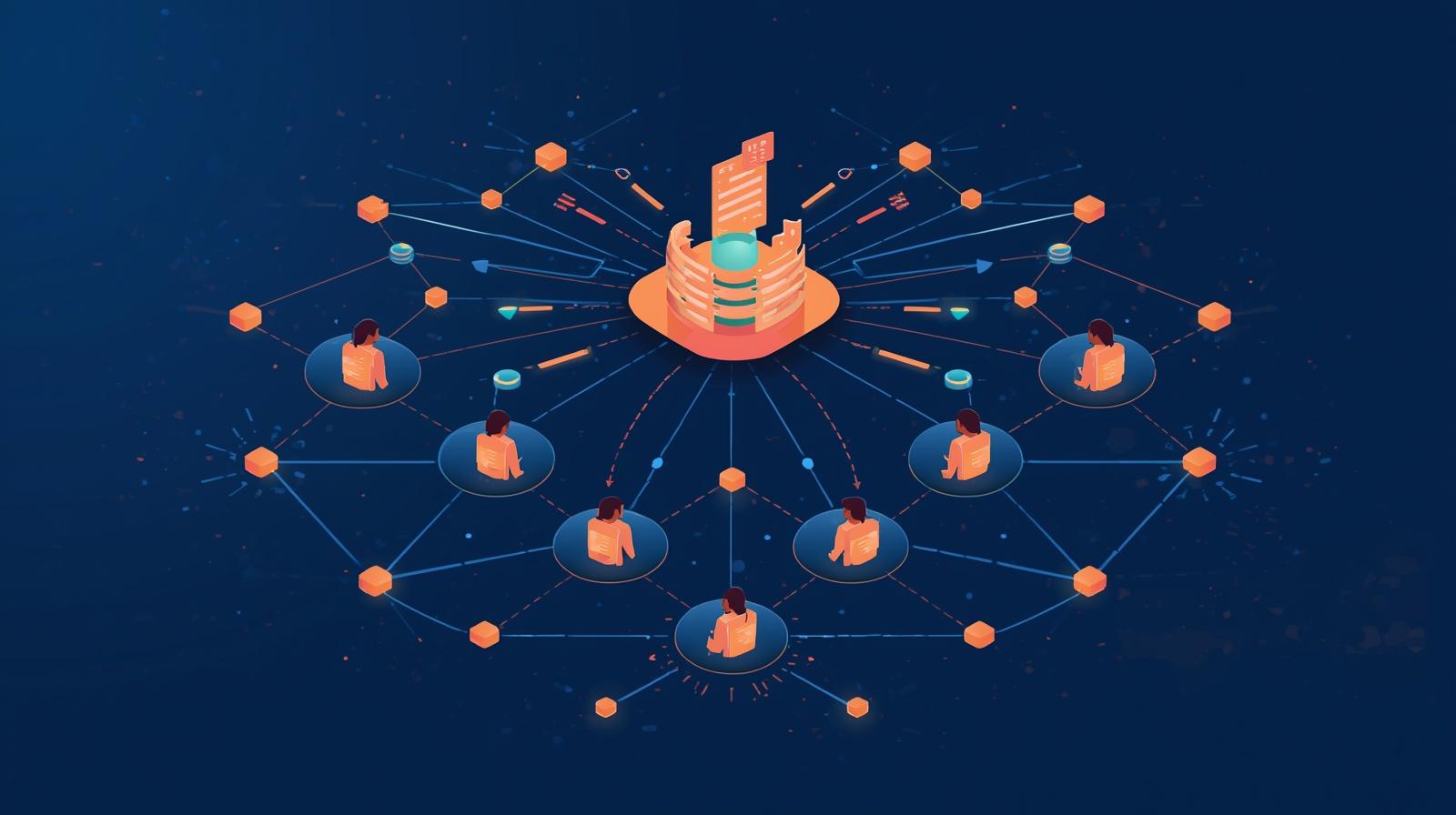
Walk into almost any nonprofit using AI tools in 2026 and you will find the same pattern: a few individuals who have invested significant personal time learning how to get good outputs from AI, and the rest of the organization still struggling with inconsistent, underwhelming results. The capable users have built up libraries of effective prompts in their personal notes, their browser bookmarks, or their own document folders. Their colleagues, meanwhile, reinvent the wheel every time they need to write a grant narrative or a donor appeal, spending 20 minutes crafting a prompt that their colleague has already perfected.
This pattern is not a technology problem. The AI tools work equally well for everyone in the organization. It is a knowledge management problem: your organization's collective AI expertise is siloed in individual memory and personal documents rather than systematized in a shared resource that anyone can access. The solution is not complicated. It is a shared prompt library, a central, organized repository of tested, reusable AI prompts that staff can access, use, and contribute to. Organizations that build these libraries report dramatically higher AI adoption rates, more consistent output quality, and significantly faster onboarding for new staff learning to work with AI tools.
This article covers everything you need to build and sustain a shared prompt library, from selecting the right platform to structuring templates that non-technical staff can actually use, to the governance and maintenance practices that prevent the common failure mode of a library that starts strong and quietly falls into disuse. The principles connect directly to the broader challenge of documenting AI workflows so they don't walk out the door with departing staff. A prompt library is both a product and a process, and getting both right is what separates libraries that transform organizational AI capability from those that become digital filing cabinets no one opens.
If your organization already has an AI playbook or some form of AI documentation, a shared prompt library is the natural operational complement to that strategic documentation. Where the playbook describes how AI fits into your organization's workflows and values, the prompt library provides the practical tools that make those workflows efficient. If you have not yet built a broader AI strategy framework, the prompt library is often the fastest way to generate visible wins that build appetite for more systematic AI capability development.
Why Individual AI Knowledge Stays Individual
The pattern of scattered individual AI expertise is not accidental. It emerges from the way AI tools were introduced into most organizations: informally, without structure, as individual staff discovered tools on their own and experimented quietly. There was rarely a formal rollout, a designated repository, or an expectation that what each person learned should be captured for organizational benefit. The tools felt personal, like a productivity trick, not like organizational infrastructure.
This informal adoption pattern has several predictable consequences. Staff who invested time in AI literacy are ahead of colleagues, but that advantage disappears when they leave. Organizations experience what might be called the "AI expertise cliff": a sharp reduction in AI capability when a key person transitions out, followed by months of rediscovery by their successor. Meanwhile, inconsistency in AI outputs creates quality control problems, since the same task done by different staff members with different prompts produces outputs of widely varying quality.
There is also a subtler consequence: staff who have not discovered effective AI workflows feel increasingly behind, which produces anxiety rather than adoption. When colleagues quietly produce impressive AI-assisted outputs while others struggle with generic prompts, the experience is not motivating; it is demoralizing. A shared prompt library that gives every staff member access to the organization's best AI approaches levels this playing field and signals that AI capability is a team resource, not a personal competitive advantage.
The Siloed Prompt Problem
- Best prompts live in departing staff's personal docs
- Same task produces inconsistent outputs across team
- New staff spend weeks rediscovering what others know
- AI-capable staff ahead of colleagues, creating anxiety
- Redundant prompt creation wastes significant time
Benefits of a Shared Library
- AI expertise becomes organizational, not individual
- Consistent output quality across all staff and functions
- New staff onboard to AI workflows dramatically faster
- Eliminates redundant prompt creation across the team
- Cross-department prompt sharing drives unexpected innovation
Start Small: The 20-Prompt Launch Strategy
The most common way to fail at building a prompt library is to try to build it comprehensively before launching. Organizations spend months assembling a library of 200 prompts across every possible function, investing significant effort before anyone has used the library in practice. Then they launch, and the real-world feedback reveals that two-thirds of the prompts were built around hypothetical use cases that staff do not actually encounter, while the three or four tasks that happen every week are still not served by a great prompt.
The better approach is to launch with 20 to 30 high-impact prompts and expand based on actual usage. The goal of the initial library is not comprehensiveness; it is demonstrating value quickly so staff trust the library as a resource. If you can identify five prompts that solve real, frequent pain points in each of your major departments, communications, development, programs, finance, and HR, you have a launch-ready library that will generate adoption momentum.
To identify your highest-priority launch prompts, apply a simple prioritization framework: multiply frequency by time by variability. Tasks that happen often, that take significant time, and where outputs vary widely when different staff handle them are your best candidates. A monthly donor appeal that takes two hours to draft, produces different quality when written by different team members, and is needed by the development team every four weeks scores high on all three dimensions. A highly specialized research summary that one staff member does twice a year scores low. Focus your initial effort on the high scorers.
Before including any prompt in the library, test it at least five times with different inputs. A prompt that produces impressive output once but fails inconsistently across different contexts will erode staff trust in the library as a whole. The threshold to clear for inclusion should be consistently acceptable quality in at least four of five tests with varied inputs. Prompts that pass this test earn their place in the library; those that do not should be refined or set aside.
Priority Prompt Identification
Use this formula to identify your highest-impact first prompts: Frequency x Time x Variability = Priority Score
How often does this task occur? Daily and weekly tasks score highest. Annual tasks score lowest.
How long does it currently take? Tasks requiring 30+ minutes of drafting score highest.
How much does output quality vary by person? High variability = high opportunity for standardization.
High scorers on all three dimensions = your highest-priority launch prompts
Writing Prompts That Non-Technical Staff Can Actually Use
A prompt library only works if the prompts inside it are genuinely usable by the full range of staff who need them. This means designing templates with clear variable placeholders, explicit instructions about what to fill in and where, and enough context that someone unfamiliar with the task can still produce a good output. The goal is a prompt any staff member could pick up, spend two minutes filling in the variables, and get a solid output with no specialized AI knowledge required.
Effective team prompts use a consistent structure with clearly labeled sections. The role section tells the AI what perspective to adopt: "You are a nonprofit communications professional with expertise in donor stewardship." The context section provides the organizational situation: "I need to write a thank-you letter to a major donor who made a gift to our housing program." The inputs section uses clearly labeled placeholders that the user replaces: "[DONOR NAME]," "[GIFT AMOUNT]," "[PROGRAM IMPACTED]." The instructions section specifies exactly what the AI should produce: "Write a 200-word thank-you letter that acknowledges the specific gift, describes one concrete outcome it will enable, and invites the donor to tour the program." The format section specifies the output structure: "Format as: greeting, two body paragraphs, closing. Tone: warm and specific, not generic."
The variable placeholders deserve special attention because they are what transform a one-person's-specific-query into an organization-wide template. Use a consistent placeholder syntax throughout the library so staff always know what to look for: square brackets work well, for example "[DONOR NAME]" or "[PROGRAM AREA]." Some organizations prefer curly braces: "{GRANT_FUNDER}" or "{EVENT_DATE}." Whatever you choose, use it consistently. Inconsistent placeholder syntax is one of the small friction points that causes staff to give up on templates.
Each prompt in the library should also include metadata: a descriptive title that makes the use case clear from the list view, a category tag for browsing, the AI model(s) it was tested on, the version number and date, any known limitations ("works well for individual donors; not recommended for foundation stewardship"), and an estimated time saved compared to drafting from scratch. That last element, the time-saving estimate, is valuable for adoption because it gives staff a concrete reason to try the prompt before they have personal experience with it.
Reusable Prompt Template Structure
A consistent six-part structure for every prompt in your library
What to Include: Nonprofit-Specific Prompt Categories
Nonprofit organizations have distinct AI use cases that differ meaningfully from corporate prompt libraries. The structure that works best organizes prompts by department first and then by task type within each department. This allows staff to navigate directly to the area of their work rather than scanning a flat list that mixes grant writing prompts with volunteer management prompts.
The communications and marketing section is typically the highest-usage area in most nonprofits and a good place to start building depth. This includes social media post templates with platform and tone variables, newsletter content outlines, email subject line generation, impact story frameworks, annual report narrative sections, and campaign messaging development. These prompts share a common structure: they need the organization's mission context, the specific audience or platform, and the key message or outcome to communicate.
The fundraising and development section should address the full donor lifecycle. Individual donor appeals need variables for donor history, giving level, and program connection. Lapsed donor re-engagement prompts should acknowledge the gap gracefully and make a specific ask. Major donor cultivation prompts should allow for long-term relationship building messaging rather than transactional ask language. Stewardship and acknowledgment prompts, designed to make thank-you correspondence feel personal and specific rather than formulaic, are often underbuilt in library collections despite being high-frequency tasks.
Grant writing deserves its own sub-library within the development section, since grant applications have specific structural requirements that vary by funder. Rather than one generic grant writing prompt, the most effective libraries include separate templates for problem statement development, program description drafting, evaluation plan language, budget narrative development, and logic model articulation. These can be combined for a full application but are also used independently when editing a specific section of a draft in progress. For more on how AI tools can support the full grant process, see AI research agents for grant prospecting and funder identification.
High-Priority Nonprofit Prompt Categories
- Communications: social posts, newsletters, impact stories
- Fundraising: appeals, stewardship, lapsed donor re-engagement
- Grant writing: problem statements, narratives, budget language
- Programs: outcome summaries, client story frameworks, reports
- HR: job descriptions, interview questions, volunteer onboarding
- Research: document summarization, funder brief synthesis
- Board: meeting prep, governance documents, board materials
Common Nonprofit Variables
Placeholder fields that appear across most nonprofit prompts
Choosing a Platform: Start Simple, Scale When Needed
One of the most paralyzing decisions for organizations building a prompt library is choosing the right platform. Dozens of specialized prompt management tools exist in 2026, offering version control, usage analytics, collaborative review workflows, and model-specific optimization features. These tools are genuinely valuable, but they are also complex, often expensive, and create a barrier to adoption for organizations that have not yet established basic prompt-sharing habits.
The right starting platform for most nonprofits is the one where staff already spend their time. If your organization runs on Google Workspace, a Google Sheet with tabs by department and columns for title, prompt, variables, model tested, and notes is perfectly adequate for a library of up to 100 prompts. It requires no new login, no additional training, and no licensing cost. The limitation is that it lacks version control and search-by-intent features, but these limitations matter only when your library is large and actively used enough to warrant them.
Notion is the most commonly recommended step up from a basic spreadsheet, and for good reason. Its database views allow prompts to be filtered by department, task type, model, or complexity level. Prompts can be embedded in project pages, so staff encounter relevant templates in the context of their active work rather than having to navigate to a separate resource. The free tier is adequate for small teams, and nonprofit discounts are available. The primary risk with Notion is that it can become overly complex if you build elaborate database structures before the team has established basic usage habits.
Dedicated prompt management platforms like Humanloop, PromptLayer, or Langfuse become worth evaluating when your library exceeds roughly 100 actively-used prompts, when you need rigorous version control because prompts are being updated frequently, or when you want analytics on which prompts are used most and which produce the best outcomes. For most nonprofits in 2026, these tools represent a future state, not a starting point. The principle that matters most: the platform that works is the one staff can access and contribute to in under 60 seconds without any friction or extra steps.
Start Here
Google Sheets or Docs
Free, familiar, zero friction. One tab per department. Best for teams launching their first library or with fewer than 50 prompts.
Best for: getting started
Grow Into
Notion (free/nonprofit tier)
Database views, filtering, tagging, and project integration. Good balance of power and usability for teams with 20-200 prompts.
Best for: growing libraries
Scale With
Humanloop or Langfuse
Version control, usage analytics, collaborative review, model-specific optimization. Adds real value at 100+ prompts with multiple active contributors.
Best for: mature libraries
Driving Adoption: Getting Your Team to Actually Use It
Building the library is the easy part. Getting the team to actually use it consistently is where most prompt library initiatives succeed or fail. Adoption failures usually have a common cause: the library was launched as an announcement rather than integrated into the workflows where staff need it. "We built a prompt library, here's the link" produces a brief spike of visits followed by a long, steady decline. What produces sustained adoption is making the library a natural part of how staff approach AI-assisted work.
The most effective launch strategy for any prompt library is to demonstrate immediate value on the tasks staff care most about. Before your launch announcement, identify the five prompts that are most relevant to the highest-frequency work in each department. Brief department heads individually, walk them through using those prompts, and get their public endorsement before the organization-wide launch. When a department head says "I used this to draft our newsletter intro in eight minutes instead of forty, and it's better than what I would have written" in a team meeting, that is more persuasive than any internal communications campaign.
Embed the library into existing workflows rather than adding it as a separate step. If your communications team uses a content calendar in Notion, add the relevant prompt templates directly to the content calendar pages. If your development team tracks grant applications in a spreadsheet, add a column linking to the relevant grant writing prompts for each application. When the prompt is literally adjacent to the task in the tool staff are already using, adoption friction disappears.
Training for a prompt library should be designed around the specific staff who will use it, not around AI in general. The most effective format is a 30-minute department-specific session where staff work through three or four prompts from their department using real current tasks. Someone in development works through the grant narrative prompt with a current funder's requirements. Someone in communications works through the impact story prompt with a recent program outcome. Hands-on practice with actual work tasks converts skeptics far more effectively than explanatory presentations. This connects to broader questions about building AI champions who can sustain adoption momentum across departments.
Address the most common source of resistance early: the concern that sharing your best prompts means giving up your advantage or demonstrating that you can be replaced. This concern is more widespread than most managers realize, and it will suppress contribution even if usage is growing. The framing that consistently works is this: contributing a prompt to the library means your expertise persists in the organization even when you're focused on other things, and it's a visible demonstration of your AI fluency. Contribution is a professional signal, not a vulnerability.
The 60-Second Rule
The single most important design principle for adoption
If a staff member cannot find, access, and begin using a relevant prompt within 60 seconds of deciding to try the library, your accessibility design has failed. Test this with real staff before launch.
- No separate login required: library lives where staff already work
- Clear navigation by department and task type
- Descriptive titles that match how staff think about tasks
- Prompts copy/paste-ready with obvious placeholder markers
- Mobile accessible for field staff and remote workers
Governance: Keeping the Library Alive and Trustworthy
The most common failure mode for prompt libraries is not a bad launch; it is gradual neglect. A library that was useful when it was built degrades over time as AI models change, organizational priorities shift, and prompts that once worked well produce increasingly inconsistent outputs. Staff notice that some prompts no longer perform as expected, trust in the library erodes, and usage declines. Preventing this requires treating the library as ongoing infrastructure, not a one-time project.
Governance starts with clear ownership. Every prompt in the library should have a designated owner, typically the person whose functional expertise the prompt draws on: the communications director owns communications prompts, the development director owns fundraising and grant prompts, and so on. Prompt owners are responsible for keeping their prompts current, testing them against model updates, and responding to feedback when prompts produce poor results. This distributed stewardship model is far more sustainable than a single centralized owner who becomes a bottleneck.
Maintenance cadences matter. A monthly review of usage data, identifying which prompts are being used and which are languishing, takes 30 minutes and provides the information needed to prioritize updates and retire prompts that are no longer serving their purpose. A quarterly review of all prompts for model compatibility, since AI models update frequently and prompts sometimes need adjustment when model behavior changes, ensures the library stays current. An annual full audit, where all prompts are tested against current models and evaluated for continued relevance, catches the slow drift that monthly and quarterly reviews might miss.
Build a feedback mechanism into the library structure itself. A simple comment field on each prompt, or a linked form for reporting a prompt that is not working well, gives staff a way to flag problems that is easier than drafting an email to the library owner. Problems reported through the feedback mechanism should get a response within a week: either the prompt is updated, or an explanation is provided for why it was not changed. Long-delayed responses to feedback reports train staff not to bother reporting problems, which removes the early warning system that allows you to maintain quality.
Governance also means being intentional about prompt quality and equity, particularly in nonprofit contexts. Because nonprofits often serve vulnerable populations and communicate about sensitive subjects including poverty, health, trauma, and discrimination, prompts that encode unexamined assumptions can produce outputs that are biased, stigmatizing, or harmful. Before including any prompt in the library that involves describing clients, service recipients, or community members, review it for language that could reduce people to their challenges rather than recognizing their full humanity. This is part of the broader ethical discipline around AI use that connects to responsible AI governance. For more on this, see a nonprofit leader's guide to responsible AI adoption.
Governance Framework
The roles, rhythms, and review processes that keep your library alive and trustworthy
Roles
- Library owner: overall quality and standards (1 person)
- Department stewards: maintain department sections (1 per dept)
- Contributors: any staff member can submit new prompts
Review Cadences
- Monthly: usage data review, flag low-use prompts
- Quarterly: test all prompts against current AI model versions
- Annually: full audit, retire outdated prompts, solicit staff feedback
From Individual Tricks to Organizational Capability
A well-maintained prompt library produces effects that extend beyond individual productivity. When every department is drawing from a shared resource, cross-departmental prompt sharing begins to happen organically. The research summary format that the policy team developed turns out to be useful for the programs team when summarizing client intake data. The donor segmentation framework built for fundraising turns out to inform how the volunteer management team categories their pipeline. These cross-pollinations accelerate organizational AI capability faster than any single department could achieve on its own.
Staff who contribute prompts to the library become de facto AI coaches for their departments. When colleagues see that their prompt is being used by others and generating positive feedback, it builds confidence and motivates further contribution. Over time, organizations with active prompt libraries develop a culture where systematizing AI knowledge is a recognized professional competency, not an unusual practice. This cultural shift is as valuable as the library itself.
The prompt library also becomes a critical element in organizational resilience. When turnover happens, which is among nonprofits' most persistent challenges, the AI knowledge captured in the library does not leave with the staff member. New hires inheriting a rich, well-organized prompt library can reach the AI productivity level of experienced colleagues in weeks rather than months. This continuity of institutional knowledge is one of the most concrete ways that a prompt library reduces the organizational cost of staff transitions.
Finally, the discipline of building and maintaining a prompt library develops organizational muscles that transfer to broader AI governance. Organizations that have built the habits of testing before deploying, documenting for reproducibility, reviewing for bias, and maintaining living resources over time are much better positioned for the more complex AI governance challenges ahead. The prompt library is, in this sense, a practical training ground for the AI-capable organization, one task and one template at a time. This broader capability development connects to the full spectrum of AI knowledge management for nonprofits and the systems that make organizational AI capability durable.
Building the Library That Transforms AI from a Trick to a Practice
The distance between a nonprofit where a few staff use AI well and one where the whole organization uses AI consistently is shorter than it appears. It does not require major technology investment or months of training. It requires capturing the knowledge that already exists in your organization, structuring it so anyone can use it, and maintaining it so it stays current. A shared prompt library is the practical infrastructure for that transformation.
Start with 20 high-impact prompts. Put them where your staff already work. Make contributing easier than not contributing. Review and update regularly. Celebrate the wins publicly. Over time, the library will expand through use and contribution, becoming richer and more valuable the more it is used. That is the dynamic that distinguishes a living library from a digital filing cabinet, and it is entirely within the capacity of any organization willing to invest in treating AI knowledge as the organizational asset it actually is.
Ready to Build Shared AI Capability Across Your Team?
One Hundred Nights helps nonprofits move from individual AI experimentation to organization-wide capability, including building prompt libraries, AI playbooks, and the governance structures that make them last.