
Teaching with AI: Curriculum Planning, Grading Support, and Student Tracking
If you're an educator at a nonprofit—whether you teach at an after-school program, literacy center, job training organization, or youth development nonprofit—you know the reality: too many students, too little time, and administrative tasks that pull you away from what matters most. AI-powered tools are changing this landscape, offering practical ways to streamline curriculum planning, accelerate grading, and track student progress without sacrificing the human connection that makes education meaningful. This guide shows you exactly how to implement AI in your educational programs while maintaining quality and staying true to your mission.
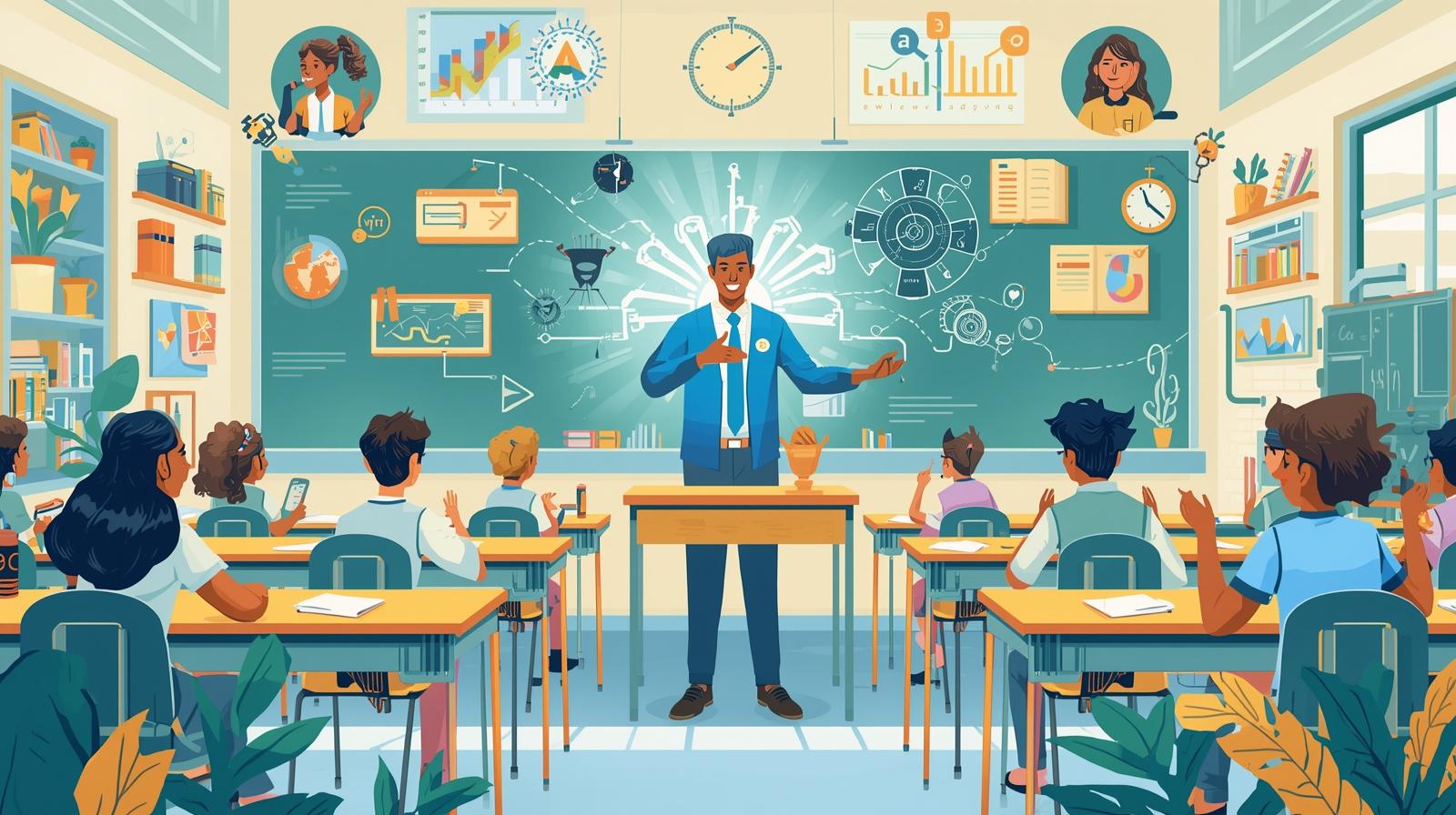
Nonprofit educators face a unique challenge: delivering high-quality education to students who often need the most support, while working with limited resources and overwhelming workloads. According to research from 2026, educators using AI-powered tools report saving 5+ hours per week on grading, lesson planning, and content creation—time that can be redirected toward direct student interaction and personalized support.
The landscape of educational AI has matured significantly. What was once experimental technology requiring technical expertise is now accessible, affordable, and specifically designed for educators. Many of the most powerful tools are free or available at nonprofit-friendly pricing. More importantly, these tools are built by educators for educators, addressing real classroom challenges rather than imposing tech solutions in search of problems.
Yet AI adoption in nonprofit education isn't just about efficiency—it's about equity. When you can grade assignments faster, you can provide feedback while it's still fresh in students' minds. When you can track progress automatically, you can identify struggling students before they fall too far behind. When you can generate differentiated materials quickly, you can meet each learner where they are. AI, used thoughtfully, becomes a tool for delivering better educational outcomes to the communities you serve.
This article walks through the three major applications of AI in nonprofit education: curriculum planning and lesson design, grading and assessment, and student progress tracking. For each area, you'll learn which tools work best, how to implement them responsibly, and how to maintain the human touch that makes nonprofit education effective. Whether you're a solo educator managing multiple programs or part of a larger teaching team, you'll find practical strategies you can implement immediately.
AI for Curriculum Planning and Lesson Design
Curriculum planning consumes enormous amounts of educator time—researching standards, designing activities, creating materials, and differentiating for diverse learners. AI tools built specifically for education can accelerate this process while maintaining pedagogical quality. The key is understanding which tools serve which purposes and how to adapt their outputs to your specific student population.
The most effective educational AI platforms in 2026 don't just generate lesson plans—they help you align content to standards, create scaffolded materials, design assessments, and differentiate for various learning needs. These platforms have been trained on educational best practices and can produce materials that reflect sound instructional design principles. However, they work best when you, the educator, bring your deep knowledge of your students' needs, cultural context, and learning goals.
Top AI Platforms for Curriculum Planning
Leading tools designed specifically for educators
MagicSchool.ai
Built specifically for educators, MagicSchool offers over 60 tools designed to assist with planning, instruction, and communication. It can generate full lessons, learning objectives, scaffolds, rubrics, assessments, and parent communications tailored to grade level and standards. The platform is free to use and updated frequently with new features.
Best for: Comprehensive lesson planning, standards alignment, and creating multiple resources simultaneously.
Eduaide.AI
Offers over 110 educational resources available for creation, including lesson plans, graphic organizers, and educational games. It can transform documents into differentiated materials—create answer keys, adjust complexity, generate questions, and adapt content for every learner. Particularly strong for accessibility and differentiation.
Best for: Differentiation, creating accessible materials, and adapting existing content for diverse learners.
Brisk Teaching
Offers free AI tools for education that fit seamlessly into your routine. Brisk works inside the tools you already use—online textbooks, Docs, images, PDFs—with no need to learn a new app. It includes an AI lesson plan generator and tools for instruction, feedback, and differentiation.
Best for: Educators who want AI assistance without switching platforms or learning new interfaces.
Nearpod
Transforms lesson planning with AI-powered lesson generation and real-time student assessment. Teachers upload content and Nearpod automatically creates interactive slides with built-in formative assessments. Strong for engagement and immediate feedback during instruction.
Best for: Interactive lessons, real-time formative assessment, and student engagement.
How to Use AI for Curriculum Planning Effectively
The most successful nonprofit educators using AI for curriculum planning follow a consistent workflow: start with clear learning objectives, use AI to generate initial materials, then customize extensively for their specific student population. AI accelerates the creation process, but your expertise ensures the materials actually work in your classroom context.
Begin by clearly defining what you want students to know and be able to do. Feed this into your chosen AI platform along with relevant context: grade level, prior knowledge, learning challenges common in your population, and any specific standards you need to address. The AI will generate materials—lesson plans, activities, assessments—that you then refine based on your knowledge of your students.
For nonprofit educators serving students from marginalized communities, English language learners, or students with learning differences, differentiation is critical. Use AI tools to quickly generate multiple versions of materials at different complexity levels. Create scaffolded supports, vocabulary supports, and visual aids efficiently. The time AI saves on creating baseline materials gives you more capacity to customize for individual needs.
Many nonprofit education programs serve students whose experiences and communities aren't well-represented in mainstream curriculum. Use AI as a starting point, then critically evaluate and adapt materials to ensure cultural relevance and representation. Add examples from your students' communities, incorporate local issues and contexts, and ensure materials reflect the diversity of your classroom. AI can accelerate creation, but you ensure relevance and representation.
Practical Implementation Tips
- Create templates for common lesson structures in your program, then use AI to fill them with content—this ensures consistency while saving time
- Build a shared library of AI-generated materials that your teaching team can access and adapt, reducing duplication of effort
- Use AI to generate supplementary materials (practice problems, discussion questions, extension activities) rather than core instruction, maintaining your pedagogical control
- Start with one unit or topic area, refine your process, then scale to other areas—don't try to AI-ify your entire curriculum at once
- Document what works in your context so you can train AI tools to better match your needs over time with better prompts
AI for Grading and Assessment
Grading consumes more educator time than perhaps any other task, yet timely feedback is critical for student learning. AI-powered grading tools promise to dramatically reduce the time spent on assessment while providing faster, more consistent feedback to students. However, grading is also where AI's limitations are most apparent—and where human judgment remains essential.
The most sophisticated AI grading systems in 2026 can handle far more than multiple-choice questions. They can evaluate essays, short-answer responses, and even some aspects of project-based work. Using natural language processing and large language models, these tools can assess student writing for content understanding, argumentation quality, and writing mechanics. However, they work best as first-pass tools that accelerate your work rather than replacements for educator judgment.
Leading AI Grading Tools for Educators
CoGrader
Leverages AI to get first-pass feedback on students' assignments instantaneously, detect AI-generated content, and see class data analytics. CoGrader can create new rubrics or use existing rubrics teachers provide to assess assignments. It provides immediate feedback that you can review and refine before sharing with students.
Best for: Essay grading, short-answer responses, and assignments that require rubric-based evaluation.
Gradescope
Originally designed for STEM courses, Gradescope uses AI to streamline grading of both digital and paper-based assignments. It can recognize handwriting, mathematical notation, and diagrams. Particularly strong for assignments that include visual elements or require recognizing patterns across many student submissions.
Best for: STEM subjects, visual assignments, and identifying common misconceptions across a class.
Writable
Focuses specifically on writing instruction and assessment. Provides real-time feedback to students as they write and helps teachers grade written work more efficiently. Strong for teaching writing process and providing formative feedback throughout composition.
Best for: Writing instruction, formative feedback, and helping students improve during the writing process.
Critical Considerations for AI Grading
Research from 2026 on AI grading reveals important limitations that nonprofit educators must understand. Studies show that AI often grades more leniently on low-performing work and more harshly on high-performing work, suggesting it should not be used as a standalone grading method. This compression effect can mask both struggles and excellence—particularly problematic when serving students who may already be underestimated or overlooked.
Algorithmic bias is another critical concern. AI grading systems trained primarily on mainstream academic writing may not fairly evaluate writing from students with different cultural backgrounds, English language learners, or students with learning differences. What the AI interprets as "poor organization" might reflect cultural rhetorical patterns. What it flags as "insufficient vocabulary" might reflect language acquisition stages. Human oversight isn't optional—it's essential for fairness.
The most effective approach treats AI as an assistant, not an authority. Use AI to provide initial feedback and identify patterns, but review all grades before finalizing them. Pay particular attention to outliers—both very high and very low scores—where AI is most likely to misjudge. Use AI to save time on straightforward elements (grammar, citation format, answer correctness) while focusing your energy on evaluating higher-order thinking, creativity, and growth.
Best Practices for Responsible AI Grading
- Start with low-stakes assignments to test how well AI grading works for your specific student population before using it for high-stakes assessment
- Always review AI-generated grades and feedback before sharing with students—consider it a first draft that requires your refinement
- Be transparent with students about when and how AI is used in grading, explaining that you review all feedback
- Use detailed rubrics and clear criteria—AI performs better when expectations are explicit and well-defined
- Track patterns in AI grading accuracy over time, noting where it consistently struggles with your students' work
- Reserve complex, creative, or highly personal assignments for full human grading—use AI for more structured assessments
- Provide students opportunities to discuss their grades with you, ensuring AI doesn't create distance in the feedback loop
What AI Grading Does Well
Despite important limitations, AI grading excels in specific areas that can genuinely improve your teaching practice. AI provides consistent application of criteria—it doesn't get tired, impatient, or influenced by previous assignments. This consistency can be particularly valuable for objective elements like grammar, citation format, or computational accuracy. AI can also identify patterns across many assignments faster than humans, helping you recognize class-wide misunderstandings that need reteaching.
Perhaps most valuable, AI enables more frequent feedback. When you can provide first-pass feedback quickly, students can revise and resubmit while the material is fresh. This supports a growth mindset and helps students see assessment as part of learning rather than final judgment. For nonprofit educators serving students who may have experienced academic failure, this shift toward formative, improvement-oriented feedback can be transformative.
The time AI saves on straightforward grading can be redirected toward richer feedback on complex assignments, one-on-one conferences with struggling students, or small-group instruction. The question isn't whether AI grades as well as expert teachers—it doesn't. The question is whether AI assistance allows you to provide more overall support to students by handling routine tasks efficiently. For most nonprofit educators, the answer is yes—when implemented thoughtfully.
AI for Student Progress Tracking and Early Intervention
One of AI's most powerful applications in nonprofit education is identifying students who need additional support before they fall too far behind. AI systems can analyze patterns in student work, attendance, engagement, and assessment data to flag at-risk students and predict potential challenges. For organizations serving vulnerable populations, this early warning capability can be the difference between timely intervention and students slipping through the cracks.
The most sophisticated AI progress tracking systems go beyond simple grade calculations. They use predictive modeling to identify which students are likely to struggle with upcoming concepts based on their performance patterns. They can analyze the types of mistakes students make to diagnose misconceptions. They can track engagement patterns—how long students spend on tasks, how frequently they access materials, when they seek help—to identify disengagement early.
AI Progress Tracking Capabilities
What modern AI systems can do for student monitoring
- Predictive Analytics: Identify students likely to struggle with upcoming material based on their current performance patterns, enabling proactive support
- Misconception Detection: Analyze patterns of errors to identify specific conceptual gaps rather than just noting incorrect answers
- Engagement Monitoring: Track how students interact with materials—time spent, revision patterns, help-seeking behavior—to identify disengagement
- Growth Tracking: Measure not just current performance but rate of improvement, helping identify both struggling and accelerating learners
- Personalized Recommendations: Suggest specific resources, activities, or interventions based on individual student needs and learning patterns
- Cohort Analysis: Identify patterns across groups of students to inform instructional adjustments for entire classes or subgroups
Nonprofit-Specific Applications
Several nonprofit organizations are pioneering AI applications for student tracking in under-resourced contexts. Khan Academy's Khanmigo provides teachers with on-demand summaries of recent student work to quickly assess progress and identify areas where additional support is needed. This is particularly valuable for nonprofit programs where educators may be managing large numbers of students or providing supplemental education outside school hours.
Rocket Learning, born with the mission to equip parents and early childhood workers with tools to support children's learning, uses predictive modeling to identify and retain at-risk students in under-resourced communities. The organization provides analytics to track each child's progress and flag concerns early. This model demonstrates how AI can extend educational support beyond traditional classroom settings into homes and community spaces—critical for nonprofits working in contexts where families are active partners in education.
SchoolAI offers tools specifically designed to help educators track student progress and outcomes across diverse learning environments. The platform can analyze past performance to predict potential challenges before they become significant issues, forecasting which students might struggle with upcoming concepts and recommending specific resources. For nonprofit programs serving students who may be grade levels behind, this kind of targeted intervention support is invaluable.
Implementing Progress Tracking in Nonprofit Settings
Start with Clear Goals: Before implementing AI tracking, define what success looks like for your students and programs. Are you tracking academic skills, social-emotional development, attendance patterns, family engagement? Clear goals ensure you're tracking meaningful data rather than just what's easy to measure.
Choose Appropriate Tools: Many learning management systems and educational platforms now include AI-powered analytics. Start with tools you're already using—most platforms like Google Classroom, Canvas, and Schoology have added AI features—before adopting new systems. This reduces training burden and integration challenges.
Create Intervention Protocols: Data without action is useless. Establish clear protocols for what happens when AI flags a student as at-risk. Who reaches out? What support do they offer? How quickly does intervention occur? Document these processes so AI insights lead to consistent, timely support.
Involve Families Appropriately: For many nonprofit programs, families are partners in education. Consider how to share progress data with families in ways that empower rather than overwhelm. Use AI to generate parent-friendly progress reports and identify specific ways families can support learning at home.
Protect Student Privacy: Ensure any AI tools you use comply with student privacy regulations (FERPA in the US, similar laws elsewhere). Many students in nonprofit programs come from vulnerable populations where data security is particularly critical. Verify vendor practices around data storage, usage, and sharing.
Balancing Data and Relationships
The most important consideration for nonprofit educators using AI progress tracking is maintaining the balance between data-driven insights and relationship-based understanding. AI can tell you that a student's engagement has dropped or that their error patterns suggest a misconception. What AI cannot tell you is why—whether the student is struggling with housing instability, experiencing trauma, dealing with a learning disability, or simply needs a different instructional approach.
Use AI insights as conversation starters, not conclusions. When data suggests a student is struggling, that's your cue to have a conversation—with the student, with colleagues, with family members. The data points you toward who needs attention; the relationship tells you what kind of attention they need. This is especially critical in nonprofit contexts where students' educational challenges are often intertwined with social, economic, and family circumstances that require holistic support.
The goal of AI progress tracking in nonprofit education isn't to automate decision-making—it's to ensure no student becomes invisible. In under-resourced settings where educators are stretched thin, AI can help ensure that every student gets noticed, that struggling learners receive timely support, and that small problems don't become large ones. This capacity to scale personalized attention is perhaps AI's greatest contribution to nonprofit education.
Getting Started with AI in Your Educational Program
The biggest barrier to AI adoption among nonprofit educators isn't cost or access—many powerful tools are free. The barrier is knowing where to start. Research from 2026 indicates that 84% of teachers consider training sessions the most valuable support for AI implementation, yet 69% of nonprofit AI users have received no formal training. This gap between availability and confident use is where thoughtful implementation planning makes the difference.
Start small and specific. Don't try to transform your entire teaching practice overnight. Choose one pain point—maybe it's grading short-answer questions, or creating differentiated reading materials, or tracking student progress across units. Select one AI tool that addresses that specific need. Master it thoroughly before adding more tools. This focused approach builds confidence and demonstrates value before expanding to other areas.
Your First 30 Days with AI in Education
Week 1: Explore and Select
Explore free tools like MagicSchool.ai, Brisk Teaching, or Eduaide.AI. Try each with a sample lesson or assignment. Choose the one that feels most intuitive and addresses your biggest time drain. Sign up and complete any available tutorials.
Week 2: Pilot with Low Stakes
Use your chosen tool for one low-stakes task—generating practice problems, creating a supplementary reading guide, or providing first-pass feedback on a rough draft. Review the AI output critically. Note what works well and what needs significant editing.
Week 3: Refine Your Process
Based on week 2 results, adjust your approach. Refine your prompts to get better outputs. Develop templates for common tasks. Create a workflow that integrates AI smoothly into your existing practices rather than adding new steps.
Week 4: Scale and Share
Expand to additional uses of the same tool—don't add new tools yet. Share what you've learned with colleagues. Document your process so others can replicate it. Measure time saved and quality maintained. Use this data to decide whether to continue, adjust, or expand your AI use.
Training and Support Resources
Most education-focused AI platforms provide extensive free training because they want educators to succeed. MagicSchool.ai offers regular webinars and a library of tutorial videos. Brisk Teaching provides in-tool guidance and a community forum. Eduaide.AI has a comprehensive knowledge base organized by use case. Take advantage of these resources—they're designed by educators who understand your context and constraints.
If you're part of a nonprofit with multiple educators, consider creating internal training and support structures. Identify one person willing to become the AI champion—not because they're most technical, but because they're most enthusiastic. Give them time to explore tools and develop expertise, then have them train colleagues. This peer-to-peer model is often more effective than external training because it addresses your specific context and student population.
For nonprofit organizations without dedicated technology staff, this might feel daunting. Remember that these tools are designed for educators, not technologists. If you can use Google Docs or email, you can use educational AI tools. The learning curve is about pedagogy—how to integrate AI into sound teaching practice—not about technology. Your expertise as an educator is far more important than technical skills.
Common Pitfalls to Avoid
- Tool Overwhelm: Don't try every AI education tool available—this leads to shallow knowledge and abandoned initiatives. Master one tool deeply before adding others.
- Accepting First Drafts: AI outputs always need educator review and refinement. Treating AI as infallible compromises quality and can introduce errors or bias.
- Ignoring Context: AI doesn't know your students, community, or program culture. Always adapt AI-generated materials for your specific context.
- Privacy Lapses: Never input student names, personally identifiable information, or sensitive details into AI tools unless you've verified their privacy practices.
- Replacing Relationship: AI should give you more time for student interaction, not replace it. If AI use is distancing you from students, you're implementing it wrong.
Keeping Teaching Human in the Age of AI
The ultimate test of AI in nonprofit education isn't efficiency metrics or time saved—it's whether students experience better education and stronger relationships with educators. This requires intentional effort to ensure AI amplifies rather than replaces the human elements that make learning transformative.
Use the time AI saves for high-touch activities: one-on-one conferences with struggling students, small-group discussions, relationship-building conversations, hands-on learning experiences, creative projects, and community-building activities. The goal isn't to do more tasks faster—it's to do more of the work that only humans can do. Let AI handle what it handles well (generating practice problems, providing initial feedback, identifying patterns) so you can focus on what humans do best (building trust, sparking curiosity, providing encouragement, adapting to the moment).
Be transparent with students about AI use. Explain that you use AI to grade more quickly so they get faster feedback, not because you don't care about their work. Share that you use AI to create materials so you have more time for individual attention. Students—especially those from communities where trust in institutions may be fragile—deserve to understand how and why technology is being used in their education. This transparency builds trust and models responsible technology use.
Many students in nonprofit educational programs have experienced being underestimated, overlooked, or written off by traditional education systems. The human relationship with an educator who believes in them and sees their potential can be life-changing. AI should strengthen your capacity to provide that relationship, not dilute it. Every hour AI saves you should translate into more moments where students feel seen, supported, and valued.
Remember that AI works from patterns in existing data. This means it tends to perpetuate existing educational approaches and may not recognize brilliance that doesn't fit conventional patterns. Your role as an educator includes seeing potential that data doesn't capture, recognizing growth that metrics miss, and believing in students when algorithms suggest they'll struggle. This human judgment—informed by data but not bound by it—is irreplaceable.
Conclusion: AI as a Tool for Educational Equity
AI in nonprofit education represents more than a productivity tool—it's an opportunity to provide higher-quality, more personalized education to students who often have the greatest needs and the fewest resources. When educators can plan more effective lessons, provide faster feedback, and identify struggling students earlier, the students who benefit most are often those who've been underserved by traditional educational systems.
The educators leading successful AI implementation in nonprofit settings share a common approach: they start with clear educational goals, choose tools that serve those goals, implement thoughtfully with attention to equity and bias, and always maintain the primacy of human relationship in learning. They use AI to amplify their expertise, not replace it. They remain critical consumers of AI outputs, adapting everything to their specific students and contexts.
The challenges are real—bias in AI systems, privacy concerns, the risk of depersonalization, the learning curve for new tools. But the potential is equally real: more time for what matters most, better support for struggling students, more equitable access to quality educational materials, and the capacity to provide personalized attention at scale. For nonprofit educators committed to both educational quality and mission, AI offers tools worth mastering.
Your next step is to begin experimenting. Choose one tool, address one pain point, measure one outcome. Share what you learn with colleagues. Advocate for training and support. Build your confidence gradually. The students you serve deserve the best education you can provide—and increasingly, that includes thoughtfully leveraging AI to extend your expertise, your time, and your care to more students, more effectively. The technology is ready. The question is whether you're ready to explore it—and if you're reading this, you already are.
Ready to Bring AI to Your Educational Programs?
Whether you're implementing AI in an after-school program, literacy center, job training organization, or youth development nonprofit, we can help you navigate the technology while staying true to your educational mission. From tool selection to training to measuring impact, we support nonprofit educators in using AI effectively and responsibly.