
When Cloud AI Exceeds Your Budget: Local Models That Deliver Results
Cloud AI subscriptions can strain nonprofit budgets fast. Fortunately, a new generation of open-source models and free local runtimes now delivers real, mission-serving capability that runs entirely on hardware you already own, with no per-token fees, no data leaving your network, and no vendor lock-in.
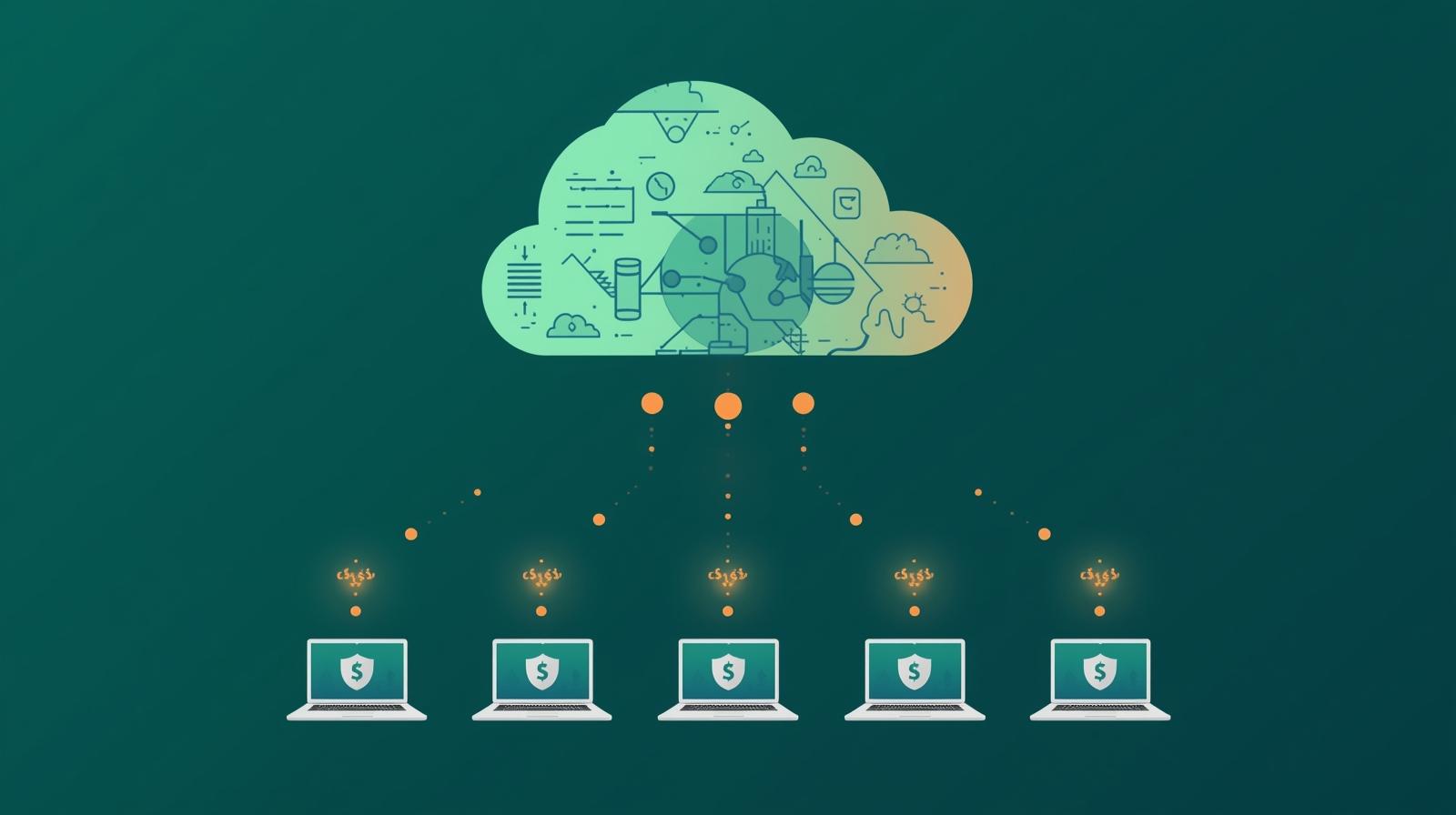
The promise of AI is compelling for nonprofits: draft grant proposals faster, analyze donor data more deeply, answer community questions around the clock, and free staff from repetitive tasks so they can focus on the work that actually moves the mission forward. But when organizations price out the leading cloud AI platforms, the math often falls apart. Subscriptions for team access to tools like ChatGPT Plus, Claude Pro, or Gemini Advanced stack up quickly, and API costs for automated workflows can spiral without careful monitoring.
What many nonprofit leaders don't yet know is that the cloud is no longer the only viable path. Over the past two years, open-source AI models have advanced dramatically. Models like Meta's Llama series, Mistral AI's lineup, Microsoft's Phi family, and Alibaba's Qwen have narrowed the performance gap with proprietary cloud offerings substantially. For many of the tasks nonprofits care most about, such as summarizing documents, drafting communications, answering questions from a knowledge base, or analyzing spreadsheet data, local models now match or come close to matching cloud performance at a fraction of the cost.
This article explains how nonprofit teams can run powerful AI models entirely on their own computers, without an internet connection, without API fees, and without sending sensitive client or donor data to third-party servers. You'll learn which tools make this practical today, which models are worth running for common nonprofit tasks, what hardware you actually need, where local AI genuinely shines, and where cloud tools still earn their cost. The goal is to give your team the information to make an honest, informed decision rather than defaulting to overpriced subscriptions out of habit or hype.
This guide builds on the foundation laid in our overview of small language models for nonprofits and the technical case made in our piece on running AI offline with edge computing. Here we go deeper into the practical steps, tool comparisons, and decision frameworks your team can use right now.
Why Cloud AI Costs Add Up for Nonprofits
Understanding the full cost picture of cloud AI is the first step toward making smart decisions. The sticker price of a single subscription looks manageable, but the real expense emerges when you add up what it takes to give your whole team access and to power automated workflows at scale.
Individual plan pricing for the leading AI assistants typically runs $20 to $30 per user per month. For an organization with ten staff members who would genuinely use AI tools daily, that's $200 to $300 monthly just for basic access. Premium team plans with organizational controls and higher usage limits cost more. Enterprise agreements with data privacy guarantees, which many nonprofits require for compliance reasons, often cost substantially more still.
API costs for building your own workflows introduce a different kind of complexity. Cloud AI providers charge per token, meaning per piece of text processed. At first glance the numbers seem tiny: fractions of a cent per thousand tokens. But when a workflow processes hundreds of documents, each containing thousands of words, or when a chatbot handles thousands of community inquiries per month, those fractions add up to real budget line items. Organizations that have built automation without careful cost monitoring have discovered unexpectedly large bills at month's end.
There's also the data question. Many nonprofits serve vulnerable populations whose information deserves the highest level of protection. Healthcare nonprofits, legal services organizations, domestic violence programs, mental health providers, and organizations working with undocumented communities often cannot responsibly send client data to cloud AI services, regardless of vendor privacy policies. Local AI eliminates this concern entirely.
Cloud AI Cost Drivers
Where expenses accumulate over time
- Per-user subscription fees across your whole team
- API token charges for automated workflows
- Enterprise tier costs for data privacy guarantees
- Rate limits that slow productivity during busy periods
- Annual price increases as vendors raise rates
Local AI Advantages
What you gain by running models yourself
- Zero per-use fees once hardware is in place
- Complete data privacy, nothing leaves your network
- Unlimited usage, no rate limits or quotas
- Works offline in areas with poor connectivity
- No vendor dependency or subscription lock-in
Note: Prices may be outdated or inaccurate.
The Open Source Model Landscape in 2026
Two years ago, open-source AI models lagged meaningfully behind proprietary cloud offerings in almost every benchmark. That gap has closed substantially. Today, the leading open-source models perform comparably to cloud models on many real-world tasks, particularly the structured, document-focused work that makes up a large share of nonprofit AI use.
Meta's Llama family has become the de facto foundation of the open-source AI ecosystem. Llama 3.3 and its successors offer strong performance on writing, summarization, question answering, and reasoning tasks. The 8 billion parameter version runs comfortably on a modern laptop or workstation with a recent GPU; the 70 billion parameter version delivers performance that rivals leading cloud models but requires more substantial hardware. All Llama models are available for free download and local use.
Mistral AI has built a reputation for producing highly capable models at small sizes. Mistral 7B and its variants punch well above their weight, generating fluent, coherent text for tasks like drafting emails, summarizing meeting notes, and answering policy questions from a document library. For teams running on older or more modest hardware, Mistral models are often the first choice.
Microsoft's Phi series takes a different approach, training smaller models on curated, high-quality data rather than raw scale. The result is a family of models that perform impressively on reasoning and instruction-following tasks relative to their size. Phi-4, for example, outperforms models several times its size on math and structured reasoning benchmarks. For nonprofits doing data analysis, logic-heavy grant compliance tasks, or structured report generation, Phi models are worth investigating.
Meta Llama
Versatile general purpose
Best for organizations that need a capable all-rounder for drafting, summarization, and Q&A.
- Strong writing and summarization
- Large community and support ecosystem
- 8B version runs on consumer laptops
Mistral
Efficient and lightweight
Best for teams with older hardware or limited RAM who still want responsive, capable AI.
- Fast responses on modest hardware
- Strong at instruction following
- Good multilingual capabilities
Microsoft Phi
Reasoning-focused compact models
Best for structured analysis tasks, compliance review, and logic-heavy workflows.
- Punches above its size on reasoning
- Very low hardware requirements
- Excellent for structured data tasks
The Tools That Make Local AI Practical
Running an AI model locally would be technically complex if you had to do it from scratch, dealing with model files, GPU drivers, inference engines, and API configuration. Fortunately, a set of free, well-maintained tools has made local AI approachable for people without deep technical backgrounds. These tools handle the complexity so you can focus on using the AI.
Ollama: The Developer-Friendly Runtime
Command-line simplicity with API compatibility
Ollama has become the most widely adopted tool for running open-source models locally. It operates as a lightweight background service on your computer, and you interact with it through a simple command-line interface or its API. Downloading and starting a new model is as straightforward as typing a single command. Ollama automatically handles GPU acceleration on NVIDIA, Apple Silicon, and AMD hardware, dramatically speeding up response times.
One of Ollama's most useful features for nonprofits building internal tools is its OpenAI-compatible API. Many existing tools and integrations expect the standard OpenAI API format. By pointing those tools at Ollama's local endpoint instead, organizations can run the same workflows locally without rewriting any code. This makes Ollama an excellent foundation for connecting local AI to tools like n8n workflow automation or other systems your team already uses.
- Completely free and open source
- Runs on Mac, Windows, and Linux
- Supports Llama, Mistral, Phi, Qwen, Gemma, and dozens more
- OpenAI-compatible API for easy integration
LM Studio: The Beginner-Friendly Desktop App
Visual model browser and chat interface, no command line needed
LM Studio offers everything Ollama does but wrapped in a graphical interface that feels familiar to anyone who has used a standard desktop application. You can browse a library of available models, download them with a click, and start chatting immediately. LM Studio also includes a server mode that exposes the same API as Ollama and OpenAI, enabling integration with other tools.
For nonprofit staff who need to use local AI without any command-line experience, LM Studio is typically the recommended starting point. It handles automatic hardware detection, model optimization, and all the technical configuration behind the scenes. The built-in chat interface is sufficient for individual use cases like drafting communications, analyzing documents, or answering questions.
- Visual interface, no command line required
- Built-in model discovery and download browser
- Includes server mode for API access
- Free for personal and organizational use
Jan: Privacy-First and Open Source
A ChatGPT-style interface built entirely on local-first principles
Jan is a fully open-source desktop application that presents a chat interface similar to ChatGPT but runs entirely locally. It includes an extension system that allows adding capabilities over time, and its underlying API is compatible with standard OpenAI client libraries. Jan's emphasis on transparency, particularly its open codebase and clear documentation of exactly what data goes where, makes it appealing for organizations that need to demonstrate rigorous data governance.
- Fully open source and auditable
- Familiar ChatGPT-style interface
- Plugin system for extended functionality
Hardware Reality: What You Actually Need
One of the most common misconceptions about local AI is that it requires high-cost, specialized hardware. The truth is more nuanced and more encouraging than most people expect. The hardware you need depends heavily on which models you want to run and how fast you need responses.
For the smallest practical models, those in the 3 to 7 billion parameter range, almost any computer purchased in the last four or five years is capable. A laptop with 16 gigabytes of RAM and a modern CPU can run Mistral 7B or Phi-3 at speeds acceptable for individual staff use. Responses will take longer than cloud tools, typically five to thirty seconds for a medium-length response, but for tasks that don't require instant feedback this is entirely workable.
Dedicated graphics processing units, commonly known as GPUs, dramatically accelerate local model inference. Organizations with gaming computers or workstations equipped with NVIDIA graphics cards can run larger models much faster. Apple's newer Mac computers, particularly those with Apple Silicon processors like the M2 or M3 series, offer exceptional performance for local AI because of how their architecture handles AI computation. A Mac Mini with an M2 Pro chip, which costs around $1,500 new, can run 13 billion parameter models at speeds that feel genuinely responsive for interactive use.
For organizations serving multiple staff members who all need AI access, a single shared local server is often the most cost-effective approach. A workstation with a capable GPU can serve as an Ollama server accessible to the whole team over the local network. This setup requires initial configuration but eliminates ongoing subscription costs for the entire team while maintaining complete data privacy.
Basic Setup
Existing laptop or desktop
16GB RAM, modern CPU, no GPU required. Suitable for individual use of smaller models (3B to 7B parameters).
- Zero hardware cost if you have it
- Slower responses (10 to 30 seconds)
- Good for drafting and summarization tasks
Recommended Setup
Mac with Apple Silicon or PC with GPU
32GB RAM, Apple M2/M3 chip or NVIDIA GPU with 8GB+ VRAM. Runs 13B models responsively.
- Fast, interactive responses (2 to 5 seconds)
- Covers most nonprofit use cases well
- Hardware cost: $1,500 to $3,000
Team Server
Shared workstation for the whole office
A single powerful workstation with Ollama, serving the entire team over the local network.
- Eliminates subscription costs for everyone
- Requires IT configuration and maintenance
- Best ROI for teams of five or more
Where Local AI Performs Best for Nonprofits
Local models aren't suited to every task a nonprofit might want AI help with. But for a well-defined set of high-value, high-frequency tasks, they perform at a level that makes them a genuine alternative to cloud subscriptions. Understanding where local AI excels helps organizations direct it appropriately and maintain realistic expectations.
Document Drafting and Editing
Writing first drafts of grant proposals, donor letters, program updates, board reports, and communications is where local models consistently deliver. The repetitive, structured nature of these tasks plays to model strengths.
- Grant narrative drafting from bullet points
- Donor acknowledgment letter personalization
- Policy document proofreading and clarification
Meeting Notes and Summarization
Condensing long documents, meeting transcripts, or research reports into structured summaries is straightforward for local models and reduces a significant time burden for staff.
- Board meeting transcript summaries
- Program evaluation report distillation
- Funder guideline key-point extraction
Internal Knowledge Base Q&A
When paired with retrieval systems, local models can answer staff questions from your own policy documents, procedures manuals, and knowledge base, keeping sensitive information entirely on-premises.
- HR policy question answering
- Program eligibility criteria lookup
- Grant compliance requirement clarification
Data Analysis and Formatting
Structuring unstructured data, writing analysis of program metrics, and formatting information for reports are tasks where local models can save significant staff time while keeping sensitive data off cloud servers.
- Program output data narrative generation
- Survey response theme identification
- Impact report data interpretation
Where Cloud AI Still Earns Its Cost
Intellectual honesty requires acknowledging where cloud models still hold a meaningful advantage. Knowing these limits helps organizations make smarter decisions about when local AI is sufficient and when investing in cloud access is worthwhile.
Complex, multi-step reasoning tasks still favor the largest cloud models. When a grant writer needs to analyze a dense research landscape and synthesize insights from dozens of sources, or when a program director needs an AI to reason through a genuinely novel strategic challenge, the frontier cloud models like Claude Opus or GPT-4 typically produce more reliable, nuanced output. Smaller local models can handle simpler versions of these tasks, but their ceiling on complex reasoning is lower.
Real-time web access is available only through cloud tools. If your team needs an AI that can look up current grant opportunities, check recent news, or access information published after a model's training cutoff, cloud tools with browsing capabilities are necessary. Local models only know what was in their training data, which typically has a cutoff date of months or over a year before current.
Image and multimedia analysis requires specialized models not always available for local use. Cloud tools like Claude with vision capabilities or GPT-4o can analyze photos, charts, and documents visually. While some multimodal models are available for local deployment, the selection is more limited and the hardware requirements are higher. For organizations that regularly need to analyze visual content, cloud tools may remain the practical choice for that specific use case.
Honest Limitations of Local AI
Tasks where cloud models still have a meaningful edge
- Complex multi-step strategic reasoning
- Real-time web search and current information
- Image and visual document analysis
- Very long document processing (100k+ tokens)
- Tasks requiring the latest knowledge after training cutoff
- High-volume production workflows at machine speed
A Practical Getting Started Path
Starting with local AI doesn't require a technology champion with deep technical skills or a formal budget request. The simplest path forward takes less than an hour from decision to first interaction.
Download LM Studio
LM Studio is available free at lmstudio.ai for Mac, Windows, and Linux. Download and install it like any other desktop application. No account required, no cloud connection needed.
Download a starting model
Use LM Studio's built-in search to find Llama 3.1 8B or Mistral 7B. Look for the "Q4_K_M" quantized version for the best balance of quality and speed on typical hardware. The download is 4 to 6 gigabytes.
Test with real nonprofit tasks
Try drafting a donor acknowledgment letter, summarizing a grant guideline document, or writing talking points for a community meeting. Evaluate how the output compares to what you'd get from a cloud tool. Most users are surprised by the quality.
Identify your high-value use cases
After a week of experimentation, take note of which tasks the local model handled well and which felt limited. This honest inventory will tell you where to invest further, whether in better hardware, a team server setup, or a hybrid approach where some tasks go local and others use cloud tools.
Expand thoughtfully
If local AI proves valuable, consider whether a shared team server makes sense, which staff members have the most to gain from access, and whether investing in better hardware would pay for itself in reduced subscription costs within a reasonable timeframe. Many organizations find that a one-time hardware investment of $2,000 to $3,000 pays back within six to twelve months of avoided subscription costs.
The Hybrid Strategy: Getting the Best of Both Worlds
For most nonprofits, the optimal approach isn't all-cloud or all-local. It's a deliberate hybrid that routes different kinds of tasks to whichever infrastructure handles them best and most economically.
High-frequency, privacy-sensitive, or structurally predictable tasks such as drafting template-driven documents, summarizing internal records, answering policy questions, or generating first drafts from notes go local. These tasks happen dozens or hundreds of times per week, they involve data you wouldn't want on external servers, and local models handle them well enough that the quality trade-off is minimal.
Lower-frequency, complexity-demanding tasks go to cloud tools. A development director who needs Claude or GPT-4 to help synthesize a complex research landscape for a major grant, or who wants to deeply analyze a sophisticated funder's RFP, can use a paid subscription judiciously for those specific high-value moments without having to maintain full-team access to premium-priced plans.
This approach lets your organization extract the budget efficiency and privacy benefits of local AI for the bulk of your AI usage, while still having access to frontier model capability for the tasks that genuinely benefit from it. The result is lower total spending, stronger data protection, and no meaningful loss of AI capability for the work you care about most. Organizations already thinking through their broader AI model selection strategy will find that adding local models as a layer often completes their toolkit without adding cost.
Hybrid Routing Decision Framework
How to decide which tasks go local and which go to cloud
Send to Local AI when:
- The task involves sensitive client or donor data
- The task type is predictable and repetitive
- You need unlimited usage without cost tracking
- Internet connectivity is unreliable
Use Cloud AI when:
- The task requires complex multi-step reasoning
- You need access to real-time or current information
- Image or visual document analysis is needed
- The task is infrequent but high stakes
Understanding Quantization: Fitting Bigger Models on Smaller Hardware
One concept that frequently comes up when exploring local AI is quantization. It sounds technical, but the core idea is simple and practically important for nonprofits choosing models.
AI models store their intelligence as millions or billions of numerical values called weights. By default, these are stored at high precision, requiring a lot of memory. Quantization compresses these values to lower precision, dramatically reducing file size and memory requirements at the cost of a small amount of accuracy. A 13 billion parameter model that might require 26 gigabytes of memory in full precision might require only 8 gigabytes at Q4 quantization, making it runnable on hardware that wouldn't otherwise handle it.
In practice, the quality loss from standard quantization is modest for most tasks. A Q4_K_M quantized Llama 3.1 8B model, for example, performs nearly identically to the full-precision version on writing, summarization, and Q&A tasks while requiring much less hardware. LM Studio and Ollama both display quantization levels in their model listings. For most nonprofit use cases, Q4 or Q5 quantization strikes a good balance. Q8 is closer to full precision but requires more memory. Lower quantization (Q2 or Q3) saves more memory but can noticeably degrade response quality.
This means that even organizations without high-end hardware can often run models that are technically larger than their hardware would suggest, by choosing appropriately quantized versions. Your team's knowledge management strategy can incorporate local AI as a key component once you understand how to fit the right model to the hardware you have.
Conclusion: The Budget Argument for Local AI Is Stronger Than Ever
Two years ago, local AI was a niche pursuit that required technical expertise and delivered noticeably inferior results. Today, the landscape has changed substantially. Open-source models have matured, free deployment tools have made the process approachable without coding skills, and the performance gap for common nonprofit tasks has narrowed to the point where the cost justification for cloud-only strategies deserves genuine scrutiny.
For nonprofits facing tight budgets, data privacy requirements, or the operational realities of serving communities with unreliable internet access, local AI isn't just a budget-saving tactic. It's an enabling technology that removes constraints that would otherwise limit how broadly and freely your team can use AI in daily work. When there are no per-use fees and no data leaving your network, staff can experiment without fear of surprise costs or compliance risk.
The practical path is clear: start small with LM Studio or Ollama on a computer you already own, test with real tasks that matter to your mission, and let your own experience guide whether and how much to invest further. Most organizations find the experiment rewarding enough to expand it. And for the tasks where local AI falls short, cloud tools remain available when the investment is truly warranted.
The combination of free tools, capable open-source models, and a clear framework for routing tasks appropriately means that even the smallest nonprofit with the tightest budget can now access meaningful AI capability. The barrier to entry has never been lower. The question is no longer whether local AI is viable for nonprofits. The question is when your organization will start.
Ready to Explore AI Without the Cloud Bill?
One Hundred Nights helps nonprofits find the right AI approach for their mission, budget, and data environment. Whether that means local models, cloud tools, or a hybrid strategy, we'll help you build something that works.