
Capturing Impact on Camera: AI-Powered Video Testimonials and Stories
Video testimonials are among the most powerful tools for nonprofit storytelling, but creating professional-quality videos has traditionally required substantial resources, technical expertise, and time. AI-powered video tools are changing this reality, making it possible for nonprofits of all sizes to capture compelling beneficiary stories, add professional captions and translations, and create accessible content that reaches diverse audiences—all without a dedicated video production team or expensive equipment.
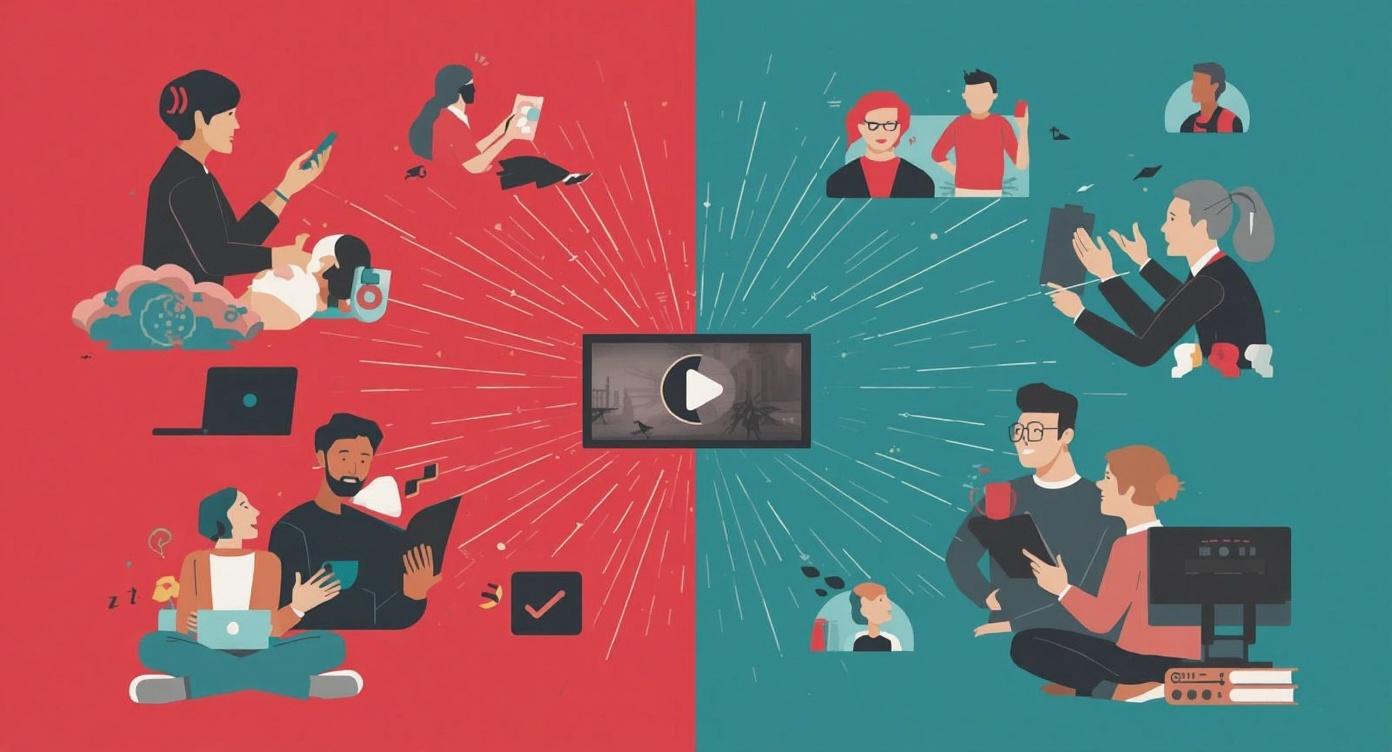
Video content has become essential for nonprofit communications. When donors and supporters see real people sharing authentic experiences, the impact is profound—video testimonials build trust, demonstrate tangible outcomes, and inspire action in ways that text and static images simply cannot match. Research consistently shows that video content drives higher engagement rates across email, social media, and websites, making it one of the most effective formats for mission-driven storytelling.
Yet many nonprofits struggle to produce video content at scale. Traditional video production requires filming equipment, editing software expertise, time-consuming post-production work, and often significant budget. The result is that impactful stories go untold, or organizations produce only a handful of videos each year when they could benefit from regular video content that showcases their work across multiple programs, locations, and beneficiary populations.
AI-powered video tools are democratizing video production for nonprofits. From automated captioning and translation to AI-assisted editing and even AI avatar creation, these technologies enable organizations to create professional, accessible, and multilingual video content with a fraction of the traditional time and cost investment. This article explores how nonprofits can leverage AI video tools to capture beneficiary testimonials, create impact stories, ensure accessibility compliance, and reach global audiences—all while maintaining authenticity and ethical storytelling practices.
Whether you're filming client success stories on a smartphone, repurposing existing video content for new audiences, or creating educational materials about your programs, AI tools can help you maximize the impact of every video you produce. We'll examine practical applications, platform options, accessibility requirements, ethical considerations, and strategies for implementing AI-powered video workflows that scale with your organization's needs and values.
Why Video Testimonials Matter for Nonprofits
Video testimonials serve as the most authentic form of social proof for nonprofit work. When beneficiaries, volunteers, or community members speak directly about their experiences, they provide irrefutable evidence of your organization's impact. Unlike carefully crafted marketing copy or curated images, video captures genuine emotion, body language, and personal narratives that resonate deeply with viewers. This authenticity builds trust with potential donors, engages existing supporters, and validates the importance of your mission in ways that other content formats cannot replicate.
From a fundraising perspective, video testimonials significantly outperform other content types. Donors want to see where their money goes and who benefits from their support. A video that shows a former program participant thriving, a family accessing vital services, or a community member expressing gratitude creates an emotional connection that drives giving decisions. Research in nonprofit marketing consistently shows that campaigns featuring video testimonials generate higher donation conversion rates and larger average gift sizes compared to campaigns relying solely on text and images.
Video testimonials also serve multiple functions across your communications strategy. A single well-produced testimonial can be featured on your homepage, shared across social media platforms, included in email campaigns, presented at board meetings, shown to prospective funders, and used in grant applications. This versatility makes video production an especially valuable investment, as each video asset provides content that can be repurposed and adapted for numerous contexts and audiences throughout the year.
Beyond fundraising, video testimonials strengthen internal culture and staff morale. When team members see the tangible results of their work through client voices, it reinforces the meaning and purpose behind daily tasks. Videos can be shared at all-staff meetings, incorporated into new employee onboarding, and used to celebrate program milestones—helping everyone in your organization stay connected to the mission and the people you serve, even as administrative work can sometimes feel disconnected from direct service delivery.
The Engagement Advantage: Video by the Numbers
Video content consistently outperforms other formats across digital channels. Understanding these engagement patterns helps nonprofits prioritize video in their communications strategy:
- Social media posts with video generate 48% more views and significantly higher engagement rates than static images or text-only posts
- Email campaigns that include video testimonials see click-through rates improve by up to 65% compared to emails without video content
- Nonprofit websites featuring video on landing pages experience longer visitor session times and lower bounce rates, indicating stronger engagement
- Donors report that video testimonials are among the most influential factors in their decision to give, particularly for first-time givers researching organizations
- Video content is shared at 2-3 times the rate of other content types on social platforms, extending organic reach without paid promotion
AI Tools Transforming Nonprofit Video Production
The landscape of AI-powered video tools has expanded dramatically, offering nonprofits sophisticated capabilities that were previously available only to professional production companies. These tools fall into several categories, each addressing different aspects of video creation, enhancement, and distribution. Understanding the available options helps nonprofits select the right tools for their specific needs, budget constraints, and technical capacity.
AI Video Creation Platforms
End-to-end video production from script to final output
Platforms like InVideo AI, HeyGen, and Luma AI enable nonprofits to create professional videos from text scripts, existing footage, or even written testimonials. These tools use AI to handle editing, scene transitions, text overlays, and music selection—transforming raw content into polished videos suitable for websites, social media, and presentations.
- Template-based workflows for common nonprofit video types
- Automated scene selection and pacing optimization
- Brand-consistent styling and color schemes
- Multiple aspect ratio exports for different platforms
Automated Captioning and Translation
Making video accessible and multilingual at scale
Tools like Kapwing, Rask AI, ElevenLabs, and Rev.ai provide broadcast-quality automated captions and translation services. These platforms can transcribe speech, translate to dozens of languages, and even generate voice dubbing that maintains emotional tone—all critical for nonprofits serving diverse, multilingual communities.
- Accurate speech-to-text with speaker identification
- Multi-language translation supporting 100+ languages
- Voice cloning for authentic-sounding dubbed translations
- Customizable caption styling for brand consistency
AI Avatar and Synthetic Video
Creating video content from written testimonials
AI avatar platforms like HeyGen and Synthesia can create video from written text, using realistic AI-generated presenters. While controversial, these tools have legitimate applications for nonprofits creating educational content, explainer videos, or situations where video recording isn't practical.
- Diverse avatar options representing various demographics
- Multiple language support without additional recording
- Useful for internal training and educational materials
- Cost-effective alternative when filming isn't feasible
Accessibility Enhancement Tools
Ensuring compliance and inclusive video experiences
Platforms like AI-Media, Verbit, and accessiBe provide specialized AI tools for making video content ADA-compliant and WCAG 2.2 conformant. These services go beyond basic captions to include audio descriptions, keyboard-accessible players, and synchronized transcripts—essential for nonprofits committed to digital accessibility.
- Synchronized captions that meet ADA compliance standards
- AI-generated audio descriptions for visual elements
- Interactive transcripts with searchable text
- Keyboard-navigable video players for assistive technology
Many of these platforms offer nonprofit discounts or free tiers that make professional video capabilities accessible even for small organizations with limited budgets. The key is understanding which tools address your specific needs—whether that's making existing videos multilingual, creating accessible content, producing videos from scratch, or scaling video production across multiple programs and locations. For more insights on selecting the right tools, see our guide on getting started with AI in nonprofits.
Practical Applications: Where AI Video Tools Make the Biggest Impact
Understanding the available tools is only the beginning. The real value comes from applying AI video capabilities to specific nonprofit scenarios where they solve real problems and create measurable improvements in efficiency, reach, or impact demonstration. The following applications represent areas where nonprofits are seeing substantial returns from AI video investments.
Capturing Beneficiary Testimonials on Smartphones
Program staff can record powerful testimonials on smartphones without worrying about perfect lighting, professional audio, or editing expertise. AI tools clean up background noise, stabilize shaky footage, add professional captions, and even improve lighting in post-production—transforming raw smartphone footage into polished testimonials suitable for donor communications.
This approach democratizes video creation across your organization. Frontline staff who interact daily with beneficiaries can capture authentic moments as they happen, without waiting for a communications team member or external videographer to schedule formal recording sessions. The result is more testimonials, greater authenticity, and stories that might otherwise go untold because formal video production wasn't logistically feasible.
Implementation is straightforward: staff record video using their smartphones, upload the footage to an AI platform like InVideo AI or Descript, and the platform automatically enhances audio quality, adds captions, and applies basic color correction. The entire process takes minutes rather than hours, making it sustainable for organizations that want to produce regular video content without dedicated production staff.
Making Impact Stories Multilingual
For nonprofits serving multilingual communities, AI translation tools eliminate the need to re-record content in multiple languages. A single testimonial recorded in English can be automatically captioned in Spanish, translated with voice dubbing that maintains the speaker's tone and emotion, and made available to non-English-speaking communities within hours rather than weeks.
This capability is particularly valuable for organizations working with immigrant and refugee populations, international development programs, or any nonprofit serving linguistically diverse communities. Video content that was previously English-only can suddenly reach audiences who were excluded from key communications—improving program awareness, building trust with communities, and demonstrating cultural responsiveness that strengthens your organization's reputation.
Tools like Rask AI and Kapwing support dozens of languages, including less commonly served languages that traditional translation services might not prioritize. This technological democratization means small nonprofits can provide the same multilingual video experiences that were once only available to organizations with substantial communications budgets and access to multilingual staff or contractors.
Ensuring Accessibility Compliance
With new ADA Title II compliance deadlines approaching in 2026 and 2027, many nonprofits face requirements to make their digital content accessible to people with disabilities. AI accessibility tools automate the creation of accurate captions, generate audio descriptions of visual content, and ensure video players are keyboard-navigable—addressing compliance requirements that would otherwise require substantial manual work.
Beyond legal compliance, accessibility is a mission imperative for nonprofits. If your organization serves people with disabilities, elderly populations, or communities with varying levels of digital literacy, accessible video content ensures you're not inadvertently excluding the very people you exist to serve. Captions benefit not only deaf and hard-of-hearing viewers, but also people watching videos in sound-sensitive environments, non-native language speakers, and anyone with attention or processing differences.
AI-powered accessibility platforms like Verbit and AI-Media provide broadcast-quality captions with speaker identification, punctuation, and formatting that meets WCAG 2.2 standards. These tools significantly reduce the cost and complexity of accessibility compliance compared to manual captioning services, while often delivering faster turnaround times and comparable accuracy.
Repurposing Long-Form Content Into Short Clips
AI tools can analyze long-form video content—such as program presentations, community forums, or educational webinars—and automatically identify the most engaging segments for social media sharing. Platforms like Opus Clip and Descript use AI to detect compelling quotes, emotional moments, and self-contained narratives within longer videos, then create short clips optimized for platforms like Instagram, TikTok, and LinkedIn.
This capability allows nonprofits to extract maximum value from video content they've already produced. A single hour-long webinar about your programs can be transformed into 10-15 short social media clips, each highlighting a different aspect of your work, without requiring manual editing or extensive review. The AI identifies natural breaking points, adds captions for silent viewing, and can even suggest platform-specific formatting.
For organizations producing regular video content—whether board presentations, program updates, or educational series—this repurposing workflow means your communications team can maintain an active social media presence without constantly creating new content from scratch. The AI handles the time-consuming work of reviewing footage and identifying shareable moments, freeing staff to focus on strategy and audience engagement.
Creating Donor-Facing Impact Reports
Traditional annual reports are text-heavy and often underutilized by donors. Video-based impact reports featuring beneficiary testimonials, program highlights, and staff reflections create more engaging alternatives that donors are more likely to watch and share. AI tools enable nonprofits to produce these video reports efficiently by automating editing, adding data visualizations, incorporating multiple testimonials, and creating professional transitions between segments.
These video reports serve multiple audiences simultaneously. Major donors appreciate seeing tangible evidence of impact. Board members can share videos with their networks to expand your donor base. Foundation funders increasingly expect video documentation of outcomes. And the same video can be adapted for grant applications, website features, and social media campaigns—providing content that works across all your communications channels.
The production process leverages AI at every stage: script assistance to outline the narrative, automated video editing to assemble footage, AI-generated captions and translations for accessibility and reach, and even AI tools that can create data visualization animations from your program metrics. What might have taken weeks of production time can now be accomplished in days, making video-based impact reporting feasible even for small development teams. For insights on measuring and communicating impact, explore our article on using AI to create nonprofit annual reports.
Building an AI-Powered Video Workflow
Successfully integrating AI video tools into your nonprofit's operations requires more than just adopting new technology. It requires designing a repeatable workflow that accommodates your organization's specific needs, technical capacity, and content goals. The following framework provides a starting point that organizations can adapt based on their resources and priorities.
1Content Capture and Preparation
Begin by establishing simple guidelines for recording testimonials and impact stories. Staff should understand basic smartphone video best practices: filming in well-lit spaces, positioning the subject appropriately in frame, minimizing background noise, and recording horizontally for website use or vertically for social media. Even basic attention to these elements improves the quality of raw footage that AI tools work with.
Create a consent process that protects beneficiary privacy while enabling video use. Your consent forms should clearly explain where videos will be used, how long they'll be retained, and whether beneficiaries can request removal in the future. This ethical foundation is essential before implementing any video workflow, as it builds trust with the people whose stories you're sharing and protects your organization from potential issues.
Develop a simple organizational system for video files. Use consistent naming conventions that include the date, program name, and subject (without personally identifying information in filenames if videos contain sensitive content). Store raw footage in a secure location accessible to team members who will process videos, whether that's cloud storage with appropriate access controls or your organization's internal file system.
2AI Enhancement and Editing
Upload raw footage to your chosen AI video platform. Most platforms provide templates specifically designed for testimonials, nonprofit storytelling, or educational content—these templates handle much of the technical work automatically, applying appropriate pacing, transitions, and even suggesting background music that matches the emotional tone of the content.
Review the AI's automated captions for accuracy, particularly with proper nouns, organization names, technical terms, or specialized vocabulary related to your work. While AI transcription accuracy has improved dramatically—often exceeding 95% for clear audio—human review remains important for ensuring captions accurately represent what speakers intended to communicate.
Use AI editing features to improve video quality without requiring manual editing expertise. Tools can automatically remove filler words ("um," "uh," "like"), cut silent pauses, adjust audio levels to ensure consistent volume, and even apply color correction to make footage more visually appealing. These enhancements significantly improve the professional appearance of smartphone-captured testimonials.
3Translation and Localization
If serving multilingual communities, use AI translation tools to create versions in relevant languages. Begin with accurate English captions, as these serve as the source text for translations. High-quality source captions result in more accurate translations, so investing time in caption review pays dividends when creating multilingual versions.
Consider both caption translation and voice dubbing depending on your audience's needs and preferences. Some communities prefer reading captions in their language while hearing the original audio, as it preserves the speaker's authentic voice and emotion. Others prefer fully dubbed versions that remove language barriers entirely. Understanding your audience's preferences helps determine which approach provides the most accessible and engaging experience.
When possible, have native speakers review translations before publishing, particularly for languages where cultural nuance and context significantly affect meaning. While AI translation has become remarkably sophisticated, human review by someone familiar with both the language and the cultural context of your work ensures translations accurately convey intended meanings and avoid unintended implications.
4Accessibility Compliance and Enhancement
Beyond basic captions, ensure videos meet full accessibility standards. This includes synchronized captions that display at appropriate reading speeds, audio descriptions that narrate important visual information for blind and low-vision viewers, and interactive transcripts that allow viewers to navigate video content by reading and clicking on specific segments.
Choose video hosting platforms or players that support keyboard navigation and screen reader compatibility. Many popular video platforms—including YouTube, Vimeo, and Wistia—provide accessible players by default, but verifying accessibility features is important if using custom video players on your website or proprietary platforms.
Document your accessibility process to demonstrate compliance efforts. If your organization faces accessibility requirements due to funding sources, contracts, or legal obligations, maintaining records of how you ensure video accessibility provides evidence of good faith efforts and systematic approaches to compliance—valuable if questions arise about your organization's accessibility practices.
5Distribution and Measurement
Publish videos across multiple channels to maximize reach and impact. The same video can be featured on your website's homepage, shared across social media platforms, embedded in email newsletters, included in donor reports, and shown at community events. AI tools make it easy to create platform-specific versions—square formats for Instagram, vertical for TikTok and Stories, and horizontal for YouTube and websites—from a single source video.
Track video performance to understand what resonates with your audiences. Pay attention to metrics like view counts, average watch time (how much of the video people actually watch), social shares, and any donation or engagement actions that follow video views. These insights help you understand which types of stories drive the most engagement and inform future video production decisions.
Create a feedback loop where video performance data influences your content strategy. If videos featuring specific program types consistently outperform others, prioritize capturing more testimonials from those programs. If shorter videos see higher completion rates, adjust your editing approach to create tighter, more focused narratives. Let data guide continuous improvement while maintaining the authentic storytelling that makes nonprofit video content compelling. For more on content strategy and repurposing, see our guide on using AI to repurpose content across channels.
Ethical Considerations: Maintaining Authenticity in AI-Enhanced Video
As nonprofits adopt AI video tools, maintaining ethical storytelling practices becomes increasingly important. The power to create, enhance, and manipulate video content carries responsibility—particularly for organizations built on trust and committed to serving vulnerable populations. Navigating the ethical dimensions of AI video requires thoughtful policies, transparency practices, and ongoing attention to the line between enhancement and misrepresentation.
Transparency and Disclosure
When using AI avatars or synthetic voice, clearly disclose that the video uses AI-generated elements. Regulations in the EU (through the AI Act) and various U.S. states now require labeling AI-generated content, particularly when it could be mistaken for authentic human presence. Beyond legal compliance, transparency builds trust with donors and supporters who deserve to know how content is produced.
The disclosure should be clear and prominent, not buried in fine print. A simple statement like "This video was created using AI voice technology" or "This video features an AI presenter" allows viewers to interpret the content with appropriate context. Transparency doesn't diminish the value of the information being shared—it simply acknowledges the production methods used.
For testimonial videos featuring real people, disclose what AI enhancements were applied. If you used AI to clean up audio, remove background noise, add captions, or improve lighting, these enhancements are generally acceptable and don't require extensive disclosure—they're comparable to basic video editing practices. However, if AI was used to alter what someone said, change the meaning of their words, or create synthetic versions of real people, those manipulations cross ethical lines that nonprofits should avoid.
Consent and Beneficiary Protection
Obtain clear, informed consent before recording video testimonials, particularly from beneficiaries who may not fully understand how widely their stories could be shared. Consent forms should explain where videos will be used (website, social media, presentations, grant applications), how long they'll be retained, whether AI tools will be used for translation or enhancement, and how beneficiaries can request removal if their circumstances change.
Exercise particular caution when working with vulnerable populations—children, survivors of violence, people with cognitive disabilities, individuals experiencing homelessness, or anyone whose participation could create safety or privacy risks. In these situations, consider alternatives like voice-only testimonials, written quotes, or aggregate storytelling that protects individual identities while still conveying program impact.
Implement a system for periodically reviewing published video content. People's circumstances change—someone who was comfortable sharing their story as a program participant may later secure employment where visibility is problematic, or a family situation may evolve in ways that make previous video sharing inappropriate. Providing mechanisms for beneficiaries to request video removal demonstrates ongoing respect for their dignity and autonomy.
Avoiding Bias and Misrepresentation
AI video tools trained on biased data can perpetuate stereotypes or produce representations that don't reflect the diversity of communities you serve. When using AI avatars, deliberately choose diverse representations rather than defaulting to options that reflect narrow demographic assumptions. When using AI translation, be aware that some languages and dialects are better supported than others, potentially excluding communities that speak less commonly supported languages.
Resist the temptation to use AI to overly polish or sentimentalize testimonials in ways that distort reality. Nonprofit storytelling should be compelling but honest—showing both challenges and successes, acknowledging complexity rather than presenting oversimplified narratives. AI tools that automatically select "highlight moments" or "emotional peaks" may inadvertently create misleading impressions if used without thoughtful human review.
Ensure the people featured in videos represent the actual demographics of those you serve. If your organization serves primarily people of color but your promotional videos predominantly feature white beneficiaries (or vice versa), that misrepresentation undermines trust and authenticity regardless of whether AI tools were involved. AI video production should amplify accurate representation, not make it easier to construct misleading narratives about who benefits from your work.
Balancing Efficiency with Human Connection
AI tools dramatically increase efficiency, but efficiency shouldn't come at the expense of the human relationships and authentic connections that make nonprofit work meaningful. The goal isn't to automate relationship-building or reduce beneficiaries to content production subjects. Rather, AI should free up time for deeper engagement by handling technical tasks that don't require human judgment or emotional intelligence.
When staff can capture authentic moments on smartphones and let AI handle the technical production work, they have more time to build trust with beneficiaries, understand their stories more deeply, and ensure that video participation feels empowering rather than extractive. Technology should serve the relationship, not replace it. The measure of success isn't how many videos you produce, but whether those videos authentically represent the people you serve and contribute to your mission in meaningful ways.
Regularly reflect on whether your AI-enhanced video workflows are maintaining or eroding the human dignity of the people whose stories you share. If beneficiaries feel reduced to content assets, if consent processes feel perfunctory, or if storytelling starts prioritizing donor appeal over beneficiary agency, those are warning signs that efficiency has crossed into ethical compromise. Technology should amplify mission, not undermine the values that define your organization. For more on maintaining human-centered approaches while using AI, see our article on overcoming AI resistance and preserving organizational culture.
Selecting the Right AI Video Platform for Your Nonprofit
The growing ecosystem of AI video tools can feel overwhelming when you're trying to identify the right solution for your organization. Different platforms excel at different tasks, serve different budgets, and require varying levels of technical expertise. Understanding key selection criteria helps nonprofits make informed decisions that align with their specific needs, capacity, and goals.
Assess Your Primary Use Cases
Start by identifying your organization's most pressing video needs. Are you primarily trying to capture beneficiary testimonials in the field? Do you need to make existing video content multilingual? Is accessibility compliance your main concern? Do you want to create explainer videos about your programs without filming? Different platforms specialize in different applications.
If capturing and enhancing smartphone videos is your priority, look for mobile-friendly platforms with strong audio cleanup and caption generation. If multilingual reach matters most, prioritize translation and voice dubbing capabilities. If accessibility compliance drives your decision, focus on platforms offering WCAG-compliant captions, audio descriptions, and accessible video players. If creating videos from scratch without filming is the goal, AI avatar platforms become relevant despite their ethical considerations.
Consider Budget and Pricing Models
Many AI video platforms offer tiered pricing with free or low-cost options suitable for nonprofits with limited budgets. Free tiers typically include watermarks, limited video length, or restricted features—acceptable trade-offs for organizations just beginning to experiment with AI video tools. Paid plans remove restrictions and unlock professional features, with many platforms offering nonprofit discounts ranging from 20-50% off standard pricing.
Compare pricing structures carefully: some platforms charge per video produced, others use monthly subscription models with unlimited video creation, and some price based on the number of users or the volume of video minutes processed. For organizations planning to produce video content regularly, subscription models often provide better value than per-video pricing. For occasional use, pay-as-you-go options may be more cost-effective.
Don't overlook the total cost of ownership beyond subscription fees. Consider training time for staff, whether the platform requires specialized equipment or software, and whether you'll need to pay separately for video hosting or distribution. A more expensive platform that includes hosting and requires minimal training may ultimately cost less than a cheaper option with hidden complexity and additional service costs.
Evaluate Technical Requirements and Learning Curve
Assess the technical capacity of staff who will actually use the platform. Some AI video tools offer simple, template-based interfaces requiring minimal video editing knowledge—ideal for nonprofits without dedicated communications teams. Others provide professional-grade editing capabilities with steeper learning curves, suitable for organizations with staff who have existing video production experience.
Request trials or demos before committing to a platform. Most AI video tools offer free trials ranging from 7-30 days, allowing you to test the interface with your actual content and assess whether staff can learn the system quickly. Pay attention to the quality of documentation, tutorial resources, and customer support—these factors significantly affect whether adoption succeeds or stalls when staff encounter challenges.
Consider whether the platform supports collaborative workflows if multiple team members will produce video content. Features like shared asset libraries, comment and review capabilities, and role-based permissions become important for organizations where program staff capture videos but communications team members handle final editing and publication.
Review Data Privacy and Security Policies
Before uploading beneficiary testimonials or any video containing identifiable people to AI platforms, review the vendor's data privacy policies. Understand where video files are stored, how long they're retained, whether they're used to train AI models, and what happens to content if you discontinue service. These considerations are particularly important for nonprofits working with vulnerable populations or handling sensitive information.
Look for platforms that offer data processing agreements (DPAs) or business associate agreements (BAAs) if your organization handles protected health information or other regulated data. While most testimonial content won't fall under HIPAA or similar regulations, having vendors who understand compliance requirements provides additional security and demonstrates their commitment to data protection practices.
Consider whether platforms allow you to delete videos permanently and verify deletion. Some services retain content even after user deletion for backup purposes or model training—practices that may conflict with your organization's data retention policies or commitments to beneficiaries about how their stories will be handled. Clarifying these details before adoption prevents uncomfortable situations later.
Popular Platforms Nonprofits Are Using
While this article doesn't endorse specific vendors, several platforms are commonly mentioned by nonprofit communications professionals for video testimonial work:
- InVideo AI and Descript: Popular for enhancing smartphone videos with AI audio cleanup, filler word removal, and automated editing—ideal for organizations capturing testimonials in the field
- Kapwing and Rask AI: Frequently chosen for multilingual captioning and translation with voice dubbing capabilities serving diverse communities
- Rev.ai and Otter.ai: Respected for accurate automated transcription and caption generation with human review options for accessibility compliance
- HeyGen and Synthesia: Used cautiously for AI avatar videos in specific contexts like internal training or educational content where filming isn't practical
- Opus Clip: Gaining traction for automatically creating social media clips from longer video content, maximizing the value of webinars and presentations
Remember that the "best" platform depends entirely on your specific circumstances. A tool perfect for a large health services nonprofit may be overcomplicated for a small grassroots organization, while a simple platform ideal for getting started may lack features a growing organization eventually needs. Start with clear use cases and requirements, test options thoroughly, and be willing to switch platforms if your initial choice doesn't meet needs as expected.
Measuring the Impact of AI-Enhanced Video Content
Implementing AI video tools represents an investment of time, budget, and staff capacity. To justify that investment and continuously improve your video strategy, you need clear metrics for assessing whether AI-enhanced video content is achieving your organizational goals. The right metrics depend on what you're trying to accomplish—awareness, engagement, fundraising, or program understanding.
Engagement Metrics
- View counts and reach: How many people are seeing your video content across platforms
- Average watch time: What percentage of videos viewers actually watch—higher indicates compelling content
- Social shares and comments: How often videos are shared and whether they spark conversation
- Caption and translation usage: Whether multilingual options are being utilized by your audiences
Fundraising Impact
- Donation conversion rates: How campaigns with video compare to those without
- Average gift size: Whether donors who watch videos give more than those who don't
- Email performance: Open rates and click-through rates for emails featuring video thumbnails
- Direct attribution: Donors who cite video testimonials as their reason for giving
Efficiency Metrics
- Production time: How long it takes to produce videos with AI tools versus traditional methods
- Content volume: How many more videos you can produce with the same staff capacity
- Cost per video: Total expenses divided by number of videos produced—compare to previous costs
- Staff satisfaction: Whether video production feels more or less sustainable with AI tools
Mission Alignment
- Representation accuracy: Whether videos reflect the actual demographics of people served
- Beneficiary feedback: How people featured in videos feel about the representation of their stories
- Accessibility compliance: Percentage of videos meeting WCAG standards for captions and audio descriptions
- Program understanding: Whether donors and supporters demonstrate better comprehension of your work
Track these metrics over time rather than evaluating success based on single videos or short timeframes. Building video production capacity and seeing meaningful results takes several months—staff need time to learn tools, workflows need refinement, and audiences need repeated exposure to video content before engagement patterns become clear. Quarterly reviews provide reasonable intervals for assessing whether your AI video strategy is working and where adjustments might improve outcomes.
Perhaps most importantly, create feedback mechanisms that capture qualitative insights alongside quantitative metrics. Survey donors about what content they find most compelling. Ask staff whether video production feels sustainable or overwhelming. Invite beneficiaries to share how they felt about participating in testimonials and whether the final videos represented their experiences accurately. These qualitative insights often reveal important considerations that numbers alone cannot capture.
Moving Forward: Making AI Video Work for Your Mission
AI-powered video tools represent a genuine opportunity for nonprofits to overcome longstanding barriers to visual storytelling. Professional-quality video content is no longer limited to organizations with substantial production budgets, specialized technical staff, or access to expensive equipment and editing software. Smartphones, AI enhancement tools, and automated captioning platforms have democratized video creation in ways that fundamentally change what's possible for mission-driven storytelling.
Yet technology is never neutral, and adoption without intention can lead to outcomes that undermine the very values that define nonprofit work. The same tools that can amplify authentic beneficiary voices can also be misused to create misleading representations. The efficiency gains that free up staff time can become pressure to produce more content at the expense of relationship-building with the people whose stories you share. The accessibility features that expand reach to diverse audiences can feel like compliance checkboxes rather than genuine commitments to inclusion.
The path forward requires nonprofits to approach AI video tools with both enthusiasm and care—embracing the capabilities they offer while remaining grounded in ethical storytelling principles, beneficiary dignity, and authentic representation. Success isn't measured solely by how many videos you produce or how much reach you achieve, but by whether those videos genuinely serve your mission, accurately represent the people and communities you work with, and build trust with the supporters who make your work possible.
Start small, experiment thoughtfully, and let your organization's values guide implementation decisions. The organizations seeing the greatest benefits from AI video tools aren't necessarily those with the most sophisticated technical setups—they're the ones that have thoughtfully integrated video into their broader communications strategy, trained staff adequately, established clear ethical guidelines, and created sustainable workflows that respect both beneficiaries and the team members producing content. Technology amplifies intention; make sure your intentions align with your mission before scaling production.
Ready to Transform Your Nonprofit's Video Storytelling?
We help nonprofits implement AI-powered video workflows that amplify impact while maintaining ethical storytelling practices. Whether you're just starting with smartphone testimonials or ready to scale multilingual video production, we provide strategy, training, and support tailored to your organization's mission and capacity.