
From Blank Page to Launch: Building Your Nonprofit Website with AI in a Weekend
Your nonprofit deserves a professional web presence, but limited budgets and technical expertise shouldn't hold you back. With the right AI tools and a focused weekend, you can go from zero to a fully launched website that tells your story, engages supporters, and drives your mission forward.
For many small nonprofits, the website question looms large. You know you need one—donors expect it, grant applications ask for it, and potential volunteers look for it. But the traditional path to a professional website involves hiring developers, waiting weeks or months, and spending thousands of dollars. That's simply not realistic when every dollar needs to stretch toward your mission.
The good news is that AI has fundamentally changed what's possible. Today, a nonprofit leader with no coding experience can build a professional, mission-aligned website in a single weekend using AI-powered tools. These platforms handle the technical complexity while you focus on what matters: communicating your impact and connecting with supporters.
This guide walks you through the entire process, from initial planning on Friday evening to launch on Sunday afternoon. We'll cover the AI tools that make it possible, the content strategies that work for nonprofits, and the practical steps to ensure your site is not just built, but built to perform. Whether you're creating your organization's first website or replacing an outdated one, this weekend project approach delivers professional results.
If you're already using AI in other areas of your nonprofit work—perhaps for grant writing or donor communications—you'll find that building a website with AI follows similar principles: clear prompts, iterative refinement, and human judgment guiding AI capabilities.
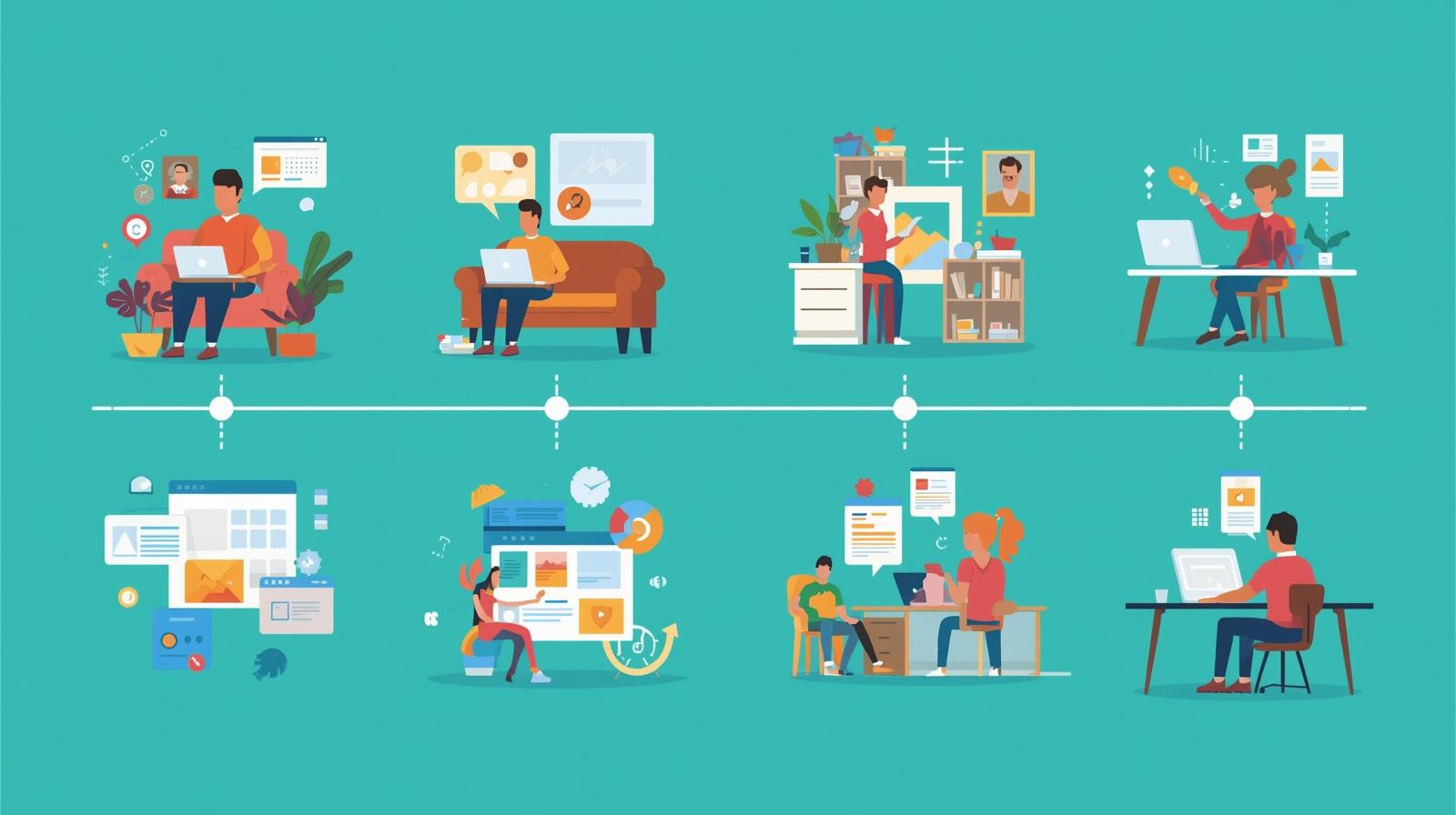
Weekend Timeline Overview
Friday Evening (2-3 hours)
Planning, platform selection, and content strategy
Saturday (6-8 hours)
Content creation, design, and page building
Sunday (4-5 hours)
Refinement, testing, SEO, and launch
Friday Evening: Strategic Planning
Before opening any website builder, invest time in strategic planning. This upfront work prevents the most common nonprofit website mistakes: trying to do too much, unclear messaging, and forgetting who you're speaking to. AI can help with this planning phase, but the strategic decisions need to come from your understanding of your organization.
Define Your Website's Primary Purpose
Every nonprofit website serves multiple audiences, but trying to serve everyone equally results in serving no one well. Identify your primary goal. Is it to attract donations? Recruit volunteers? Inform the community about services? Build credibility for grant applications? Your answer shapes everything from navigation structure to homepage emphasis.
For most small nonprofits, the primary purpose falls into one of these categories: fundraising-focused (donations and donor cultivation), service-focused (connecting clients with programs), awareness-focused (education and advocacy), or credibility-focused (demonstrating legitimacy to funders and partners). Choose one as primary; the others become secondary.
Map Your Essential Pages
Resist the urge to build a massive website. A focused site with excellent content outperforms a sprawling site with thin pages. For a weekend build, plan for these core pages:
Essential Pages
- Homepage - Your mission, impact, and clear calls-to-action
- About - Story, team, history, and values
- Programs/Services - What you do and who you serve
- Get Involved - Volunteer, donate, or participate
- Contact - Location, hours, and contact form
Optional Add-Ons
- Impact/Results - Statistics and outcomes
- News/Blog - Updates and stories (add later)
- Resources - Downloads and information
- Events - Calendar and registration
- FAQ - Common questions answered
Gather Your Assets
Before Saturday's building session, collect everything you'll need. This includes your logo (in high resolution), photos of your work and team, any existing copy you want to reuse, your organization's key statistics, and stories or testimonials from beneficiaries. Having these ready prevents interruptions during the creative flow.
If you don't have professional photos, don't worry. AI image tools can help, and many platforms offer stock photo integrations. But authentic photos of your actual work—even imperfect ones—often connect better with visitors than polished stock images.
Choosing Your AI-Powered Website Platform
The platform you choose determines what's possible in a weekend. Modern AI-powered website builders let you describe what you want in natural language, generate designs automatically, and create content with built-in AI assistants. Here's how to choose the right one for your nonprofit.
Framer
Best for: Design-forward nonprofits who want a unique look
Framer combines powerful AI with professional design capabilities. Its AI can generate entire page layouts from descriptions, and the platform produces genuinely beautiful websites that don't look templated. The learning curve is slightly steeper than simpler builders, but the results are worth it for organizations where visual impression matters.
- AI-generated layouts and copy suggestions
- Professional animations and interactions
- Free tier available; nonprofit discounts on paid plans
Webflow
Best for: Nonprofits planning to grow and scale
Webflow is a powerful visual development platform that produces production-quality websites. While it has a steeper learning curve, its AI features help bridge the gap, and the platform scales beautifully as your needs grow. Webflow offers nonprofit discounts and is an excellent choice if you anticipate needing a blog, member portal, or e-commerce down the road.
- AI writing assistant built into the editor
- CMS for blogs and dynamic content
- 50% nonprofit discount available
Carrd
Best for: Simple sites and landing pages on minimal budgets
Carrd is the simplest option—perfect for nonprofits that need a clean, single-page website quickly. At just $19/year for Pro, it's extremely budget-friendly. While it doesn't have built-in AI features, you can use external AI tools like ChatGPT to generate content and paste it in. Ideal for new organizations or those with very simple needs.
- Extremely easy to learn—build in hours, not days
- Custom domains and forms included in Pro
- $19/year—one of the most affordable options
Canva Websites
Best for: Nonprofits already using Canva for design
If your nonprofit already uses Canva (and many do—it's free for nonprofits), you can build a website directly within the platform. Canva's website builder uses its Magic Design AI to generate layouts and Magic Write to create content. The integration with your existing brand assets makes consistency easy.
- Free with Canva for Nonprofits
- AI-powered design and writing tools built in
- Familiar interface if you already use Canva
For most weekend builds, we recommend Framer or Canva Websites. Framer offers the best balance of AI capabilities, design quality, and ease of use. Canva is ideal if you're already in that ecosystem and want everything in one place. Choose based on your comfort level and design ambitions.
Saturday Morning: AI-Powered Content Creation
Content is where most nonprofit websites stall. Writing about your own organization is surprisingly difficult—you're too close to it. AI tools transform this challenge by serving as a collaborative writing partner that helps you articulate what you already know.
Creating Your Homepage Content
Your homepage has approximately 8 seconds to convince visitors they're in the right place. Use AI to help craft a compelling hero section that immediately communicates who you are, what you do, and why it matters. Here's an effective prompt structure for ChatGPT or Claude:
Example Prompt for Hero Section
"I'm writing the hero section for [Organization Name]'s website. We are a [type of nonprofit] serving [geographic area/population]. Our primary audience is [donors/volunteers/clients]. Write a headline (under 10 words) and subheadline (2-3 sentences) that immediately communicates our impact. Our mission is [mission statement]. A key statistic about our work is [statistic]."
Ask for 3-5 variations and choose the one that feels most authentic to your organization's voice. AI excels at generating options; your job is to select and refine. If you've worked on training AI to match your organization's voice, you can include those guidelines in your prompts.
Writing Your About Page
The About page is where visitors go to learn if they can trust you. AI can help structure this effectively by organizing your story into compelling sections: the problem you address, how you address it, your founding story, your team, and your values. Provide AI with raw information about your organization, then ask it to organize and polish the narrative.
Don't let AI invent details. Feed it facts—founding year, number of people served, geographic scope, key milestones—and let it structure these into readable prose. Always fact-check the output against your source materials.
Programs and Services Pages
For each program, AI can help you answer the questions visitors actually have: Who is this for? What happens during the program? What outcomes can participants expect? How do people access it? Structure each program description with clear headings and bullet points for easy scanning.
Use this prompt pattern: "Write a 150-word description of [Program Name]. Include: who it's for, what participants experience, key outcomes, and how to get involved. Write in a warm, professional tone. Our audience is [describe audience]."
Saturday Afternoon: Design and Page Building
With your content drafted, it's time to build. AI-powered website builders make this process dramatically faster by generating layouts based on your descriptions and automatically ensuring design consistency.
Establishing Your Visual Foundation
Start by setting up your brand elements: logo, primary colors, and fonts. Most AI builders will suggest complementary color palettes based on your primary color. If you don't have established brand colors, many tools can generate a cohesive palette from your logo or a description of your organization's personality.
For nonprofits without existing brand guidelines, keep it simple. Choose one primary color (often blue for trust, green for environment/health, orange for energy and optimism), one neutral (gray or navy), and white. Use no more than two fonts—one for headings, one for body text.
Building the Homepage
In AI-powered builders like Framer, you can describe what you want and let the AI generate initial layouts. Try prompts like: "Create a nonprofit homepage with a hero section featuring a large image, headline about community impact, and a prominent donate button. Below that, add a section showing three key statistics, then our mission statement, then recent news."
The AI won't create a perfect page on the first try, but it gives you an excellent starting point that's already visually balanced and mobile-responsive. From there, you can adjust, move sections, and customize to match your vision.
Homepage Elements That Convert
Essential components for an effective nonprofit homepage
Above the Fold
- Clear, compelling headline
- Strong visual (photo or video)
- Primary call-to-action button
- Navigation to key pages
Below the Fold
- Impact statistics (3-4 numbers)
- Brief mission/about section
- Featured programs or services
- Testimonial or impact story
- Secondary CTA (newsletter, volunteer)
Building Secondary Pages
Once your homepage is established, building secondary pages goes faster. AI builders can copy your design system (colors, fonts, spacing) to new pages automatically, ensuring visual consistency. For each page, start with AI-generated layouts, then customize with your specific content.
Keep interior pages focused. Each page should have one primary purpose and one primary call-to-action. The About page should lead visitors to learn more or get in touch. The Programs page should lead to participation or support. The Get Involved page should lead to specific actions.
Using AI for Visual Elements
If you lack professional photos, AI image tools can help fill gaps. Adobe Firefly (free for nonprofits) creates images with copyright protection built in—essential for organizational use. Use AI-generated images for conceptual illustrations, backgrounds, or icons, while prioritizing authentic photos for anything showing real people or your actual work.
Remember that authenticity matters to donors and supporters. A slightly imperfect real photo of your work often resonates more than a perfect stock image. AI-generated images work best for abstract concepts, decorative elements, and situations where real photos aren't available.
Sunday: Polish, SEO, and Launch
Sunday is for refinement. You've built the structure and added content—now make everything work seamlessly. This phase separates amateur websites from professional ones.
Mobile Responsiveness Check
Over 60% of nonprofit website visitors come from mobile devices. Every AI website builder includes mobile preview modes—use them. Check that text is readable without zooming, buttons are large enough to tap, and images scale properly. Pay special attention to forms—donation and contact forms must work flawlessly on phones.
Search Engine Optimization Basics
Good SEO helps people find you when they search for organizations like yours. AI can help here too. Use ChatGPT or Claude to generate page titles, meta descriptions, and alt text for images. These elements are invisible to visitors but critical for search engines.
SEO Checklist for Launch
- Each page has a unique, descriptive title (under 60 characters)
- Each page has a meta description (under 160 characters)
- All images have descriptive alt text
- Headers use logical hierarchy (H1, H2, H3)
- Pages include your location and service area keywords
Testing All Interactive Elements
Before launching, test every interactive element. Click every button. Submit every form using a test email. Check every link—internal and external. Try the donation process if you've integrated it. Test on multiple browsers if possible (Chrome, Safari, Firefox). A broken form or dead link damages credibility instantly.
Setting Up Essential Integrations
At minimum, set up Google Analytics before launch—this lets you understand how people find and use your site from day one. Most AI website builders have simple integration options where you just paste in your tracking code. If you're using a donation platform, ensure the integration is working properly.
Domain and Launch
If you already own a domain, connect it to your new website through your builder's domain settings. If you need a new domain, most builders let you purchase one directly. Choose a domain that's easy to spell, say, and remember—typically your organization name dot org.
When everything is tested and ready, hit publish. Your site is now live. Celebrate briefly, then announce it: send an email to your mailing list, post on social media, and add the URL to your email signatures. A website only works if people can find it.
After the Weekend: Ongoing Optimization
Your weekend build created a solid foundation, but a website is never truly finished. Set up simple processes to keep it current and effective without consuming ongoing hours.
Monthly Maintenance Routine
Once a month, spend 30 minutes reviewing your site. Update statistics with current numbers, add any new programs or staff, ensure contact information is accurate, and check that all links still work. AI tools like ChatGPT can help you quickly refresh dated content—paste in old copy and ask for updates based on new information.
Gathering Feedback
Ask trusted stakeholders—board members, volunteers, clients—to review the site and share feedback. What confused them? What questions remained unanswered? This real-world input helps you iterate effectively. Use AI to help process and prioritize feedback: "Here are 20 pieces of website feedback. Categorize them by priority and suggest specific changes."
Adding Content Over Time
Consider adding a blog or news section once your basic site is established. Regular content helps with SEO and gives you material to share on social media. AI makes content creation faster—use it to draft blog posts about your programs, impact stories, or sector insights. Learn more about AI tools for nonprofit communications to streamline your content workflow.
When to Consider Professional Help
A weekend-built website serves most small nonprofits excellently. But as your organization grows, you might need custom functionality that DIY builders can't provide: member portals, complex donation systems, event management, or database integrations. At that point, consider working with a professional who understands nonprofit needs. The foundation you've built makes those conversations easier—you now understand what you need and why.
Avoiding Common Nonprofit Website Mistakes
Even with AI assistance, certain mistakes appear repeatedly on nonprofit websites. Knowing these pitfalls helps you avoid them.
Mistake
Burying the donation button
If donations matter, make giving obvious. The donate button should be visible in the header on every page, not hidden in a submenu.
Fix: Put "Donate" prominently in your navigation and repeat the CTA throughout your site.
Mistake
Writing for insiders
Nonprofit jargon and acronyms alienate visitors. Write for someone discovering your organization for the first time.
Fix: Use AI to simplify copy. Ask: "Rewrite this for someone unfamiliar with our sector."
Mistake
Outdated information
Nothing damages credibility like announcing a 2023 event in 2026. Outdated content suggests an organization that's not active.
Fix: Set calendar reminders to review content monthly. Remove anything time-sensitive that's passed.
Mistake
No clear calls-to-action
Every page should guide visitors toward something: donate, volunteer, contact, learn more. Without direction, visitors leave.
Fix: End every page with a clear next step. Use action verbs: "Join us," "Give today," "Get involved."
Mistake
Slow load times
Large, unoptimized images make sites slow. Slow sites lose visitors—and rank lower in search results.
Fix: Use your builder's image optimization features. Compress images before uploading.
Mistake
Ignoring accessibility
Websites should work for everyone, including people using screen readers or who can't see colors well.
Fix: Use adequate color contrast, add alt text to images, ensure keyboard navigation works.
Your Web Presence Starts Now
A professional website is no longer optional for nonprofits—it's how funders evaluate your legitimacy, how volunteers discover opportunities, and how your community learns about services. The good news is that AI has removed the technical and financial barriers that once made this challenging.
This weekend, you can transform your nonprofit's digital presence. With the right AI tools, a clear strategy, and focused effort, you'll have a site that tells your story, engages your audiences, and advances your mission. The tools are accessible, the process is manageable, and the impact is real.
Start with planning Friday evening. Build Saturday. Polish and launch Sunday. By the time Monday arrives, you'll have a professional website representing your organization to the world. Your mission deserves to be seen—now you have the tools to make it visible.
For ongoing support in your AI journey, explore our other resources on practical AI tips for nonprofits and free AI tools for small nonprofits. Your website is just the beginning of what AI can help you accomplish.
Need a More Custom Solution?
While a weekend website works for many nonprofits, some organizations need custom functionality, integrations, or ongoing support. We specialize in AI-powered web solutions designed specifically for mission-driven organizations.