
Building Your First Agent Orchestration Layer: A Nonprofit IT Leader's 90-Day Plan
Most nonprofits now use several AI tools. The challenge is that those tools work in isolation, creating fragmented workflows and manual handoffs between systems. An agent orchestration layer connects them into coordinated, automated pipelines that can handle complex tasks from start to finish, without requiring a software engineering team to build them from scratch.
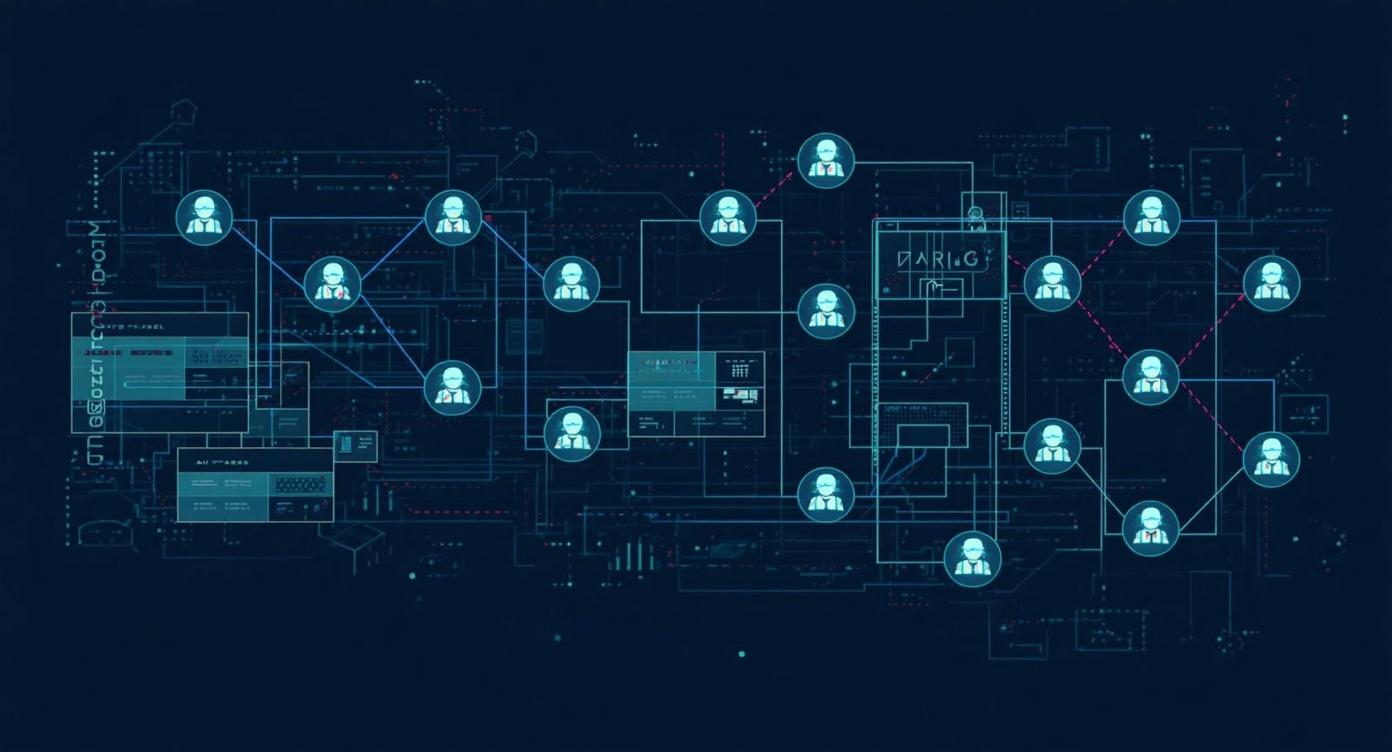
Picture a grant workflow that begins when a foundation posts a new RFP. One AI agent searches the announcement, extracts key requirements, and checks eligibility against your organization's programs. A second agent pulls your impact data from your program database and drafts narrative sections. A third checks the draft against the funder's guidelines, flags compliance gaps, and generates a checklist for your development officer to review before submission. That entire pipeline, which might have taken a development director three days of manual work, runs in under an hour, with a human reviewing the output before anything goes out the door.
This is what agent orchestration makes possible. It is not magic, and it does not replace your staff. It is a coordination layer that lets multiple AI tools work together in structured, accountable sequences, with human oversight built in at the moments that matter most. The technology to do this is now mature enough, and inexpensive enough, that a nonprofit IT leader with a small team can build a working pilot in 30 days and a production system in 90.
This guide walks you through exactly how to do that. It covers what an orchestration layer actually is, which frameworks to choose from, how to select your first use case, and what a realistic 90-day implementation looks like for an organization without a dedicated engineering team. It also addresses the governance questions that often get skipped in technical guides but determine whether these systems actually serve your mission or quietly create new risks.
If your organization has already been building AI capabilities, this article connects directly to the broader questions of what AI agents can do for nonprofits and how multi-agent workflow patterns apply to real nonprofit operations. The orchestration layer is the infrastructure that makes those patterns work reliably at scale.
What Is an Agent Orchestration Layer?
An agent orchestration layer is the coordination infrastructure that connects AI agents to each other, to your data systems, to external services, and to human approvers. Think of it as a conductor for an ensemble: the individual AI tools are the musicians, each capable of playing their part, but without a conductor they play independently and at cross-purposes. The orchestration layer ensures they play in sequence, share context between steps, handle failures gracefully, and escalate to human judgment when the situation requires it.
Without orchestration, even a sophisticated nonprofit AI stack tends to look like this: a staff member opens ChatGPT to draft something, copies the output into another tool to refine it, manually pulls data from the CRM to add specifics, then sends the final product off by email. Each step is a manual handoff. Each handoff is a potential for error, delay, or dropped context. The staff member's time is consumed by logistics rather than judgment.
An orchestration layer replaces those manual handoffs with automated transitions governed by rules you define. It determines which agent handles which step, what data each agent has access to, what conditions trigger a handoff to the next agent, and what actions require a human to approve before execution continues. You keep control over the decisions that matter while delegating the coordination overhead to software.
Core Components of an Orchestration Layer
The building blocks your system needs to function reliably
- Agent registry: A catalog of available agents, their capabilities, and what data sources or tools they can access
- State management: A shared memory that persists context across agent handoffs so information is not lost between steps
- Workflow engine: The rules that determine sequencing, branching logic, and error handling
- Human-in-the-loop gates: Checkpoints where the workflow pauses for a human to review, approve, or redirect before proceeding
- Observability layer: Logging and monitoring that records every agent action for review, debugging, and compliance purposes
Choosing Your Framework: LangGraph, CrewAI, or AutoGen
Three frameworks dominate the agent orchestration space in 2026, each with a different philosophy and a different learning curve. Understanding which one fits your organization's technical capacity and use case is the first real decision you'll make, and it matters more than most guides acknowledge.
CrewAI: Lowest Barrier, Fastest Results
Best choice for most nonprofits starting their first orchestration project
CrewAI uses a role-based model that maps naturally to how nonprofit teams already think about work. You define "crews" of agents with specific roles (researcher, writer, reviewer), assign each a goal, and let them collaborate to complete a task. A basic two-agent workflow takes roughly 20 lines of code to set up, making it accessible to a technically capable program director, not just a software engineer.
CrewAI added "Flows" in 2025, which enable more structured, event-driven pipelines when you need predictable step-by-step execution rather than emergent collaboration. This makes it suitable for both exploratory workflows and well-defined production processes.
- Open source and free to use; enterprise version available for larger deployments
- Extensive documentation and active community for troubleshooting
- Recommended starting point for nonprofits without dedicated engineering teams
LangGraph: Production-Grade, Compliance-Ready
Best choice when you need auditability, complex branching, or production scale
LangGraph uses a directed graph model where you define nodes (agents, tools, human checkpoints) and edges (the transitions between them, including conditional branches). It reached version 1.0 in late 2025 and is now considered production-ready for enterprise deployments. Its built-in state management includes checkpointing (the ability to pause and resume workflows) and "time travel" (replaying past states for debugging or compliance review).
For nonprofits with compliance requirements, funder audits, or workflows involving sensitive beneficiary data, LangGraph's auditability features make it the stronger long-term choice. The LangSmith observability platform (free tier: 5,000 traces per month; paid tier: $39 per seat per month) integrates natively and provides the kind of logging that satisfies both internal governance and external accountability requirements.
- Steepest learning curve of the three options, but the most powerful for complex workflows
- Native support for human-in-the-loop checkpoints that can pause workflows pending approval
- Best choice for organizations planning to scale beyond a single use case in year one
AutoGen / AG2: Conversational and Iterative
Best choice for research tasks, code generation, and iterative refinement workflows
AutoGen, now rebranded as AG2 following a major v0.4 architectural rewrite, uses GroupChat as its primary coordination pattern. Agents converse with one another, negotiate subtasks, and iteratively refine outputs through dialogue rather than following a fixed pipeline. This makes it naturally suited to tasks where the right approach emerges through exploration rather than predetermined steps.
For nonprofits doing research-intensive work, grant prospect analysis, or policy analysis, AutoGen's conversational approach can surface insights that a rigid pipeline would miss. Its async-first architecture in v0.4 also makes it efficient for tasks that involve waiting for external data sources. Its deep integration with the Microsoft Azure ecosystem is an advantage for organizations already in that environment.
- Less predictable outputs than structured pipeline frameworks, which requires more testing
- Strongest fit for open-ended research, code generation, and analysis workflows
- Open source (free) with Azure integration available for Microsoft-ecosystem organizations
The practical recommendation for most nonprofits: start with CrewAI. It requires the least technical overhead to get a working pilot running, its role-based model maps intuitively to nonprofit team structures, and it has enough depth to handle production use cases once you understand its patterns. If your pilot validates the approach and you need more sophisticated state management, compliance logging, or complex branching logic, migrate to LangGraph for your next phase. These frameworks are not mutually exclusive, and many organizations run both for different use cases.
Separately from frameworks, understand the two emerging interoperability protocols that are becoming foundational infrastructure. The Model Context Protocol (MCP) connects individual agents to tools, APIs, and data sources, acting as a universal adapter that lets your agents access your CRM, grant database, or document management system. The Agent-to-Agent Protocol (A2A) enables structured, secure communication between autonomous agents across different systems. Most production systems in 2026 use both: MCP for tool access, A2A for inter-agent coordination. For a deeper dive on these protocols, see our analysis of MCP vs. A2A for nonprofit stacks.
Selecting Your First Use Case
The most common mistake in agent orchestration implementations is choosing the wrong first project. Organizations are tempted to start with the most ambitious use case, the one that would save the most time or impress the board most. That impulse, while understandable, almost always produces a project that takes longer than expected, demonstrates fewer clear wins, and erodes confidence in the technology before it has had a chance to prove itself.
A better approach is what practitioners call the "Golden Triangle": select a first project that sits at the intersection of high pain, manageable complexity, and measurable outcome. High pain means the workflow is genuinely burdensome for skilled staff today, not just mildly inconvenient. Manageable complexity means it involves a small number of well-defined steps and relies on data sources you already have access to. Measurable outcome means you can quantify the result before and after, whether that's time spent, error rate, or throughput.
High-Value First Use Cases for Nonprofits
Workflows that consistently meet the Golden Triangle criteria
- Grant research and first-draft pipeline: One agent finds and summarizes new RFPs matching your programs, a second pulls relevant impact data from your files, a third generates a structured first-draft narrative for development staff to refine. Staff review and submit; they don't start from scratch.
- Donor stewardship workflow: One agent pulls donor data from your CRM (gift history, interests, lapsed status), a second generates personalized outreach drafts segmented by relationship tier, a third schedules follow-up tasks in your CRM. Development staff review and send; they don't compose from scratch.
- Program impact reporting: One agent collects and summarizes program data from spreadsheets or databases, a second drafts narrative impact sections, a third formats the output to match your funder's reporting template. Staff review for accuracy and submit.
- Volunteer coordination: One agent processes new volunteer intake forms, a second matches volunteers to open roles based on skills and availability, a third drafts personalized welcome emails and first-week instructions. Coordinator reviews matches before confirmation messages go out.
Notice what all these examples have in common: they involve a human reviewing and approving before anything consequential happens externally. No grant application is submitted without a development officer's sign-off. No donor outreach goes out without a staff member reviewing it. This is not a limitation of the technology, it is a design principle. The value of orchestration is not removing humans from the loop, it is removing the tedious logistics so that human judgment can focus on the decisions that actually require it.
The 90-Day Implementation Plan
What follows is a realistic timeline for a nonprofit IT leader with a small team and limited engineering support. It assumes you have identified your first use case and have access to at least one person comfortable with Python and API basics. It does not assume a dedicated software engineering team or a large budget.
Days 1 to 30: Foundation and Assessment
The first month is about understanding your current state and laying the groundwork for a pilot. The temptation to start building immediately is strong, but organizations that skip this phase typically end up building the wrong thing and rebuilding it later.
- Audit current AI tool use across the organization. Document what tools are already in use, which staff are using them, and for what purposes. Shadow AI usage (tools adopted informally without IT approval) is common and worth surfacing.
- Map the top three pain points that involve multi-step, repetitive work crossing multiple tools or people. Interview the staff doing this work, not just the managers overseeing it.
- Select your Golden Triangle first project using the criteria above. Write down the current process step by step before designing the automated version.
- Set up your development environment: a Python environment, API keys for your chosen LLM provider, and a basic CrewAI installation. Document the setup process so it can be replicated.
- Designate an AI lead, someone who will own this implementation, coordinate with affected staff, and serve as the point of contact for governance questions. This person does not need to be the most technical person in the organization, but they need the authority to make decisions and the time to do so.
Days 31 to 60: Pilot Build and Testing
The second month is where you build and run your first working workflow. Keep scope tight. A two-agent pipeline connected to one real data source is a complete and meaningful pilot. Resist adding a third agent or a second data source until you have validated the basics.
- Build a single two-agent workflow for your chosen use case. Define each agent's role, tools, and success criteria explicitly before writing any code.
- Connect to one real data source, your CRM, a grant database, or a document storage system. Validate that the agent can retrieve and use actual organizational data before testing more complex tasks.
- Run the workflow in parallel with the existing manual process for three to four weeks. This is critical: you are not replacing the manual process yet, you are testing whether the automated version produces acceptable outputs.
- Measure three things: time saved per workflow instance, error rate compared to the manual process, and staff satisfaction with the outputs. You need all three, not just the first one.
- Allocate at least 20% of your implementation budget for training and change management. This is the most commonly skipped step and the most common cause of implementation failure. Staff who don't understand what the system does, why it makes the decisions it makes, or how to identify when its outputs are wrong will not trust or use it effectively.
Days 61 to 90: Evaluate, Govern, and Plan
The final month is about converting a successful pilot into organizational infrastructure and planning responsibly for what comes next.
- Document pilot results in concrete terms. Hours saved per month, error reduction, staff time freed for mission-critical work. Present this to leadership with a recommendation on whether and how to expand.
- Formalize governance: establish who reviews agent outputs before external action, what categories of action require human approval in all cases, how errors are logged and reported, and who is responsible for monitoring the system over time.
- Evaluate whether your chosen framework will scale to your next phase or whether migration to LangGraph is warranted. If your pilot required complex branching logic or produced compliance concerns about auditability, LangGraph is worth the additional learning investment.
- Identify two to three additional use cases for the next quarter and prioritize them using the same Golden Triangle criteria. A successful 90-day pilot creates organizational appetite for more, which is a good thing if you have a prioritization framework to channel it.
- Assess observability needs. LangSmith's free tier (5,000 traces per month) is sufficient for a small pilot but may not cover production volumes. Evaluate whether the paid tier or an alternative observability tool is warranted.
Governance: What You Can't Afford to Skip
The technical implementation of an agent orchestration layer is actually the easier part. The harder part is establishing governance structures that ensure the system remains accountable, auditable, and aligned with your mission over time. Most guides focus on the technical setup and treat governance as an afterthought. That ordering is backwards for nonprofits, where the consequences of a governance failure extend to beneficiaries, funders, and public trust.
The most important governance principle for agent systems is meaningful human oversight, not performative human oversight. There is a meaningful difference between a human who has the time, context, and authority to evaluate an agent's output before approving it, and a human who nominally approves but lacks the information or bandwidth to catch problems. The first produces real accountability. The second produces the appearance of accountability while the actual risk remains unmanaged. Design your human-in-the-loop gates for the former.
Actions That Always Need Human Approval
- Sending any external communication (donor outreach, funder correspondence, public statements)
- Submitting grant applications or funder reports
- Any action involving financial transactions or commitments
- Changes to beneficiary records or program enrollment decisions
Common Governance Failures to Avoid
- "HITL theater": nominal human approval without the context needed to evaluate it
- Skipping observability setup until something goes wrong
- Granting agents broad data access when narrow access would do
- Building without a defined owner for ongoing monitoring and maintenance
Understanding the Real Costs
A significant advantage of the major orchestration frameworks is that LangGraph, CrewAI, and AutoGen are all open source and free to use at their core. But "free framework" does not mean "free implementation." Understanding the actual cost structure helps you budget accurately and avoid the surprise expenses that derail pilots.
Cost Categories to Budget For
Typical cost structure for a small nonprofit's initial orchestration deployment
- LLM API costs (largest variable expense): Plan for $100 to $500 per month for a small nonprofit's initial workflows, depending on volume, model choice, and task complexity. These costs scale with usage, so monitor them closely in your pilot phase.
- Observability tools: LangSmith free tier covers 5,000 traces per month. Paid tier is $39 per seat per month. Production deployments typically need paid tier for volume and retention.
- Infrastructure (hosting): Cloud hosting for your orchestration layer typically runs $50 to $150 per month for a small deployment on AWS, Azure, or Google Cloud.
- Implementation time: The most significant cost is often internal staff time for setup, testing, and training. Budget this explicitly, as it competes with other priorities.
- Training and change management (20% of total): Consistently underfunded in implementation budgets and consistently cited as the primary cause of adoption failure when neglected.
Note: Prices may be outdated or inaccurate.
Common Mistakes That Derail Nonprofit Implementations
Organizations that have built agent orchestration systems have identified a consistent set of failure patterns. Most of them are not technical, which is counterintuitive but important. The technology works. What fails is the organizational context around it.
The most common failure is complexity creep in the first project. Teams add a third agent when two would have validated the approach. They connect to three data sources when one would have been sufficient to test the concept. They design for the end state rather than the learning phase. The result is a pilot that takes three times as long as expected, surfaces too many variables to diagnose when something goes wrong, and frequently stalls before completing. Start with a single ReAct agent with one to three tools, validate that the basic capability works, then add complexity.
A close second is underinvesting in training. Staff who don't understand what an agent does, what its limitations are, or how to recognize when its outputs are wrong will not use it well. They may rubber-stamp outputs they should scrutinize, or reject useful outputs because they don't trust a system they don't understand. The 20% budget allocation for training is not a soft suggestion, it is a structural requirement for adoption. For broader context on building organizational AI capacity, the framework in our article on building AI champions in nonprofits applies directly here.
The third common failure is neglecting data access controls. Agents that can read broadly across your CRM, financial systems, or beneficiary records create unnecessary risk. Apply least-privilege access: each agent should be able to access only the data it needs to complete its specific task. This is both a security principle and a governance one. If an agent makes a mistake or is compromised, narrow access limits the potential damage. It also makes the system easier to audit after the fact.
Connecting Your Orchestration Layer to Your Broader AI Strategy
An agent orchestration layer is not a standalone technology project. It is infrastructure that amplifies the AI capabilities your organization is already building. That means its success depends on the quality of the foundation underneath it: your data systems need to be accessible and reasonably clean, your staff need enough AI literacy to evaluate agent outputs, and your leadership needs enough understanding to make informed governance decisions.
If your organization has been developing AI skills through individual tool adoption, a 90-day orchestration pilot can serve as a forcing function that accelerates capability development across all three dimensions. Building a grant workflow orchestration system requires your development team to articulate their process clearly, your IT staff to understand API access, and your leadership to define acceptable levels of autonomous action. That organizational learning compounds over time in ways that the time savings from any single workflow do not.
The organizations that will gain the most from agentic AI in the next two to three years are not necessarily those with the largest budgets or the most technical staff. They are the ones that build systematically: starting with a single well-governed pilot, learning from it, and expanding deliberately. The 90-day timeline in this guide is a starting point, not a finish line. What you learn in that first cycle will inform a second cycle that can be built faster and governed more confidently, because the patterns and pitfalls will be familiar. That compounding is what makes early investment in this infrastructure worthwhile even for resource-constrained nonprofits.
For organizations thinking about the strategic context for these investments, the framework in our nonprofit AI strategic planning guide provides a useful complement to the technical steps in this article. The orchestration layer you build in 90 days is more valuable when it fits into a coherent organizational vision for where AI is taking your mission over the next three to five years.
Getting Started This Quarter
The technology for building agent orchestration systems is more mature and more accessible than it was even 12 months ago. The frameworks are stable, the protocols are converging, and the learning resources have improved substantially. A nonprofit IT leader with a small team and a clear first use case can have a working pilot running in 30 days and a production system in 90. That is not a stretch goal, it is a realistic expectation based on what organizations with similar resources have accomplished.
What slows organizations down is rarely the technical implementation. It is the organizational work: identifying the right first use case, securing internal support, establishing governance before something goes wrong rather than after, and investing adequately in the human side of adoption. The 90-day plan in this guide structures both the technical and organizational work in a sequence that reduces those risks.
The goal is not to build the most sophisticated AI system in the nonprofit sector. The goal is to build one that works reliably, is understood and trusted by the staff who use it, is governed in a way that your board and funders can be confident in, and frees skilled people to focus their time on the work that actually requires human judgment and relationships. Agent orchestration, done well, does exactly that.
Ready to Build Your First Agent Workflow?
One Hundred Nights helps nonprofits design, implement, and govern AI systems that work for their mission. Let's talk about your first orchestration project.